


Introduction to UML
Unified Modeling Language (UML) is a standard language for specifying, visualizing, constructing, and documenting the artifacts of software systems. Created by the Object Management Group (OMG), the UML 1.0 specification draft was first proposed to the OMG in January 1997.
UML can be described as a general-purpose visual modeling language designed to:
- Visualize software systems
- Specify system requirements and architecture
- Construct system blueprints
- Document system artifacts
Important Note: Although UML is generally used to model software systems, it is not limited to this boundary. It is also used to model non-software systems like process flow in manufacturing units, business workflows, and organizational structures.
UML is not a programming language, but tools can be used to generate code in various languages using UML diagrams.
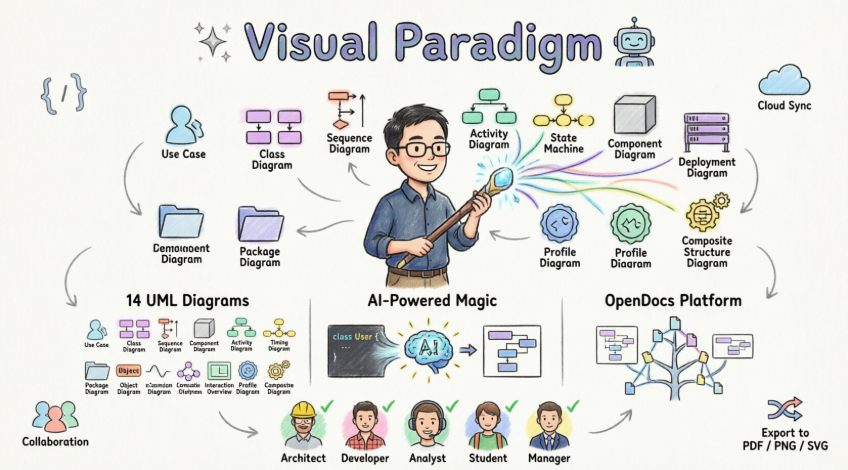
Key Characteristics of UML
- UML is a general-purpose modeling language. It was initially started to capture the behavior of complex software and non-software systems and has now become an OMG standard.
- UML provides elements and components to support the requirements of complex systems. UML follows object-oriented concepts and methodology, so object-oriented systems are generally modeled using this pictorial language.
- UML diagrams are drawn from different perspectives like design, implementation, deployment, etc. At its core, UML can be defined as a modeling language to capture the architectural, behavioral, and structural aspects of a system.
- Objects are the key to this object-oriented world. The basic requirement of object-oriented analysis and design is to identify objects efficiently. After that, responsibilities are assigned to the objects. Once this task is complete, the design is done using input from the analysis.
- UML plays an important role in OO analysis and design; UML diagrams are used to model the design, making UML an essential tool in modern software engineering.
Purpose of UML
“A picture is worth a thousand words” — this absolutely fits while discussing UML.
Object-oriented concepts were introduced much earlier than UML. At that time, there were no standard methodologies to organize and consolidate object-oriented development. UML emerged to fill this gap.
Primary Goals of UML Development
- Define a general-purpose modeling language that all modelers can use, made simple to understand and use.
- Made for developers but also accessible to business users, common people, and anybody interested in understanding the system.
- The system can be software or non-software.
- It must be clear that UML is not a development method — rather, it accompanies processes to make a successful system.
Conclusion: The goal of UML can be defined as a simple modeling mechanism to model all possible practical systems in today’s complex environment.
Modeling Architecture Views using UML: The 4+1 Views
Different users interact with any real-world system — developers, testers, business people, analysts, and many more. Before designing a system, the architecture is made with different perspectives in mind. The most important part is to visualize the system from different viewers’ perspectives. The better we understand, the better we make the system.
This set of views is known as the 4+1 Views of Software Architecture. UML plays an important role in defining different perspectives of a system.
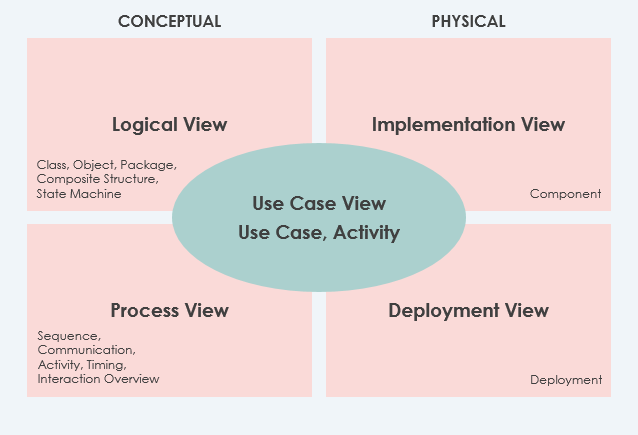
The Five Architectural Views
| View | Description | Mandatory? |
|---|---|---|
| Use Case View (Center) | Describes the functionality of the system, its external interfaces, and its principal users. Contains the Use-Case Model. | ✅ Yes |
| Logical View | Describes how the system is structured in terms of units of implementation. Elements include packages, classes, and interfaces. Shows dependencies, interface realizations, part-whole relationships. | ✅ Yes |
| Implementation View | Describes how development artifacts are organized in the file system. Elements are files and directories (configuration items). Includes development and deployment artifacts. | Optional |
| Process View | Describes how the run-time system is structured as elements with run-time behavior and interactions. Consists of processes, threads, EJBs, servlets, DLLs, data stores, and connectors. Useful for performance and reliability analysis. | Optional |
| Deployment View | Describes how the system is mapped to hardware infrastructure. | Optional |
Additional View
- Data View: A specialization of the logical view. Use this view if persistence is a significant aspect of the system, and the translation from the design model to the data model is not done automatically by the persistence mechanism.
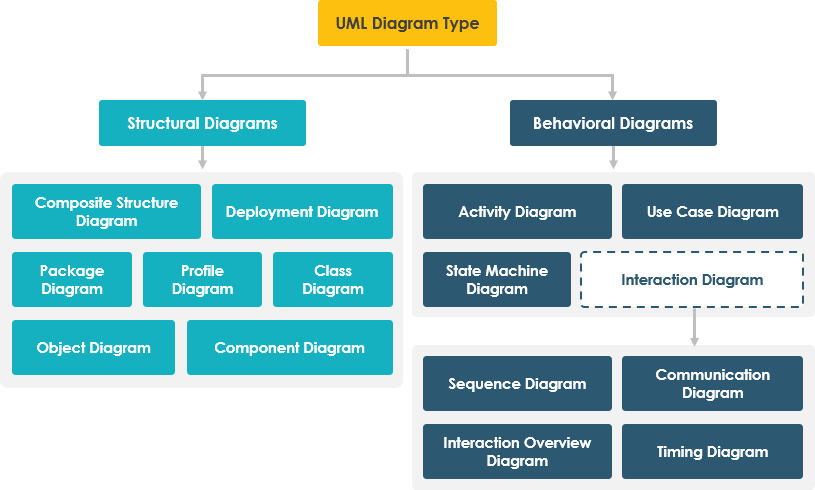
The 14 Types of UML 2 Diagrams
Diagrams are the heart of UML. These diagrams are broadly categorized into two main groups:
📐 Structural Diagrams (Static)
Show the static structure of the system and its parts on different abstraction and implementation levels.
🔄 Behavioral Diagrams (Dynamic)
Show the dynamic behavior of objects in a system, described as a series of changes to the system over time.
🔷 Structural Modeling Diagrams
1. Class Diagrams
Class diagrams are the most popular UML diagrams used by the object-oriented community. They describe the objects in a system and their relationships. A class diagram consists of:
- Classes with attributes and operations
- Relationships between classes (associations, inheritance, dependencies)
A single class diagram describes a specific aspect of the system, and the collection of class diagrams represents the whole system. Class diagrams represent the static view of a system and are the only UML diagrams that can be mapped directly with object-oriented languages.
Class Diagram Example
The following Class Diagram example represents two classes – User and Attachment. A user can upload multiple attachments, so the two classes are connected with an association, with 0..* as multiplicity on the Attachment side.

2. Object Diagram
An object diagram is an instance of a class diagram. The basic elements are similar to a class diagram, but object diagrams consist of objects and links. It captures the instance of the system at a particular moment.
Key Difference: A class diagram represents an abstract model consisting of classes and their relationships. An object diagram represents a concrete instance at a particular moment — a snapshot of the detailed state of a system at a point in time.
Object Diagram Example
The following Object Diagram example shows how the object instances of User and Attachment class “look like” at the moment Peter (i.e., the user) is trying to upload two attachments. There are two Instance Specifications for the two attachment objects to be uploaded.

3. Component Diagram
Component diagrams are a special kind of UML diagram to describe the static implementation view of a system. They consist of physical components like libraries, files, folders, executables, etc.
Usage:
- Used from an implementation perspective
- Multiple component diagrams represent the entire system
- Forward and reverse engineering techniques generate executables from component diagrams
Component Diagram Example

4. Deployment Diagram
Deployment diagrams describe the static deployment view of a system and are mainly used by system engineers. They consist of:
- Nodes (hardware elements)
- Relationships between nodes
- Software components deployed on hardware
An efficient deployment diagram is an integral part of software application development.
Deployment Diagram Example

5. Package Diagram
The package diagram is a UML structure diagram that shows packages and dependencies between packages. Model diagrams allow showing different views of a system, for example, as a multi-layered (multi-tiered) application model.
Package Diagram Example

6. Composite Structure Diagram
Composite Structure Diagram is one of the new artifacts added to UML 2.0. It is similar to a class diagram and is a kind of component diagram mainly used in modeling a system at a micro point-of-view, depicting individual parts instead of whole classes.
Key Elements:
- Internal parts
- Ports through which parts interact with each other or the outside world
- Connectors between parts or ports
A composite structure is a set of interconnected elements that collaborate at runtime to achieve some purpose. Each element has a defined role in the collaboration.
Composite Structure Diagram Example

7. Profile Diagram
A profile diagram enables you to create domain and platform-specific stereotypes and define the relationships between them. You can:
- Create stereotypes by drawing stereotype shapes
- Relate them with composition or generalization
- Define and visualize tagged values of stereotypes
Profile Diagram Example

🔶 Behavioral Modeling Diagrams
8. Use Case Diagram
A use-case model describes a system’s functional requirements in terms of use cases. It is a model of:
- The system’s intended functionality (use cases)
- Its environment (actors)
Key Benefits:
- Relate what you need from a system to how the system delivers on those needs
- Used at high-level design to capture system requirements
- Represents system functionalities and flow
- Powerful planning instrument used in all phases of the development cycle
Use Case Diagram Example

9. State Machine Diagram
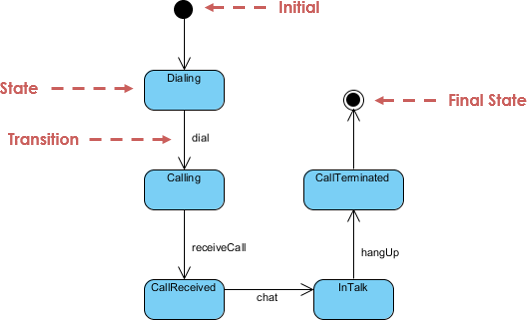
A State Machine diagram (also known as statechart, state diagram, or state transition diagram), developed by David Harel, models the dynamic nature of a system.
Purpose:
- Model the entire life cycle of an object
- Define states where an object resides and transitions triggered by events
- Used for forward and reverse engineering
Note: The activity diagram is a special kind of Statechart diagram.
State Machine Diagram Example
10. Activity Diagram
The activity diagram is another important diagram to describe dynamic behavior. It consists of:
- Activities, links, relationships
- Models all types of flows: parallel, single, concurrent, etc.
Usage:
- Describes flow control from one activity to another without messages
- Models high-level view of business requirements
- Intended to model both computational and organizational processes (workflows)
Activity Diagram Example

11. Sequence Diagram
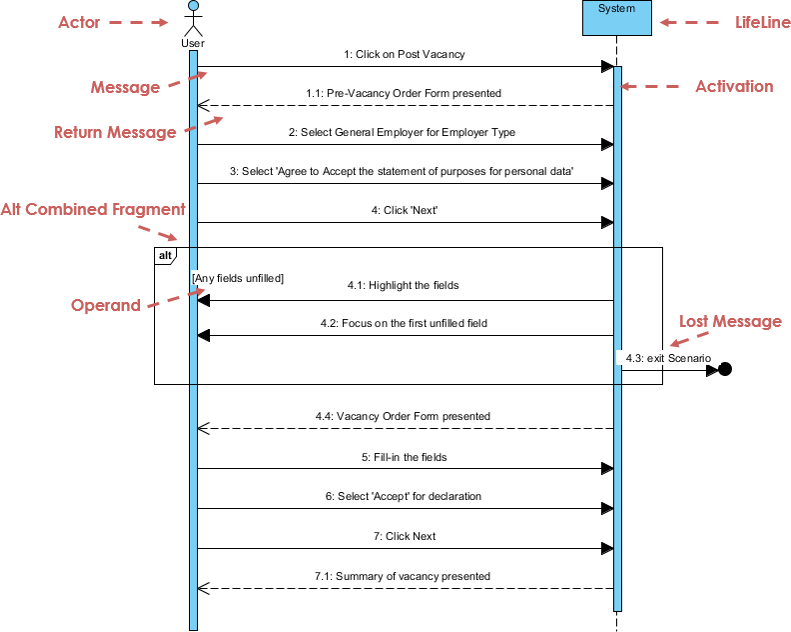
The Sequence Diagram models the collaboration of objects based on a time sequence. It shows how objects interact with others in a particular scenario of a use case.
Features:
- Visual modeling capability to create complex sequence diagrams quickly
- Some tools can generate sequence diagrams from use case descriptions
- Focuses on time-ordered message exchanges between objects
Sequence Diagram Example
12. Communication Diagram
Similar to the Sequence Diagram, the Communication Diagram models the dynamic behavior of the use case.
Key Difference: When compared to the Sequence Diagram, the Communication Diagram is more focused on showing the collaboration of objects rather than the time sequence.
They are semantically equivalent, so some modeling tools allow you to generate one from the other.
Communication Diagram Example

13. Interaction Overview Diagram
The Interaction Overview Diagram focuses on the overview of the flow of control of the interactions. It is a variant of the Activity Diagram where:
- Nodes are interactions or interaction occurrences
- Messages and lifelines are hidden
- You can link up “real” diagrams and achieve high-degree navigability between diagrams
Interaction Overview Diagram Example

14. Timing Diagram
Timing Diagram shows the behavior of object(s) in a given period of time. It is a special form of a sequence diagram.
Key Differences from Sequence Diagram:
- Axes are reversed: time increases from left to right
- Lifelines are shown in separate compartments arranged vertically
Timing Diagram Example

Summary: Why UML Matters
- UML is non-proprietary and open to all. It addresses the needs of user and scientific communities, as established by experience with the underlying methods on which it is based.
- Many methodologists, organizations, and tool vendors have committed to using it. Since UML builds upon similar semantics and notation from Booch, OMT, OOSE, and other leading methods — and has incorporated input from UML partners and feedback from the general public — widespread adoption should be straightforward.
Two Aspects of “Unified” in UML:
- Standardization: It effectively ends many of the differences, often inconsequential, between the modeling languages of previous methods.
- Integration: It unifies perspectives among many different kinds of systems (business versus software), development phases (requirements analysis, design, and implementation), and internal concepts.
Put UML into Practice with Generative AI
Applying UML principles in real-world software architecture can be challenging. Visual Paradigm’s AI-powered tools bridge the gap between abstract requirements and professional-grade diagrams, helping you visualize complex systems in a fraction of the time.
🤖 AI-Powered Tools
Instant diagram drafting through natural conversation. Perfect for quickly capturing use case views and system behaviors.
Step-by-step AI-guided workflows to create and evolve your architecture from simple sketches to detailed implementation views.
Generate professional UML diagrams directly within the Visual Paradigm Desktop, ensuring full compliance with OMG standards.
📝 OpenDocs
A modern knowledge management system to centralize your documents and embed live AI-generated diagrams.
Ready to modernize your modeling process?
Explore the AI Diagramming Ecosystem →
Complete Guide to Visual Paradigm Online UML Diagram Tool
Draw UML Diagrams online, with an easy-to-use online UML tool
🎯 What Is Visual Paradigm Online?
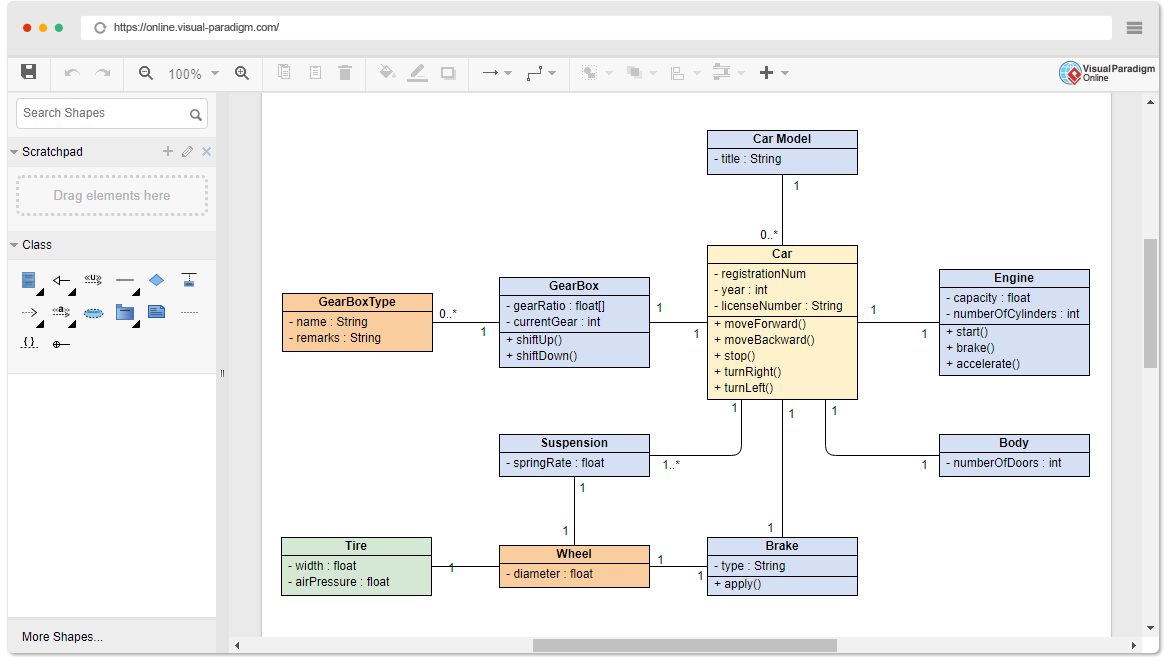
Visual Paradigm Online is a powerful, browser-based UML modeling tool that enables developers, architects, and business analysts to create professional UML diagrams without installing software. With intuitive drag-and-drop functionality, real-time syntax validation, and cloud collaboration, it bridges the gap between simple drawing tools and enterprise-grade modeling platforms.
📊 Supported UML Diagram Types
Visual Paradigm Online supports all 14 UML 2.x diagram types, including:
1. Class Diagram
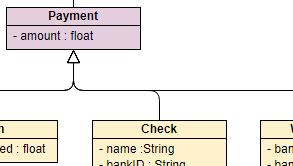
Class Diagram — Model static structure: classes, attributes, operations, and relationships.
2. Use Case Diagram

Use Case Diagram — Capture functional requirements and actor interactions.
3. Sequence Diagram
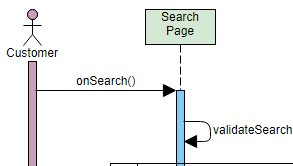
Sequence Diagram — Visualize object interactions and message flows over time.
4. Activity Diagram
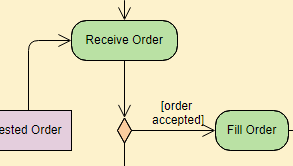
Activity Diagram — Model workflows, business processes, and operational logic.
5. Deployment Diagram
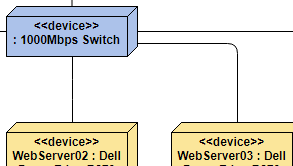
Deployment Diagram — Map software components to physical infrastructure.
6. Component Diagram
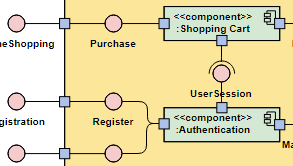
Component Diagram — Illustrate modular architecture and component dependencies.
7. State Machine Diagram
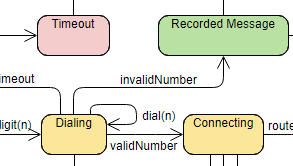
State Machine Diagram — Define object states, transitions, and event-driven behavior.
8. Package Diagram
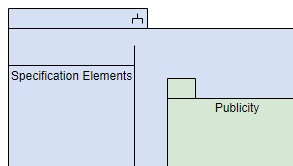
Package Diagram — Organize model elements into logical namespaces and modules.
⚡ Fast & Intuitive Diagramming Features
Draw UML diagrams effortlessly with intuitive web UML tools. We provide everything you need to draw UML quickly without sacrificing the quality and integrity of your work.
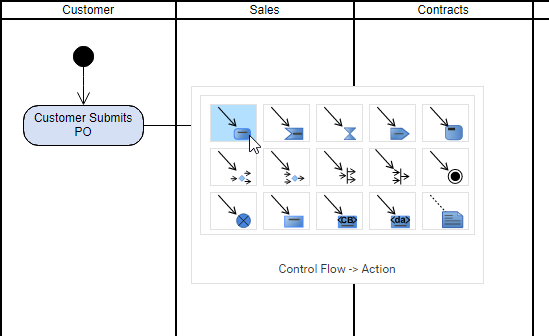
Key Productivity Features:
- ✅ Inline editing of shape names and members (attributes, operations)
- ✅ Resource Catalog for quick shape creation
- ✅ Group shapes and move them together
- ✅ 1-Click alignment and distribution tools
- ✅ Drag-and-drop sequence message creation
🔧 Advanced Editing Capabilities
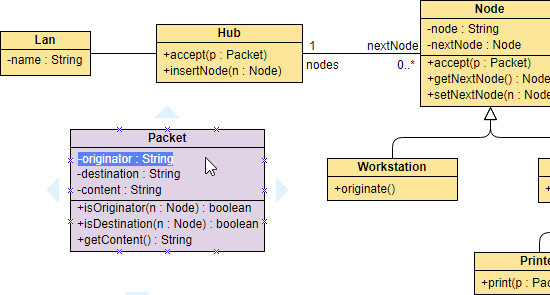
Inline Editing of Class Members
Class members are selectable and editable compartments managed within a class shape, not free text labels.
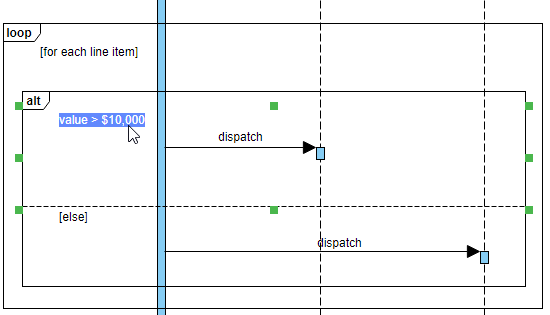
Easy-to-Use Sequence Diagram Editor
Sequence Diagrams are constructed with specialized UML shapes instead of primitive shapes like rectangles and arrows.
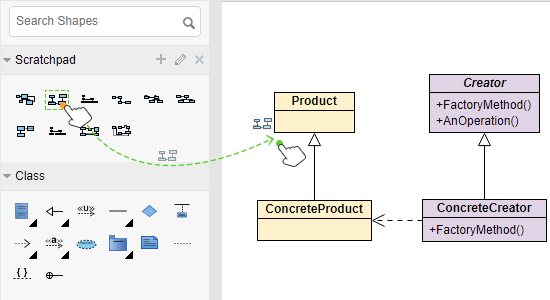
Reuse Shapes Across Diagrams
Keep commonly-used shapes in palette and reuse them in other diagrams. This not only saves your time from re-working, but also makes your design consistent.
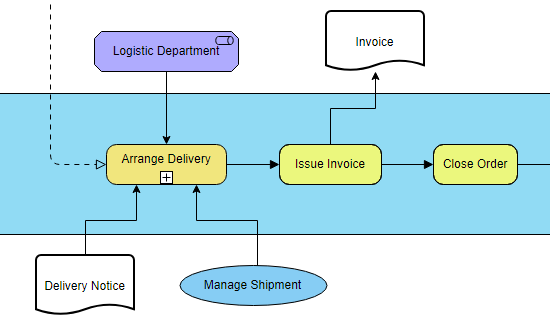
Mixed Use of Notations
Leverage the power of UML diagramming, convey the right messages with the mixed use of notations beyond standards. You can incorporate any kind of notations into any diagrams, regardless of their standards.
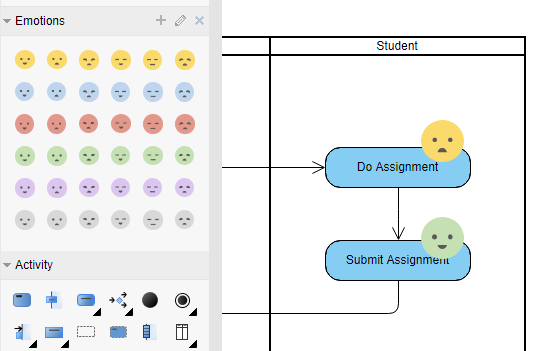
Design with Your Own Shapes
Visual Paradigm supports hundreds of shape types from various standards, and you can add even more by using the import function. You can create a palette consisting of your stencils in image formats (e.g. SVG, JPG, PNG, etc) and use them in your design.
Find out more about drawing features →
🌐 Much More Than a UML Software

Get Started Now
Create diagrams and charts in a simple and flexible way. Start Drawing for Free
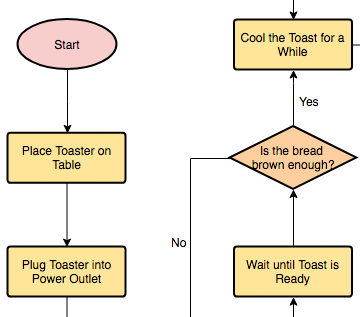
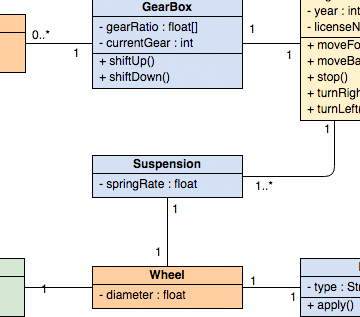
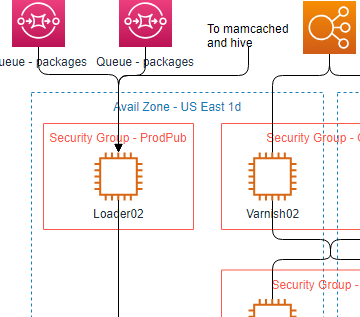
Comprehensive Diagram Library
🔧 Technical Diagrams
💼 Business Diagrams
☁️ Cloud Architecture Design Tools
🎨 Additional Tools
- Powerful Flowchart, Floor plan, Mind map and Venn diagram tool
- Process Map Designer with templates like Customer Journey Mapping, Competitor Analysis, Root Cause, etc.
🏆 Best UML Tool for Visual Modeling

Get Started

Overview
UML (Unified Modeling Language) has become a widely used industry standard for modeling software systems. However, we need good process and modeling tool support to unleash the full power of visual modeling capability provided by UML. The business world is complex, dynamic, and fast-changing—and there is no “one-size-fits-all” methodology. Visual Paradigm provides a rich variety of UML design tools for developers to pick and match for today’s challenging projects.
 A comprehensive UML tool that supports latest UML 2.x diagrams and notations.
Key Capabilities:
- ✅ Class Diagram
- ✅ Integrate UML with BPMN
- ✅ Create Product Backlog from Use Case Model
- ✅ Use Case Scenario Sequence Diagram Generation
- ✅ Wireframe in Use Case
- ✅ IDE Integration
- ✅ Synchronization between ERD and UML Class Diagram
- ✅ Document Generation
- ✅ Communicate Software Design Online
- ✅ Sequence Diagram Tool
🎯 Addressing Common Challenges
❌ Limitations of Basic Web Diagrammers
- Elements created in one diagram cannot be referenced elsewhere or across projects
- Diagrams are isolated pieces without traceability
- No supporting toolset for agile development, code engineering, or enterprise project management
❌ Limitations of Traditional Tools (e.g., Visio)
- Suitable only for simple diagrams
- Lacks advanced editing features for complex layouts
- Produces standalone diagrams that don’t scale with software development processes
✅ Visual Paradigm’s Solution
🧰 Excellent Visual Modeling Toolset
- Full support for latest UML 2.x standard with all 14 diagram types
- Integrated support for related standards: BPMN, Mind Map, Textual Analysis, ArchiMate, Fishbone, PERT, Gantt, WBS, Radar Chart, and more
🔄 Integrate UML with Agile/Scrum Process
- Seamlessly apply use case modeling with agile development via story maps
- Send visual models (requirements) to agile product backlog from use cases, activity diagrams, BPMN tasks, or mind maps
- Transform large requirements (e.g., use cases) into manageable user stories or epics
- Break down stories into tasks managed automatically by the task manager
💻 Code Engineering Toolset
- Generate code from class and state diagrams for popular programming languages
- Generate database schemas from ERDs and map to class diagrams using Hibernate framework
- Integrate with leading IDEs: Visual Studio, IntelliJ, NetBeans, Eclipse, Android Studio
🔗 Inter-Model Traceability
- Support model traceability through references, sub-diagrams, cross-project links, annotations
- Generate sequence/activity diagrams from use case scenarios
- Elaborate scenarios with wireframe tools
- Identify classes from sequence diagrams via the Model Transitor feature
📄 On-Demand Report Designer
- Drag & drop model elements to compose custom reports in Word, PDF, or HTML
- Embed diagrams into corporate documentation with the Fill-in Documentation Composer
👥 Team Collaboration
- Concurrent editing with automatic version control and conflict resolution
- PostMania: Comment and discuss diagrams online via cloud
- Organize references and documents in a visual File Cabinet
🌐 Web Diagrams & Samples Online
- Web Diagram feature supports BPMN, ArchiMate®, class, use case, sequence, flowchart, PERT, ITIL, AWS, Azure diagrams—available at no extra cost
- Try sample diagrams in the Visual Paradigm Community Circle for learning and experimentation
🤖 AI-Powered UML Generation
Visual Paradigm has integrated generative AI to automate manual shape placement and structural planning.
✨ AI Features:
- Text-to-Diagram: Describe a system (e.g., “A banking app login sequence”) and the AI generates a technically accurate Sequence or Class diagram instantly
- Guided AI Wizards: Tools like the AI-Assisted Class Diagram Generator walk you through identifying classes, attributes, and relationships step-by-step
- Intelligent Refinement: Use a chatbot-style interface to give commands like “Add a payment gateway” or “Rename ‘Employee’ to ‘Staff'”, and the diagram updates in real-time
- Automated Analysis: The AI can critique your design, identifying missing actors or suggesting architectural improvements
💰 Pricing & Availability
| Version | Description | Best For |
|---|---|---|
| Visual Paradigm Online | Browser-based version for quick, accessible modeling | Individuals, small teams, education |
| Visual Paradigm Desktop | Full professional suite for advanced engineering and offline work | Enterprise teams, complex projects |
| Community Edition | Free version for non-commercial use | Students, hobbyists, open-source projects |
| Professional Licenses | Paid versions with advanced features and support | Commercial teams, enterprise deployments |
💡 Professional licenses typically start around $69 USD. Explore pricing details
💡 Ready to start modeling? Create your first UML diagram for free →
Visual Paradigm combines intuitive design, enterprise-grade modeling, and AI-powered automation to help teams visualize, communicate, and build better software systems. 🚀
Related posts:
 AI Generated Component Diagram: Airline Booking System Example
 UML Component Diagram vs. Deployment Diagram: Key Concepts
 Revolutionizing System Modeling: How the Visual Paradigm AI Chatbot Transforms Diagram Creation
 Empowering Developers: How Visual Paradigm AI Co-Pilot Transforms UML Modeling for IT Teams