


Whether it’s a technical UML model or a high-impact marketing graphic, your cloud-based visuals now have a direct home in your documentation. This comprehensive guide walks you through the new integration between Visual Paradigm Online and Visual Paradigm OpenDocs, enabling a seamless, cloud-native workflow for teams who need to move fast.
🔄 The Unified Cloud Workflow
We are thrilled to announce that Visual Paradigm Online now supports a direct integration with Visual Paradigm OpenDocs. This update allows you to bridge the gap between our versatile cloud-based diagramming tool and your centralized knowledge management platform.
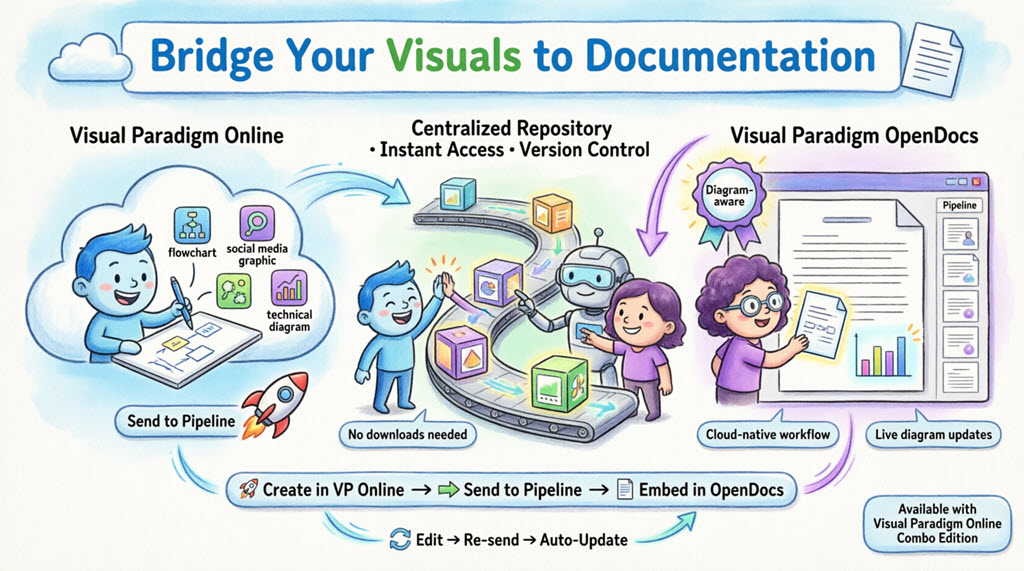
Now, any visual you create online—from intricate technical diagrams to eye-catching social media graphics—can be sent instantly to OpenDocs using the Pipeline.
This integration is perfect for teams who need to move fast. Create your design in your browser, send it to the Pipeline, and immediately embed it into your project documentation. It eliminates the need to download images to your local machine, keeping your workflow entirely in the cloud.
Note: This feature is available to users with a Visual Paradigm Online Combo Edition subscription.
📚 What is Visual Paradigm OpenDocs?
OpenDocs is our premier knowledge and document management platform. Unlike standard word processors, OpenDocs is “diagram-aware.” It integrates a full diagramming engine directly into the document editor, allowing you to:
- ✅ Insert visuals without leaving the page
- ✅ View diagrams in high fidelity
- ✅ Re-edit source diagrams directly from the document
- ✅ Maintain live connections between documentation and source models
By connecting Visual Paradigm Online to OpenDocs, your cloud diagrams become living parts of your documentation—always up-to-date, always accessible.
🚀 Understanding the Pipeline
The Pipeline acts as your personal “Asset Transit Hub.” It is a centralized repository that stores your diagrams and graphics (which we call “artifacts”) so they can be easily shared between different applications in the Visual Paradigm ecosystem.
How the Pipeline Works:
Visual Paradigm Online → Send to Pipeline → OpenDocs → Embedded Documentation
When you “Send to Pipeline” from Visual Paradigm Online, you are placing that artifact into a space where OpenDocs can instantly see it and use it as an input for your documents. Key benefits include:
- 🔗 Centralized artifact management
- 🔄 Version tracking and revision history
- 👥 Team-wide access to approved visuals
- ⚡ Instant availability across the Visual Paradigm suite
📤 How to Send Visuals from VP Online to OpenDocs
Moving your work from the cloud editor to your document is simple and intuitive. Follow these steps:
Step 1: Open Your Diagram
Open your diagram or graphic in Visual Paradigm Online.
Step 2: Access the Export Menu
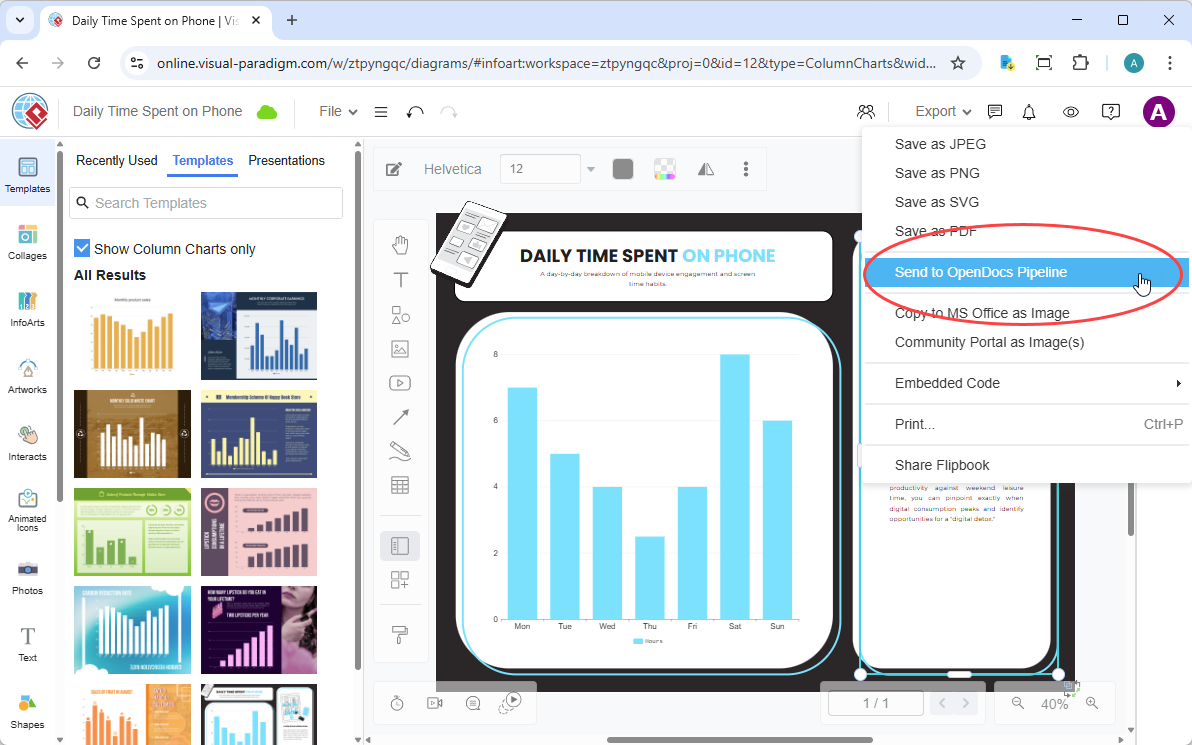
In the top menu, select Export > Send to OpenDocs Pipeline.
Step 3: Add Context (Optional)
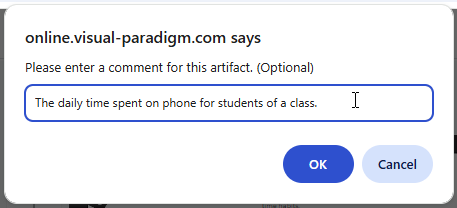
Add a comment to describe the artifact. This makes it easier to find later in the Pipeline pane.
Step 4: Confirm and Store
Confirm the export. Your visual is now securely stored in the Pipeline and ready for use in OpenDocs.
📥 Embedding Your Artifacts in OpenDocs
Once your diagram is in the Pipeline, you can place it anywhere in your knowledge base:
Step 1: Open and Edit Your Document
Open any document page in OpenDocs and click Edit.

Step 2: Position Your Cursor
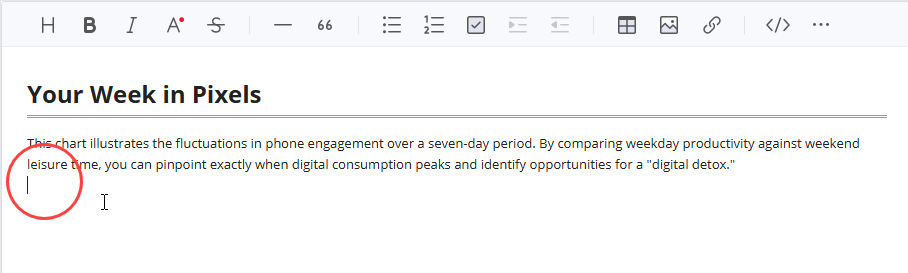
Click on the page where you want to insert the diagram.
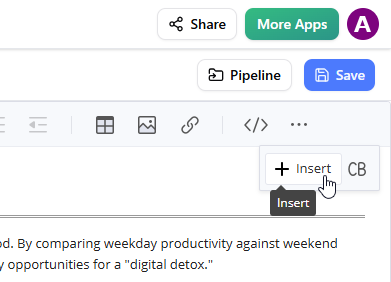
Step 3: Access the Insert Menu
On the toolbar, click Insert.
Step 4: Select from Pipeline
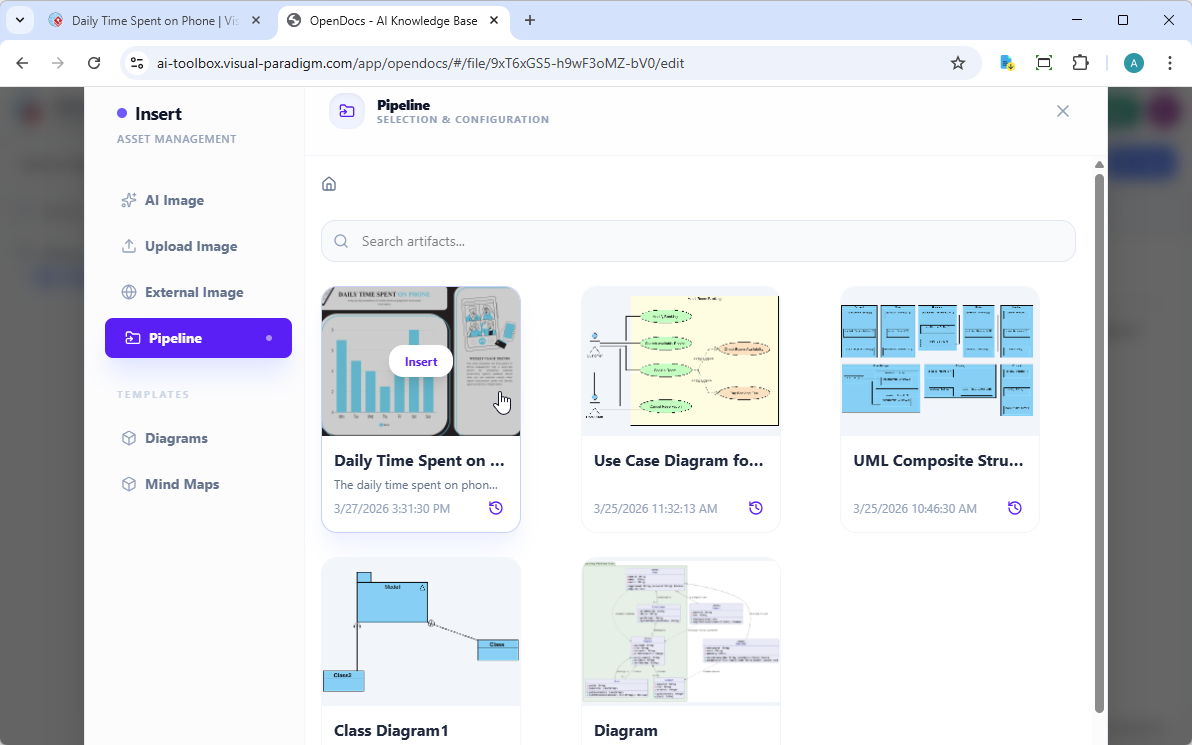
In the Insert window, select Pipeline from the left-hand sidebar. Your sent diagrams will appear here.
Step 5: Insert Your Visual
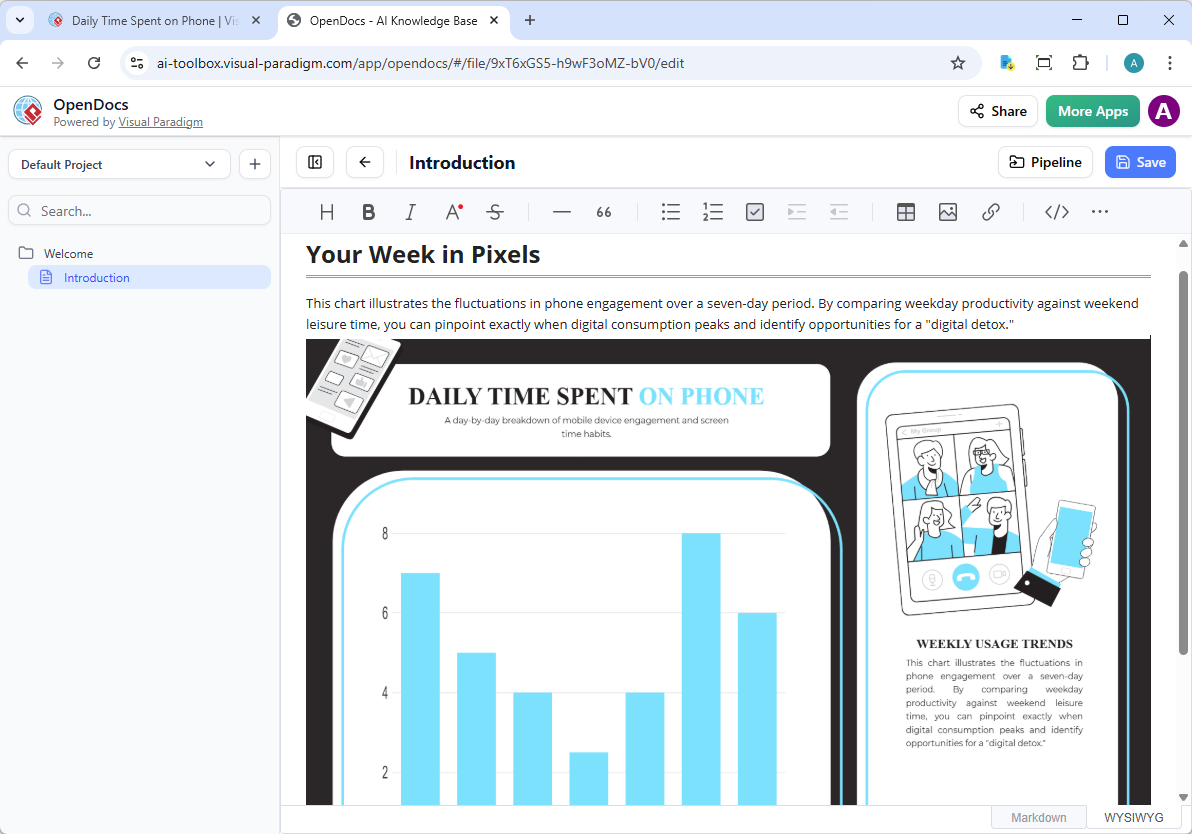
Click on the diagram to insert the image directly at your cursor position.
🔄 Keeping Your Documentation in Sync: Updating Artifacts
One of the most powerful aspects of this integration is the ability to update your documentation as your models evolve. If you need to make changes to a diagram already in OpenDocs, follow these steps:
Step 1: Open the Source Diagram
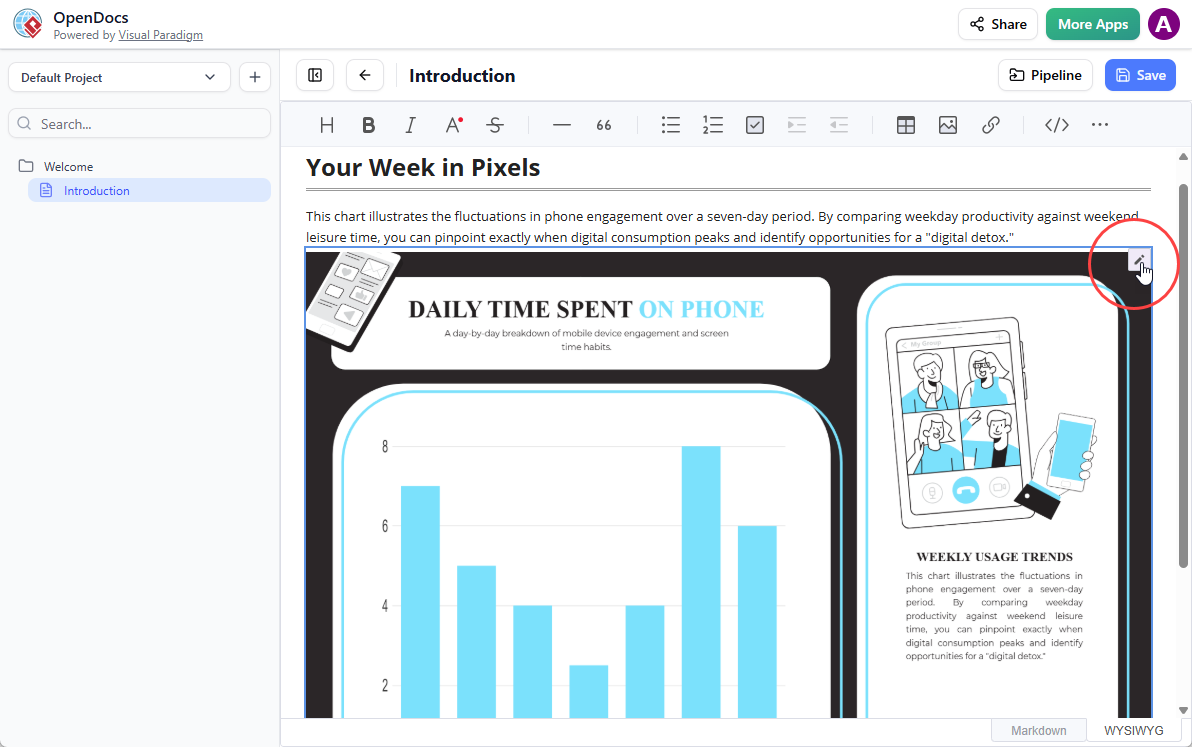
In OpenDocs, click the Edit icon at the top right of the diagram image to open the Edit Diagram window.
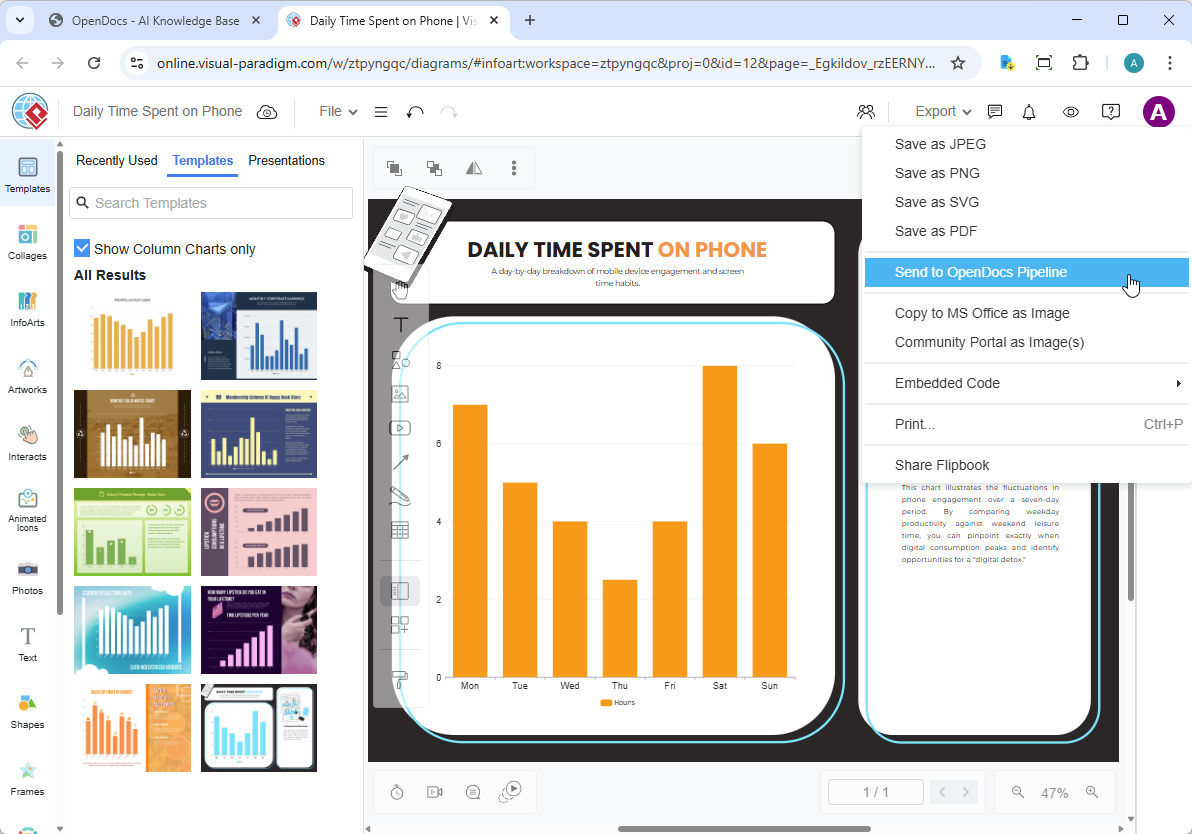
Step 2: Edit and Re-send
Modify your diagram in Visual Paradigm Online. Once finished, select Export > Send to OpenDocs Pipeline from the top menu again.
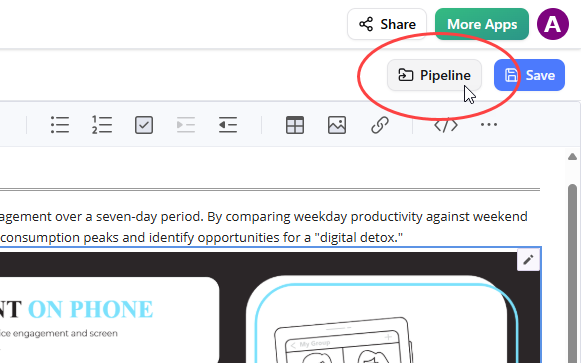
Step 3: Access the Pipeline Pane
Back in the OpenDocs editor, click Pipeline at the top right.
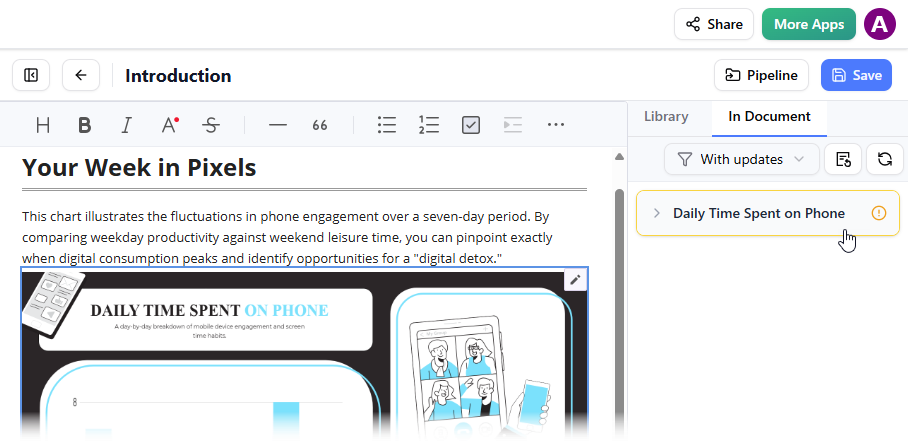
Step 4: Locate Updated Artifacts
Open the In Document tab. The filter “With updates” is active and the pane is now listing the artifacts modified. Click on the visual just modified.
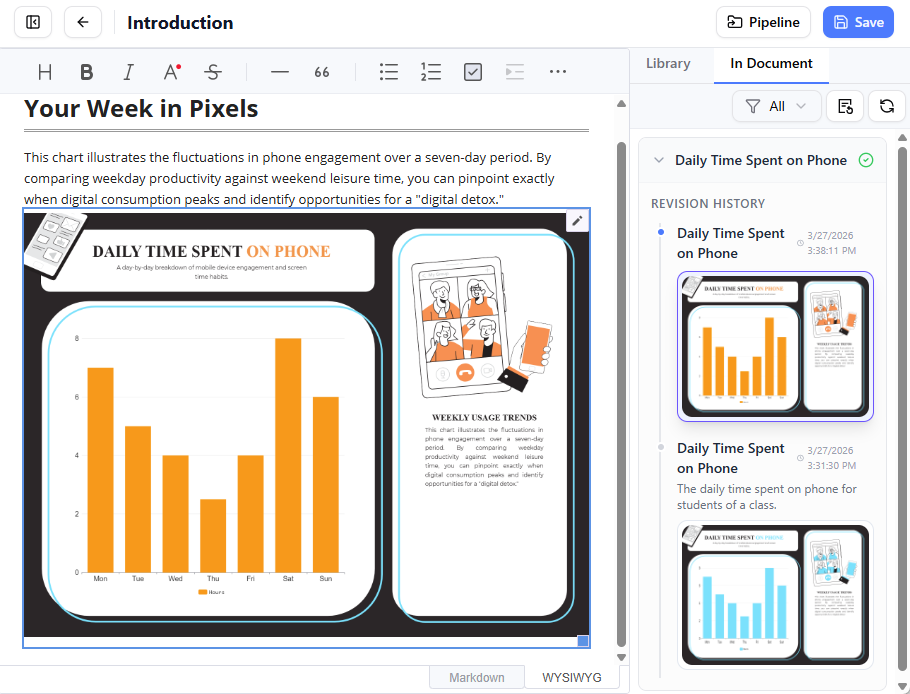
Step 5: Swap to Latest Revision
You can see the available revisions for the selected visual. Click on the latest revision to instantly swap the old diagram for the updated version. Or you can click on Update to latest revision directly.
💡 Purpose and Benefits
The primary purpose of this integration is to bridge the gap between specialized modeling tools and centralized project documentation, creating a “unified cloud workflow”.
Key Benefits:
| Benefit | Description |
|---|---|
| 🎯 All-in-One Knowledge Hub | Consolidates complex technical diagrams and written narratives into a single, searchable platform. |
| 🔄 Living Documentation | Unlike static image exports, diagrams sent through the Pipeline maintain a connection to the source model. Re-edit the source and instantly Update to latest revision in OpenDocs. |
| ⚡ Eliminates Manual Friction | Removes the need to download, save, and manually re-upload image files whenever a small change is made to a diagram. |
| 🤖 AI-Enhanced Workflow | Use Visual Paradigm’s AI Chatbot to generate diagrams from text prompts and send them immediately to OpenDocs via the same Pipeline. |
| 👥 Role-Based Collaboration | Allows specialized modelers to work in VP Online while technical writers work in OpenDocs, with both contributing to a unified “single source of truth”. |
| ☁️ Cloud-Native Architecture | Everything stays in the cloud—no local file management, no version confusion, no broken links. |
| 🔍 Enhanced Discoverability | Artifacts in the Pipeline are searchable and taggable, making it easy to reuse visuals across multiple documents. |
🔗 Related Releases
Expand your workflow with these complementary features:
- Exporting diagrams from Visual Paradigm Desktop to OpenDocs
- Exporting diagram images from Visual Paradigm Chatbot to OpenDocs
🚀 Get Started Today
Ready to streamline your documentation workflow?
Open VP Online | Launch OpenDocs
📚 References
- Visual Paradigm Online to OpenDocs Export Guide: Official release notes detailing how to export diagrams from Visual Paradigm Online to OpenDocs via the Pipeline integration, including step-by-step instructions and screenshots.
- Mastering the Pipeline in Visual Paradigm OpenDocs: A comprehensive third-party guide to using the Pipeline feature for streamlined knowledge management, artifact versioning, and team collaboration workflows.
- Visual Paradigm OpenDocs Features Overview: Official product page describing OpenDocs’ diagram-aware document management capabilities, AI integration, and real-time collaboration features.
- Visual Paradigm OpenDocs: AI-Powered Knowledge Management Guide: An in-depth guide covering AI-powered diagram generation, natural language querying, and advanced knowledge management workflows in OpenDocs.
- Exporting Diagram Images from Visual Paradigm Chatbot to OpenDocs: Release documentation for sending AI-generated diagrams from the Visual Paradigm Chatbot directly to OpenDocs via the Pipeline, enabling rapid prototyping and documentation.
- Exporting Diagrams from Visual Paradigm Desktop to OpenDocs: Guide for desktop users on synchronizing complex UML, BPMN, and enterprise architecture diagrams with OpenDocs through the Pipeline feature.
Pro Tip: Bookmark this guide and share it with your team! The Pipeline integration works best when everyone understands the workflow—from diagram creation to documentation embedding.
Related posts:
 A Hands-On Review of Visual Paradigm’s Automated Documentation Pipeline
From Chaos to Clarity: A Product Manager’s Review of the Visual Paradigm Ecosystem
Living Documentation: A Hands-On Review of Visual Paradigm OpenDocs and the Pipeline Ecosystem
From Diagrams to Deployment: A Hands-On Review of the Visual Paradigm “VPasCode” Ecosystem
A Hands-On Review of Visual Paradigm’s Automated Documentation Pipeline
From Chaos to Clarity: A Product Manager’s Review of the Visual Paradigm Ecosystem
Living Documentation: A Hands-On Review of Visual Paradigm OpenDocs and the Pipeline Ecosystem
From Diagrams to Deployment: A Hands-On Review of the Visual Paradigm “VPasCode” Ecosystem