


Introduction
For years, product managers, system architects, and agile teams have relied on Visual Paradigm for robust modeling and documentation. However, as the ecosystem expanded to include over 100 specialized applications, users often faced a fragmented experience. Data became siloed between desktop clients and web browsers, and finding the right tool for a specific task required navigating disparate interfaces.
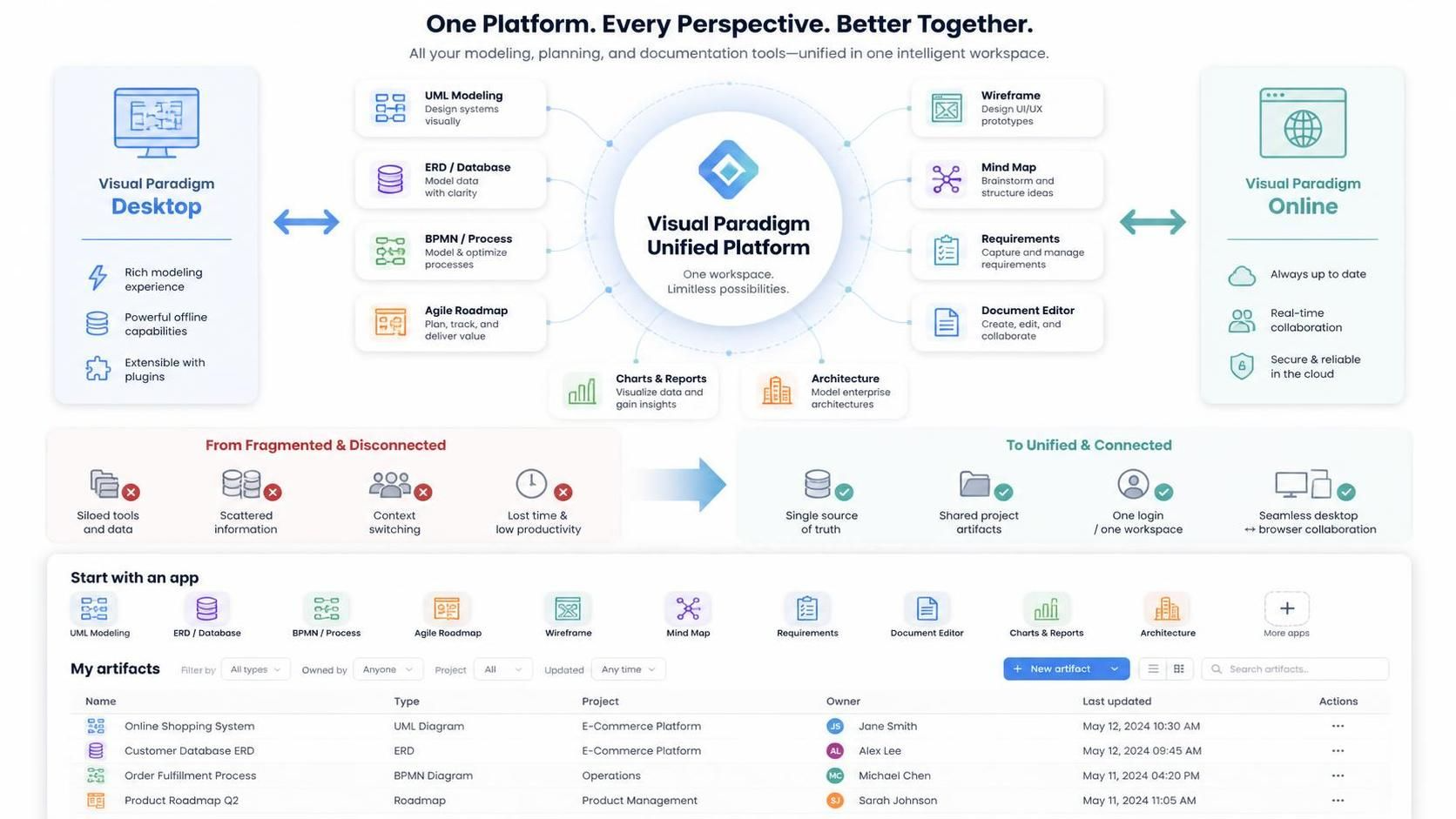
The launch of the Visual Paradigm Unified Platform marks a pivotal shift from a collection of tools to a cohesive ecosystem. This guide explores how this new centralized hub bridges the gap between Visual Paradigm Desktop and Visual Paradigm Online, eliminating context switching and creating a single source of truth for your projects. Whether you are managing complex system architectures or agile roadmaps, understanding this platform is essential for modernizing your workflow.
Key Concepts of the Unified Platform
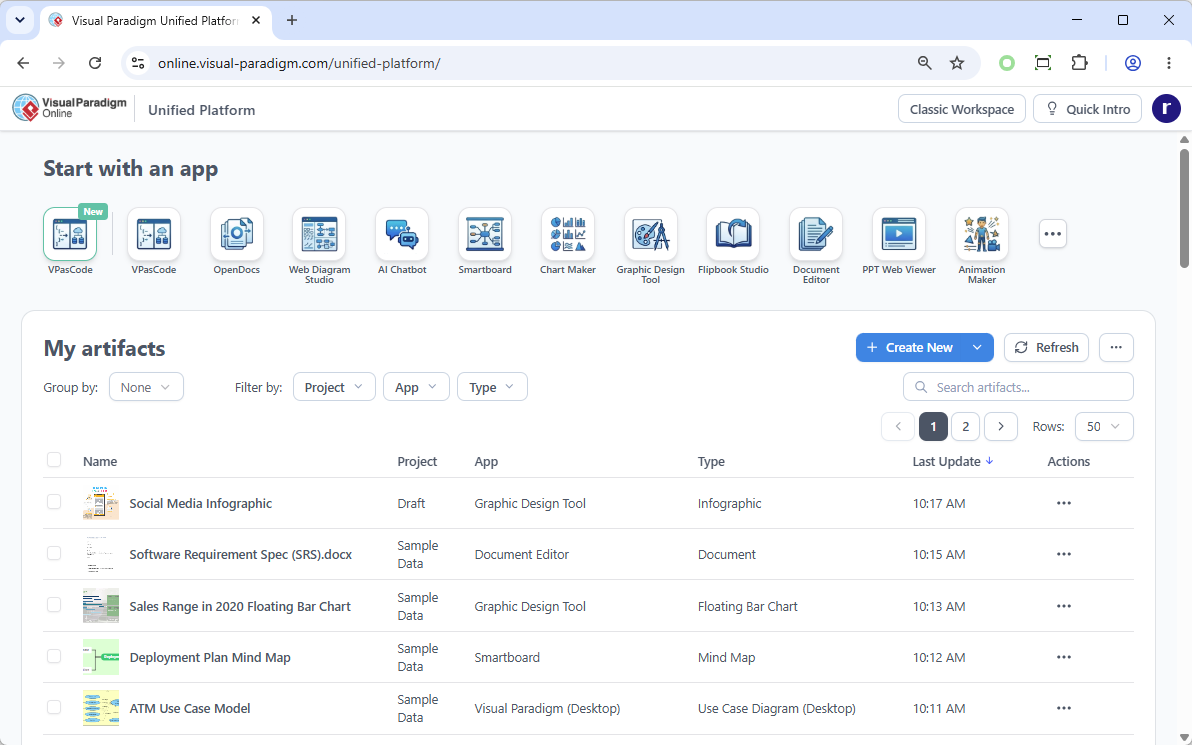
The Unified Platform is not merely a UI refresh; it is a structural innovation designed to solve resource scattering. Below are the core concepts that define this new environment.
1. Centralized Cloud Drive
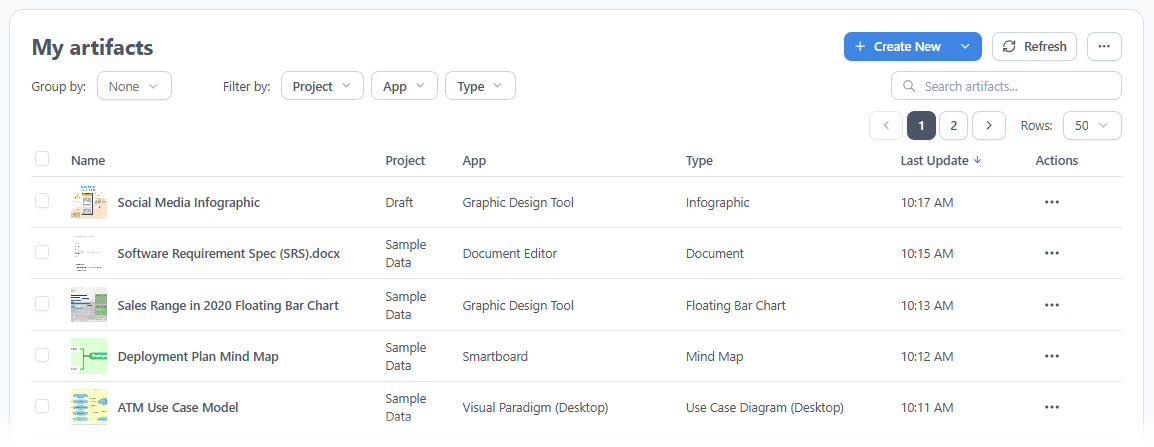
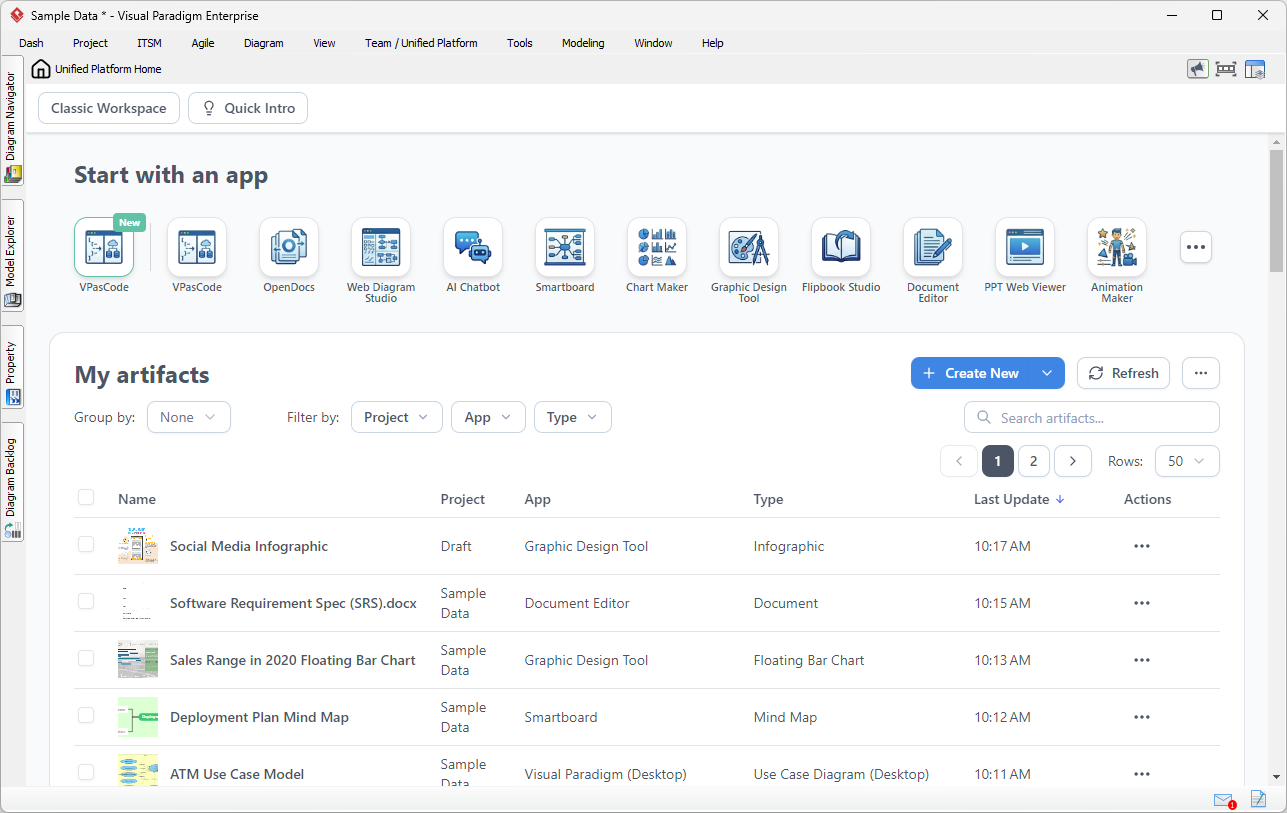
The platform introduces a drive-like space that serves as the single source of truth. Every artifact, diagram, document, or project created across any app in the suite is automatically organized here. This eliminates the need to search through local folders or separate cloud repositories.
2. Desktop-Web Synergy
For desktop users, the Unified Platform is embedded directly into the client via an integrated browser. This means locally built diagrams are instantly visible and manageable within the cloud platform. Conversely, users can access desktop-synced assets from any external web browser, ensuring continuity across devices.
3. Centralized App Dashboard
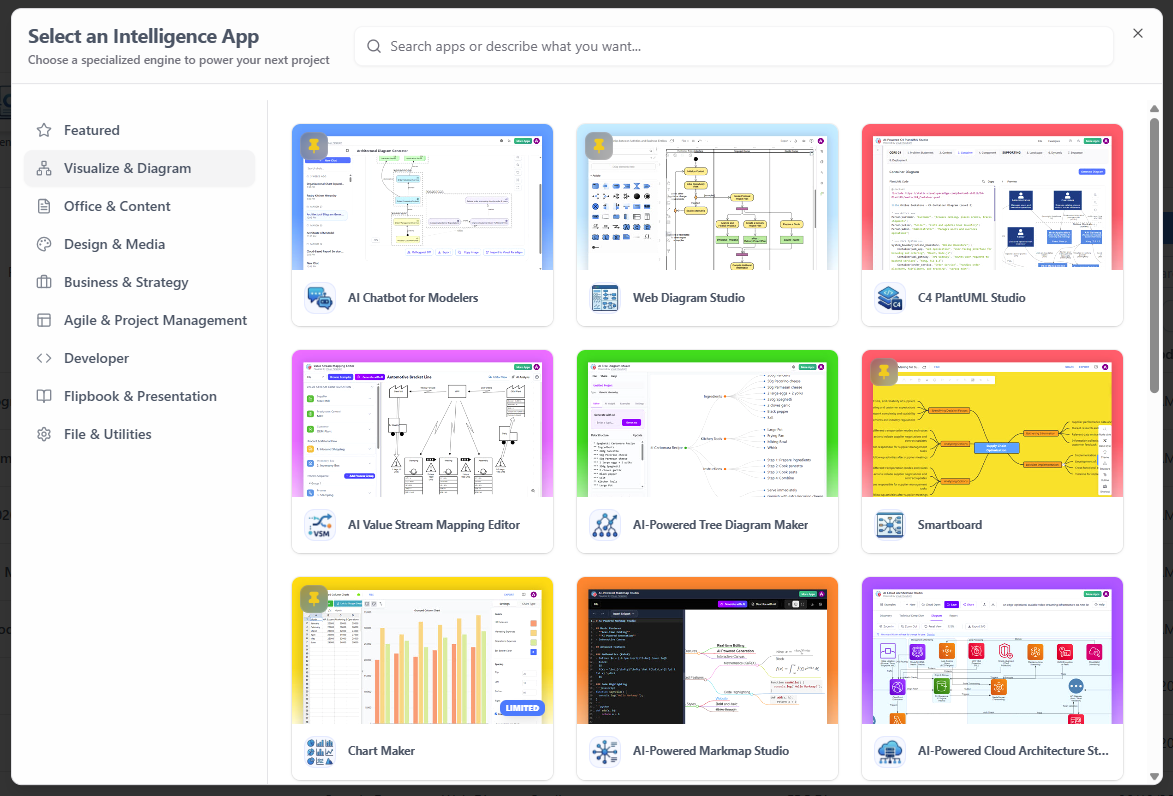
With over 100 AI-powered apps spanning system modeling, agile planning, business infographics, and strategic management, discovery is streamlined. The dashboard categorizes these tools, allowing users to launch the exact application they need with a single click.
4. Streamlined Creation Workflow
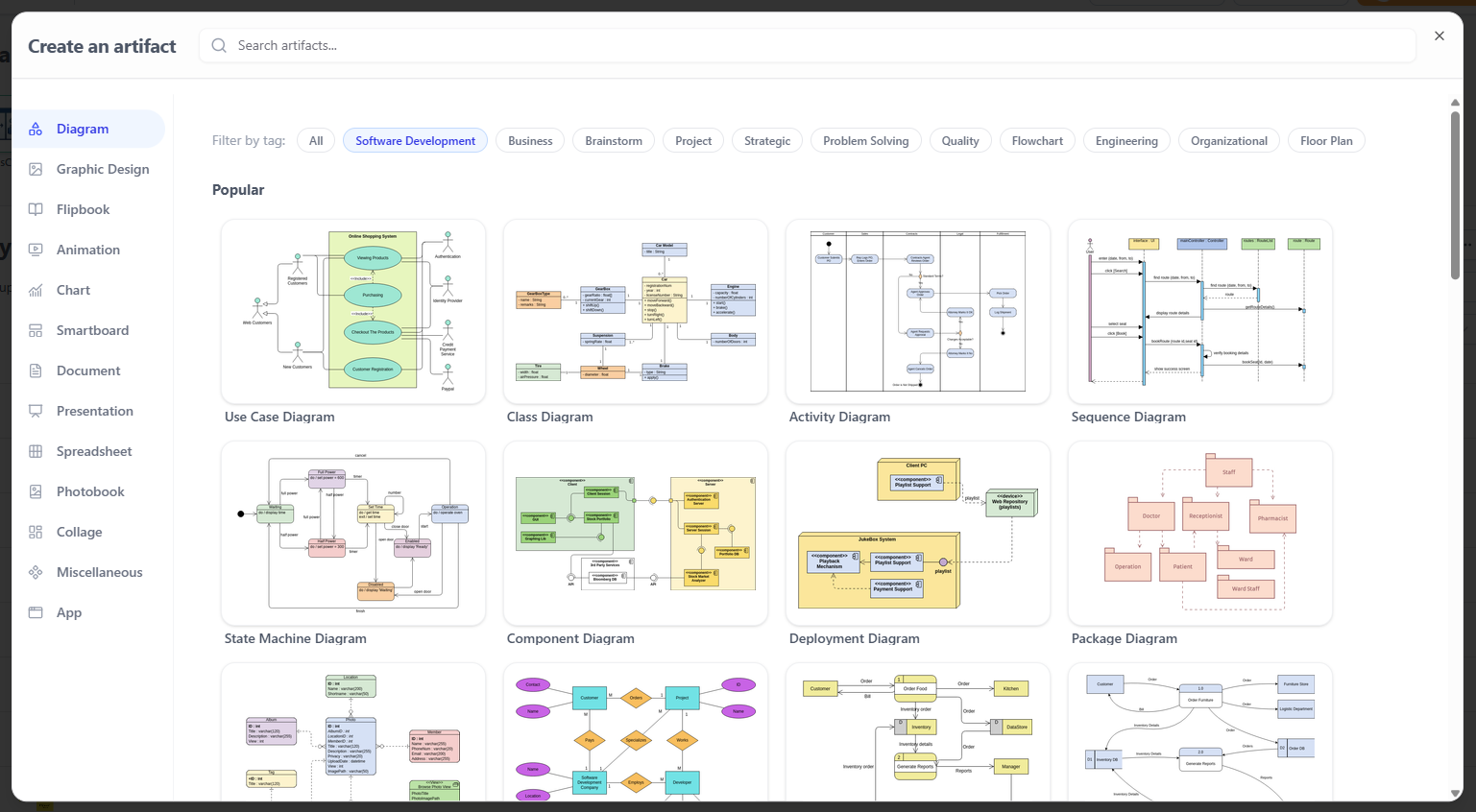
A redesigned creation interface removes friction by providing a centralized menu to spin up any diagram or visual artifact. Users no longer need to open different applications or navigate deep menus to start new work.
Practical Examples: Transforming Desktop Workflows
The true value of the Unified Platform lies in its ability to integrate heavy desktop modeling with cloud-based productivity tools without breaking flow. Below are three real-world scenarios demonstrating this synergy.
Example 1: Integrating System Modeling with Product Requirements
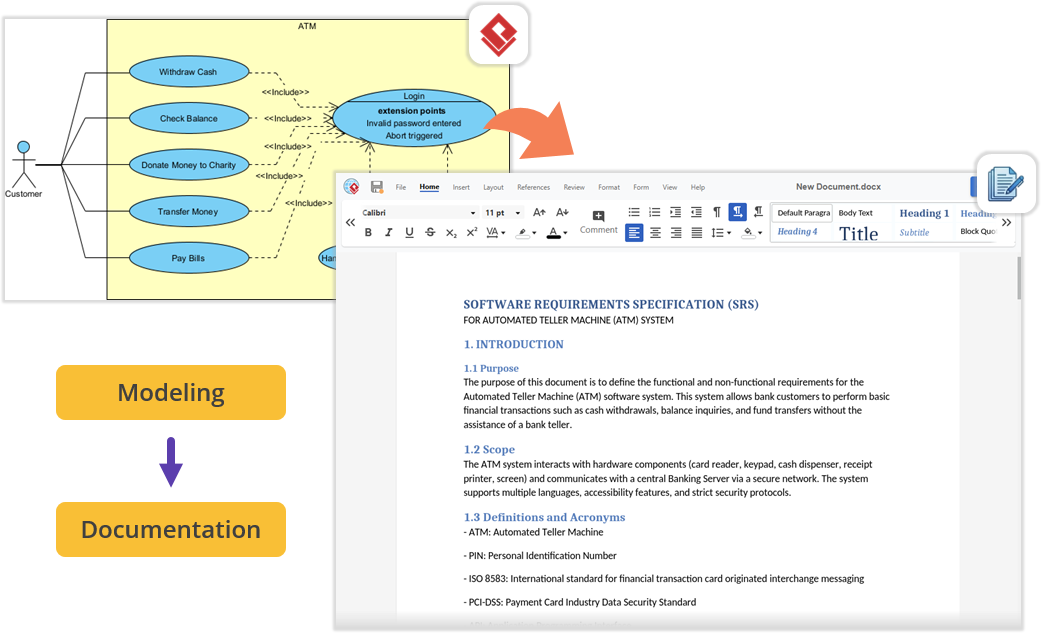
Scenario: You are architecting a software module using UML/SysML in VP Desktop and need to write the Product Requirement Specification (PRD).
Solution: Instead of exporting images to a word processor, open the embedded Unified Platform and launch the Document Editor. Write your PRD directly alongside your active modeling environment, keeping technical specs and requirements organized under one project space.
Example 2: Frictionless Documentation via Pipeline and OpenDocs
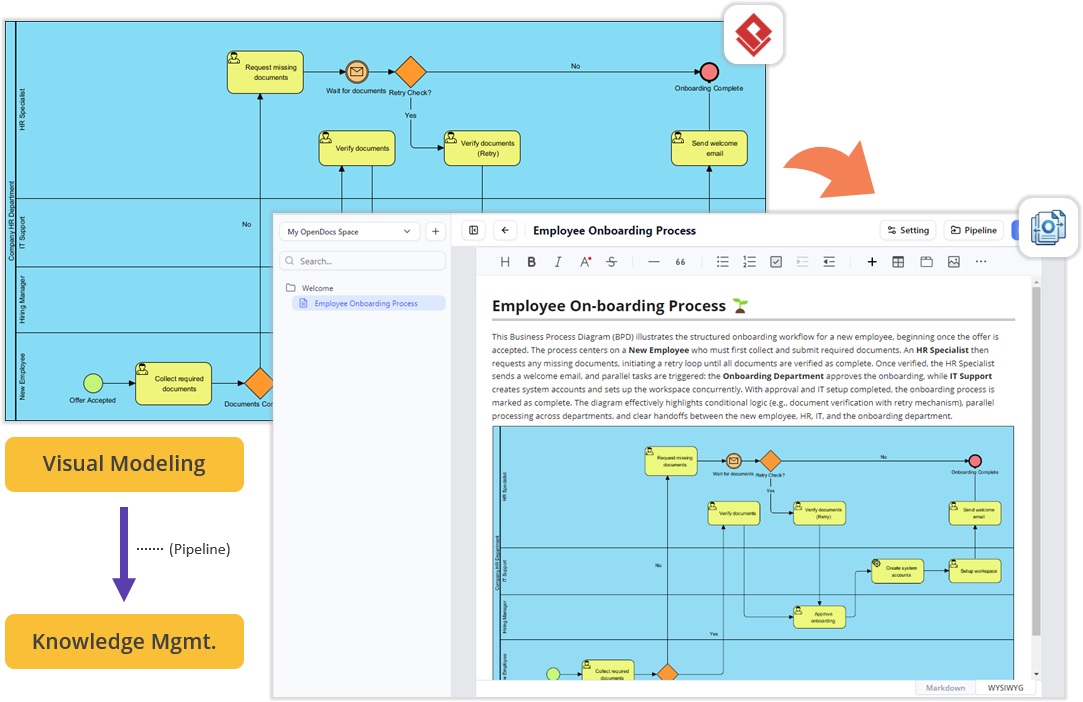
Scenario: Your team needs to create technical manuals using diagrams built locally.
Solution: Build diagrams in VP Desktop and send them to the cloud-based Pipeline. Switch to the OpenDocs app within the Unified Platform panel, where your Pipeline pane awaits. Drag and drop desktop-generated diagrams directly into the document canvas—no file exporting or broken links required.
Example 3: Aligning Engineering Design with Project Management
Scenario: Software development requires bridging architectural models with project execution tasks like scheduling and stakeholder alignment.
Solution: Access specialized PM and Agile apps directly from the desktop interface. Jump into Stakeholder Management, generate Development Plans, build Gantt Charts, map a RACI Matrix, or use the Website Builder for prototyping—all without leaving your modeling workspace.

How to Access the Unified Platform
For Visual Paradigm Online Users
-
Log in at https://online.visual-paradigm.com/login.jsp.
-
You will be automatically redirected to the Unified Platform dashboard.
-
Alternatively, bookmark the direct link: https://online.visual-paradigm.com/unified-platform/.
For Visual Paradigm Desktop Users
-
Connect to Cloud: Go to Team / Unified Platform > Select Repository and enter your VP Online credentials.
-
Launch Platform: Navigate to Team / Unified Platform > Unified Platform in the main menu.

-
Explore: An embedded browser will open, revealing your centralized cloud drive and app ecosystem.
Conclusion
The Visual Paradigm Unified Platform represents the future of visual productivity, laying the groundwork for advanced cross-source data utilization and granular permission controls. By centralizing data and integrating over 100 specialized apps into a single hub, it transforms disjointed workflows into a seamless, flexible experience. Whether you are a dedicated desktop modeler or a cloud-first collaborator, updating to the Unified Platform ensures your tools work as cohesively as your team does. Embrace this evolution to make your workflow faster, more organized, and entirely connected.