


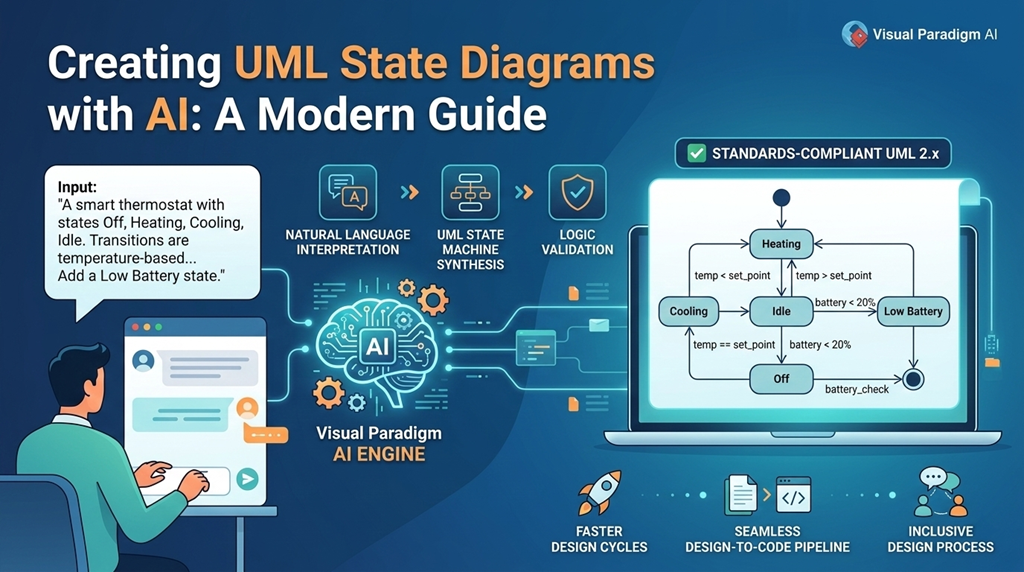
UML State Diagrams, also known as State Machine Diagrams, are essential tools for modeling the dynamic behavior of individual objects throughout their lifecycle. They illustrate the various states an object can enter, the transitions between those states, and the events that trigger those transitions. These diagrams are widely used in software engineering to clarify complex systems, especially in domains like embedded systems, user interface design, and business process modeling.
Traditionally, creating a state diagram requires careful planning, technical knowledge, and significant time investment. However, with the integration of artificial intelligence into software design tools, the process has become faster, more intuitive, and accessible to a broader audience.
What Is a UML State Diagram?
A UML State Diagram captures how an object responds to events over time. Each state represents a condition or mode of the object, and transitions show how it changes from one state to another based on specific triggers. For example, a software application might have states like Idle, Processing, and Error, with transitions triggered by user input, system events, or timeouts.
These diagrams follow the UML 2.x specification, ensuring consistency across teams and projects. They help developers, architects, and stakeholders visualize system behavior in a way that is both precise and easy to understand.
How Visual Paradigm Enhances State Diagram Design
Visual Paradigm is a powerful software design and modeling platform that supports UML modeling, including state diagrams. Its recent integration of generative AI capabilities has significantly improved how users create, refine, and validate state machines.
Chatbot – Natural Language Input
Instead of starting with a blank canvas, users can describe the desired system behavior in plain English. For instance, entering a prompt like:
“A support ticket starts as Open, moves to Under Review when assigned, and can be Resolved or put On Hold.”
The AI immediately generates a structured UML state diagram with accurate states and transitions. This feature eliminates the initial hurdle of design, allowing teams to focus on logic rather than syntax.
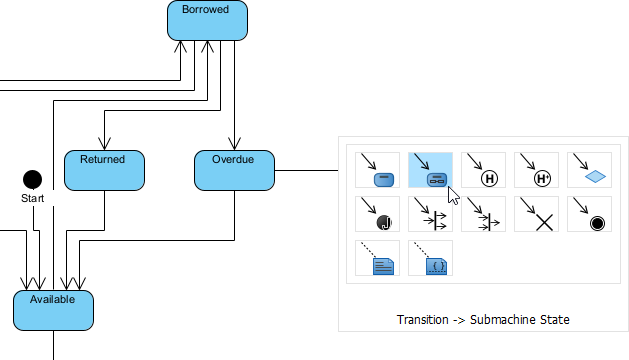
VP Desktop State Diagram Modeler
VP Desktop is Visual Paradigm’s flagship application, and it’s where serious state diagram work happens. The built-in AI diagram generator lets you type a description—”Create a state machine for an online order: states Pending, Paid, Shipped, Delivered, Cancelled, with transitions on payment confirmation or customer cancel”—and instantly get a clean, editable UML-compliant state diagram.
OpenDocs for Knowledge Management
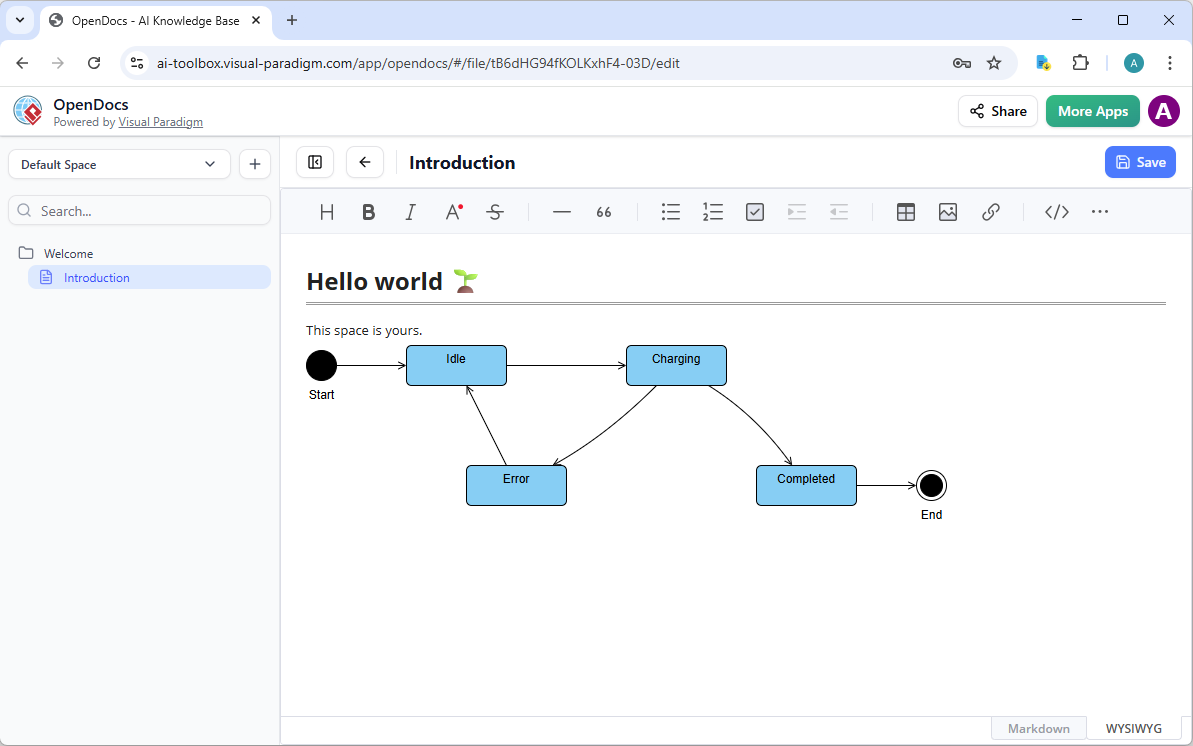
OpenDocs flips the script on traditional docs. Think Notion or GitBook, but with AI-assisted, editable diagrams embedded right in your pages.
Why does this matter for state diagrams? Teams often need to explain lifecycles in context—like documenting a device’s states in an operations guide or showing workflow transitions in a process handbook. With OpenDocs, your diagram isn’t a dead PNG; it’s alive. Click to edit, or refine. Collaboration shines: team members comment directly on transitions or states, aligning everyone without tool-switching.
Why This Approach Matters
Faster Design Cycles
Starting from a blank canvas is often the most time-consuming part of modeling. AI-powered generation cuts down design time from hours to seconds, enabling rapid prototyping and iteration.
Standardized Output
AI ensures that all generated diagrams follow UML 2.x conventions. This reduces the risk of notation errors and improves consistency across teams and projects.
Inclusive Design Process
Non-technical stakeholders, such as product managers or business analysts, can contribute to system design by describing behavior in natural language. This fosters collaboration and ensures that the model reflects real-world use cases.
Seamless Design-to-Code Pipeline
After the state machine is finalized, Visual Paradigm can generate skeleton code in multiple languages, including Java, C#, and Python. This ensures that the implementation aligns precisely with the designed behavior, reducing the chance of bugs and misinterpretation.
Example Prompt for a State Machine
To illustrate how the AI works, consider this prompt:
“Model a smart thermostat with states: Off, Heating, Cooling, and Idle. Transitions occur based on temperature thresholds. When the current temperature is below the set point, it transitions to Heating. When above, it goes to Cooling. If the temperature is within the target range, it enters Idle. Add a ‘Low Battery’ state triggered when battery level drops below 20%, which transitions to Off.”
The AI interprets this description and produces a fully structured UML state diagram, complete with guard conditions, transitions, and states.
Conclusion
AI-powered tools like Visual Paradigm are transforming how teams design and validate system behavior. By enabling natural language input, conversational editing, intelligent analysis, and automated layout, these platforms make UML State Diagrams more accessible and efficient to create. Whether you’re a developer, architect, or business analyst, AI-assisted modeling helps you build accurate, maintainable, and scalable systems.
- What is a State Machine Diagram? – Visual Paradigm UML Guide: In-depth explanation of UML state machine diagrams (behavioral state machines) for modeling object lifecycles and reactive behavior, covering states (simple/composite), transitions, events/triggers, guards, effects, pseudostates (initial, final, choice, join, fork, history, entry/exit points), regions, orthogonal regions, and practical examples like order processing or device control, with notation and best practices.
- AI Diagram Generator – Visual Paradigm: Instant text-to-diagram AI that generates editable, standards-compliant UML diagrams—including state machine diagrams—from natural language descriptions of system behavior, states, transitions, and events; supports iterative refinement via chat, automatic layout, and seamless import to desktop for further editing.
- UML State Machine Diagram – Visual Paradigm AI Chatbot: Dedicated conversational AI interface for creating and refining UML state machine diagrams in real time: describe behaviors/scenarios in plain language, generate initial models, add/remove states/transitions, adjust guards/effects, query explanations, and export to Visual Paradigm workspace—no manual diagramming required.
- Create UML State Machine Diagrams in Seconds with AI – Visual Paradigm: Step-by-step article demonstrating AI-powered generation: input natural language (e.g., “ATM withdrawal process with card insertion, PIN validation, balance check, cash dispense, and error handling”), let AI auto-identify states/transitions/events, review/edit the diagram, and refine via follow-up prompts for rapid, accurate behavioral modeling.
- Enhanced AI State Machine Diagram Generation – Visual Paradigm Updates: Release notes on AI improvements for state machine diagrams: better detection of composite states, orthogonal regions, history states, and complex transitions; cleaner layouts, reduced orphan elements, support for detailed event/guard/effect syntax, and higher fidelity to UML 2.5 standards for robust behavioral modeling.
- Comprehensive Review: Visual Paradigm’s AI Diagram Generation Features – Fliplify: Third-party evaluation of AI tools across UML types (including state machines), praising conversational refinement, standards compliance, time savings, accessibility for beginners/experts, and strong support for dynamic behavior modeling in software design.
- Comprehensive Guide: UML State Machine Diagrams with Visual Paradigm AI – ArchiMetric: Detailed tutorial combining UML theory (states, transitions, pseudostates, entry/exit/do activities) with AI workflows: generating from scenarios, iterative chat-based edits, validation suggestions, and integration into larger models for effective lifecycle and reactive system representation.
- Visual Paradigm AI Diagram Generator: Comprehensive Guide – Cybermedian: Broad exploration of AI as a modeling co-pilot, with focus on state machine diagrams: text-to-model automation, real-time refinements, intelligent critique (e.g., missing transitions, unreachable states), and acceleration of software design/validation across UML behavioral diagrams.
Related posts:
 AI Generated Component Diagram: Airline Booking System Example
 UML Component Diagram vs. Deployment Diagram: Key Concepts
 Revolutionizing System Modeling: How the Visual Paradigm AI Chatbot Transforms Diagram Creation
 Empowering Developers: How Visual Paradigm AI Co-Pilot Transforms UML Modeling for IT Teams