


Introduction
In an era where digital content competes for every second of audience attention, the way we present information matters as much as the information itself. Static PDFs and traditional documents, while functional, often struggle to captivate readers or encourage meaningful interaction. The solution lies in transforming these materials into immersive, interactive experiences that organize content intuitively and integrate seamlessly into modern workflows.
This comprehensive tutorial guides you through creating beautifully organized virtual bookshelves using Visual Paradigm Online Flipbook Maker (Fliplify) and integrating them directly into OpenDocs for enhanced documentation. Whether you’re a marketer launching a product catalog, an educator developing course materials, or a professional building a portfolio, you’ll learn how to showcase flipbooks in a structured, engaging way while leveraging AI-powered tools and seamless sharing capabilities. By the end of this guide, you’ll have the knowledge to transform ordinary documents into extraordinary interactive experiences that resonate with your audience and streamline your content distribution.
Part 1: Building Your Organized Virtual Bookshelf Foundation
Understanding the Power of Virtual Organization
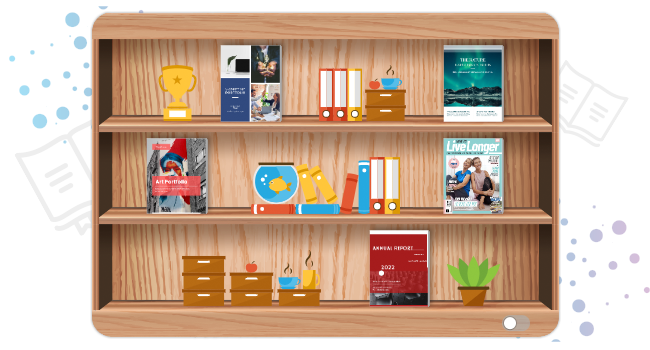
Before diving into creation, it’s essential to understand why organization matters. A well-structured virtual bookshelf isn’t just about aesthetics—it’s about creating intuitive pathways for your audience to discover, explore, and engage with your content. Virtual bookshelves allow you to categorize flipbooks by type, genre, project, or audience, making large collections manageable and navigation effortless.
Step 1: Create or Convert Your Flipbooks
Begin by preparing your content. You have two powerful options:
Option A: Convert Existing Documents
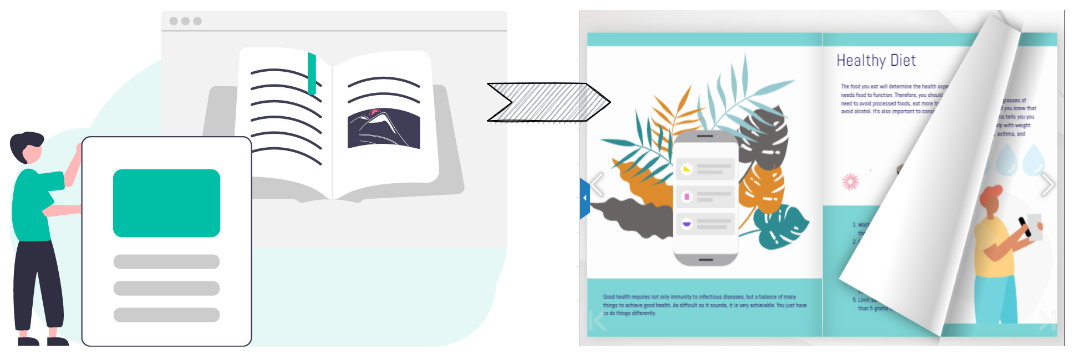
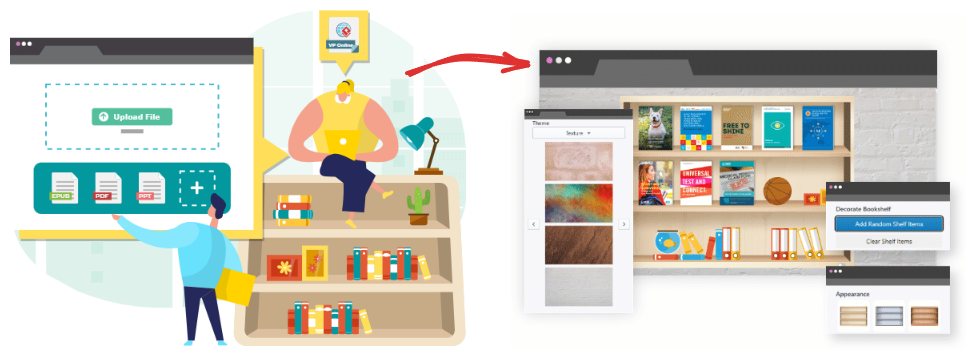
Upload PDFs, PowerPoint presentations, Word documents, or image files to instantly convert them into flipbooks with realistic page-turning animations. The platform preserves your original formatting while adding interactive layers.
Option B: Generate with AI Assistance
Simply type a topic, and the AI engine automatically generates a complete book outline, writes compelling text, and creates professional cover images—all within seconds. This dramatically reduces content creation time while maintaining quality and coherence.
Step 2: Organize with Virtual Bookshelves
Once your flipbooks are ready, organize them strategically:
-
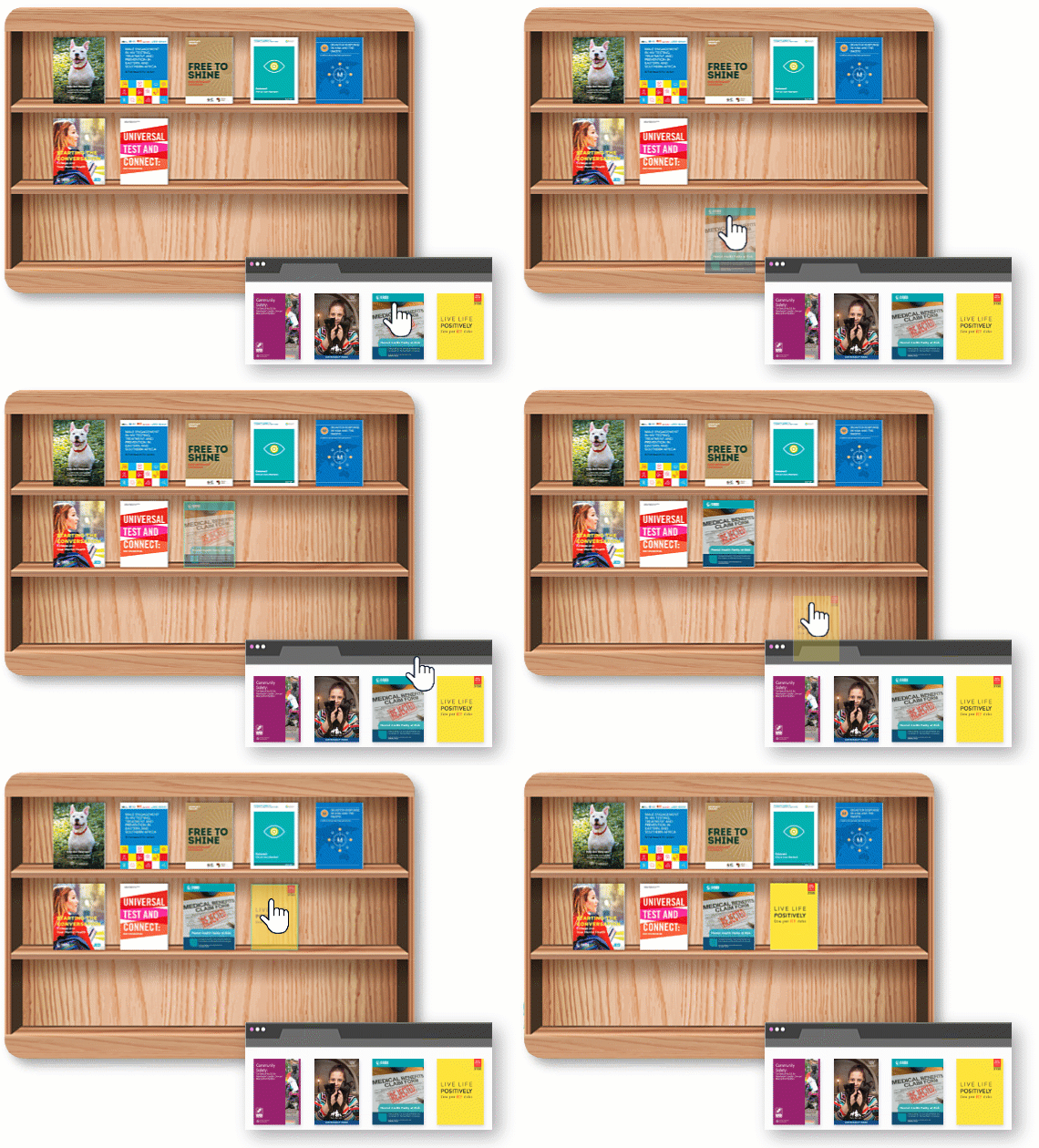
Categorize by Purpose: Group flipbooks into logical collections—product catalogs, training materials, portfolios, or event guides.
-
Create Multiple Bookshelves: Establish separate shelves for different audiences or projects to streamline navigation.
-
Apply Visual Themes: Customize backgrounds, layouts, and color schemes to reflect your brand identity or the mood of each collection.
Step 3: Enhance with Multimedia and Decorative Elements
Elevate engagement by enriching your flipbooks and bookshelves:
-
Embed Interactive Media: Add videos, audio clips, hyperlinks, and animations directly into flipbook pages to create dynamic reading experiences.
-
Add Decorative Accessories: Use the platform’s collection of high-quality decorative items to personalize your virtual space and create visual interest.
-
Maintain Brand Consistency: Apply custom fonts, colors, and logos to ensure every element aligns with your organizational identity.
Part 2: Seamless Integration with OpenDocs
Why Integrate Flipbooks with OpenDocs?
OpenDocs provides a powerful documentation platform where interactive content can live alongside traditional text, diagrams, and resources. By integrating your flipbooks directly into OpenDocs, you create a unified knowledge hub where audiences can access rich, interactive materials without leaving your documentation ecosystem. This integration enhances user experience, improves content discoverability, and streamlines your content management workflow.
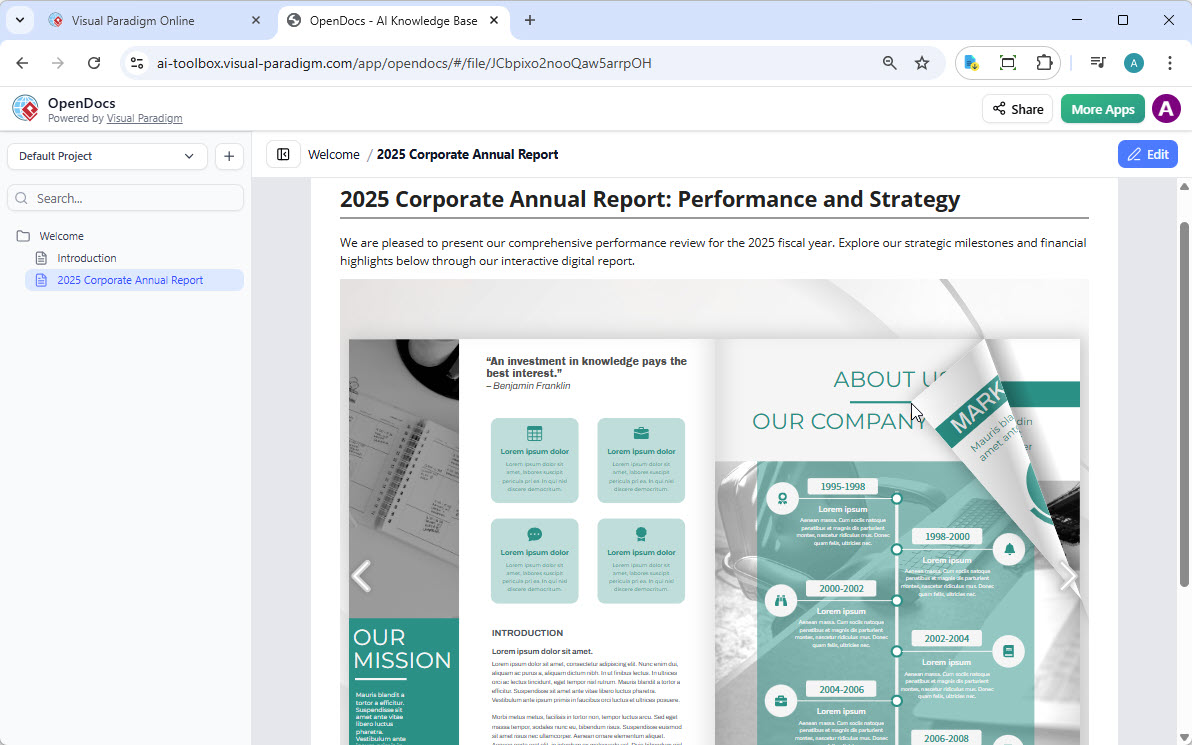
Step-by-Step: Sharing Flipbooks to OpenDocs
Moving your flipbook from Visual Paradigm Online to OpenDocs is straightforward:
-
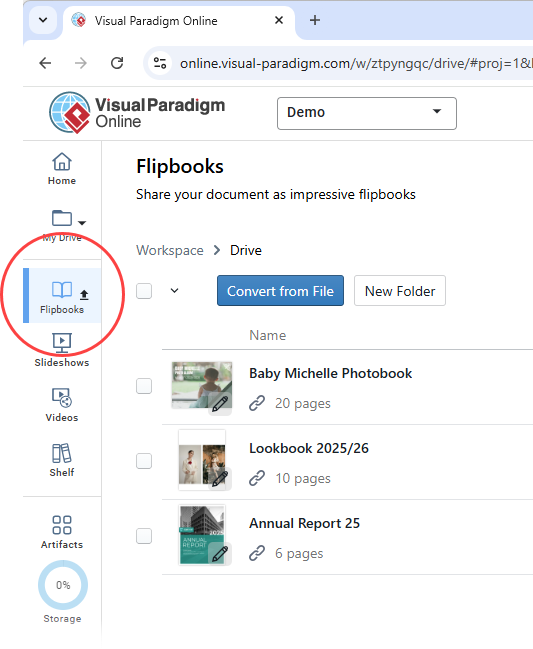
Access Your Flipbook Library: Open your workspace in Visual Paradigm Online and select Flipbooks from the left-hand menu to view your collection.
-
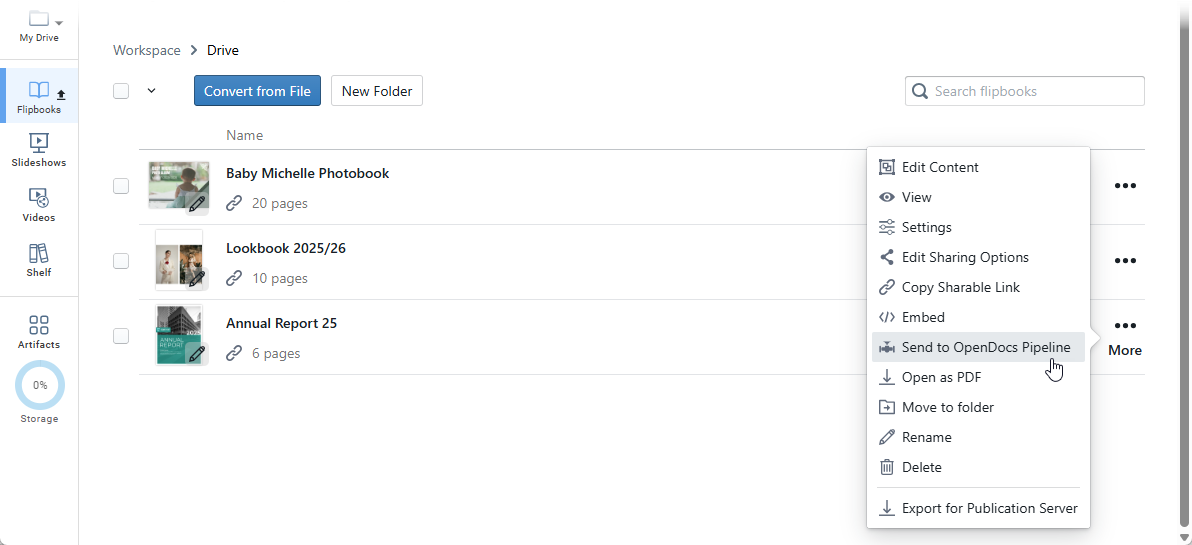
Select and Share: Locate the flipbook you wish to integrate, click More… on the right side, then select Send to OpenDocs [Pipeline].
-
Add Context (Optional): Enter a comment regarding this share to provide context for your team, then click OK to proceed.
Embedding Your Flipbook in OpenDocs
Once your flipbook is in the pipeline, embed it directly into your documentation:
-
Navigate to Your Target Page: Open the OpenDocs page where you want the flipbook to appear.
-
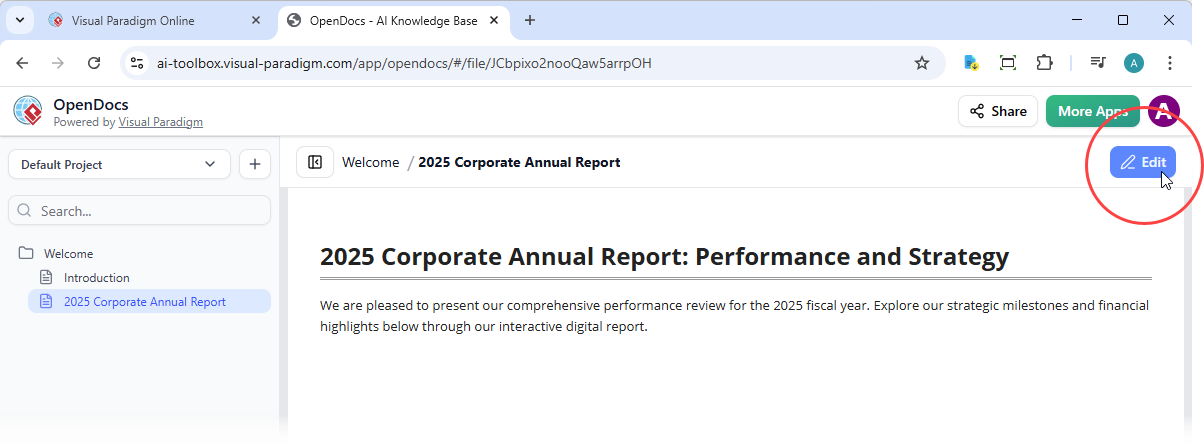
Enter Edit Mode: Click Edit at the top right of the screen to begin customization.
-
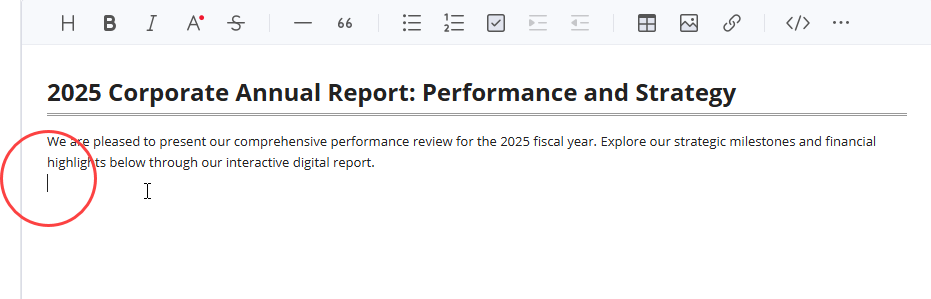
Position Your Cursor: Place your cursor exactly where you want the flipbook to appear within your document.
-
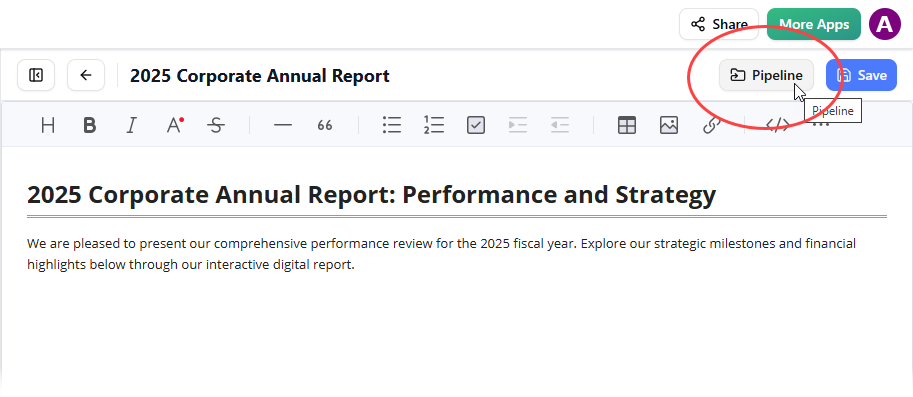
Access the Pipeline: Click the Pipeline button located at the top right of the editor.
-
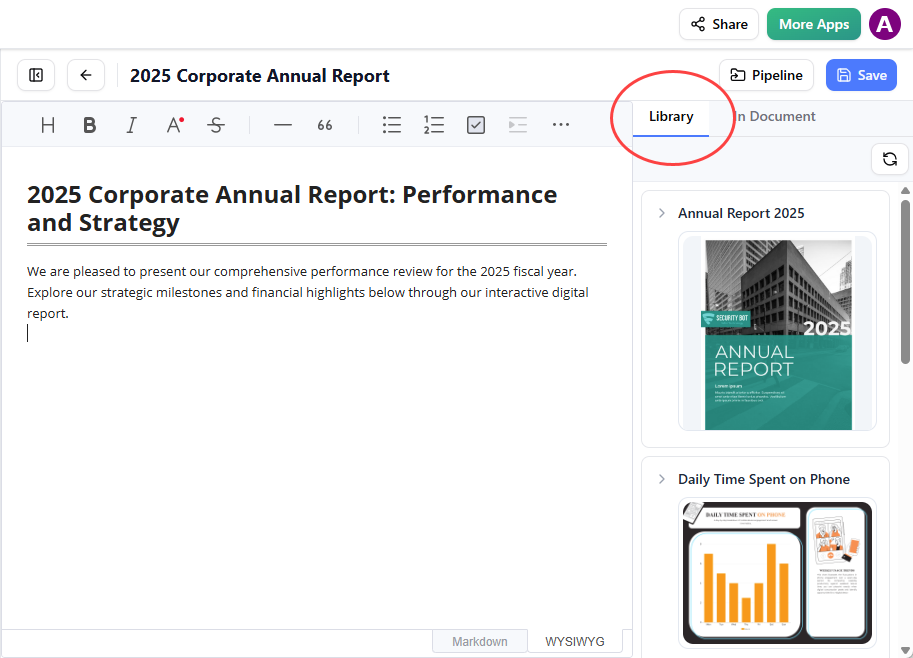
Select from Library: Open the Library tab to see flipbooks you’ve sent from VP Online.
-
Insert and Adjust: Click on the flipbook to insert it. If it appears at the end of the page, select it and press Enter to create a new line and adjust positioning.
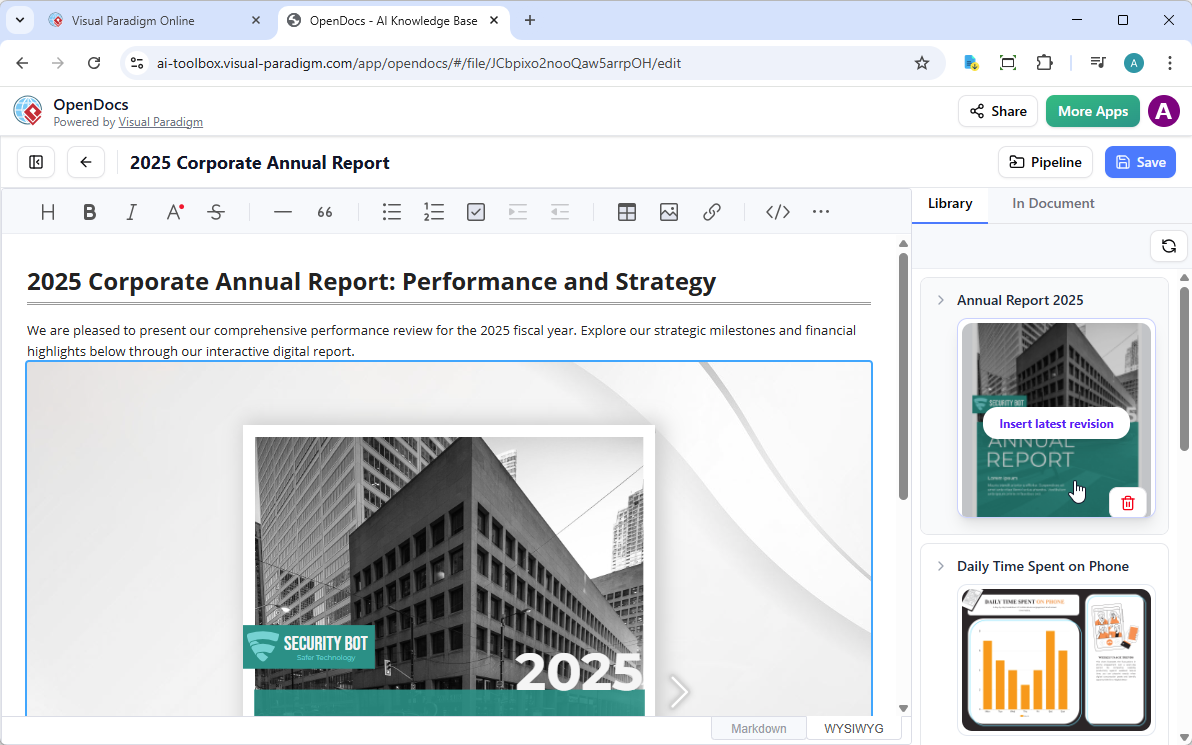
Pro Tip: In Edit mode, the flipbook remains static. To interact with it, save your changes and exit Edit mode. Once live, you can share the page or entire space using the Share button in the top bar.
Part 3: Advanced Strategies for Maximum Impact
Optimizing for Different Audiences
Tailor your flipbook presentation based on who will engage with it:
-
Internal Teams: Focus on searchable content, quick navigation, and integration with training workflows.
-
External Clients: Emphasize visual appeal, brand consistency, and clear calls-to-action.
-
Educational Settings: Prioritize accessibility features, offline access options, and interactive learning elements.
Leveraging Analytics and Access Control
Maximize the value of your flipbooks with strategic management:
-
Track Engagement: Monitor views, shares, and time spent to refine content strategy and demonstrate ROI.
-
Control Access: Enable password protection for sensitive materials while maintaining easy access for authorized users.
-
Ensure Compatibility: Every flipbook is fully responsive, guaranteeing optimal viewing across desktops, tablets, and smartphones without additional software.
Creating a Cohesive Content Ecosystem
Think beyond individual flipbooks to build an interconnected content experience:
-
Cross-Reference Resources: Link flipbooks to related documentation, videos, or external resources within OpenDocs.
-
Maintain Version Control: Update flipbooks centrally and republish to ensure all integrated instances reflect the latest content.
-
Encourage Exploration: Use virtual bookshelf organization to guide readers through logical content journeys that build knowledge progressively.
Conclusion
The transformation from static documents to immersive, organized flipbook experiences represents a fundamental shift in how we create, share, and engage with digital content. By mastering virtual bookshelf organization in Visual Paradigm Online Flipbook Maker and seamlessly integrating these interactive publications into OpenDocs, you unlock powerful opportunities to captivate audiences, streamline workflows, and elevate your content strategy.
This tutorial has equipped you with the knowledge to: create and convert documents into engaging flipbooks, organize them intuitively within customizable virtual bookshelves, enhance them with multimedia and decorative elements, and integrate them directly into your documentation ecosystem via OpenDocs. Whether you’re building product catalogs, training materials, educational resources, or creative portfolios, these tools provide the flexibility, polish, and reach needed to succeed in today’s attention economy.
As digital expectations continue to evolve, embracing interactive, visually rich, and well-organized content isn’t just advantageous—it’s essential. Start transforming your documents into unforgettable, accessible, and impactful experiences today. Your audience is waiting.
References
- Comprehensive Guide to Creating Animated Content for Flipbooks with Visual Paradigm Online’s Flipbook Maker: In-depth tutorial covering animation techniques and best practices for enhancing flipbook interactivity using Visual Paradigm’s tools.
- The Complete Tutorial to Visual Paradigm Flipbook Maker: Step-by-step walkthrough for beginners and advanced users to master flipbook creation, customization, and publishing workflows.
- Visual Paradigm’s Flipbook Maker: A Game Changer for Interactive Content: Industry analysis highlighting how the platform transforms static documents into engaging, shareable digital experiences.
- Reference List for Learning Fliplify of Visual Paradigm Online: Curated collection of resources, tutorials, and documentation to accelerate proficiency with Fliplify features.
- Fliplify Chinese Language Resource Page: Localized platform access and support materials for Chinese-speaking users and teams.
- AI Flipbook Maker Features Overview: Official feature breakdown of AI-powered book generation, including outline creation, text writing, and cover image synthesis.
- Community Guide: Getting Started with Flipbook Creation: User-contributed tips, templates, and troubleshooting advice from the Visual Paradigm community forum.
- Comprehensive Guide to Fliplify: Creating Interactive Flipbooks with Visual Paradigm: End-to-end guide covering document conversion, virtual bookshelf setup, customization options, and sharing strategies.
- Official Visual Paradigm Online Flipbook Maker Platform: Primary access point for the cloud-based flipbook creation tool, featuring real-time editing and publishing capabilities.
- Step-by-Step Flipbook Creation Tutorial: Interactive walkthrough for uploading documents, applying templates, adding multimedia, and publishing flipbooks.
- Announcement: AI Flipbook Generator Launch: Official release notes and feature highlights for the AI-powered book generation module.
- Exploring Flipping Book Animation Software Capabilities: Technical deep-dive into animation engines, page-turning physics, and performance optimization for smooth flipbook experiences.
- Elevate Your Digital Presence with Dynamic and Engaging Flipbooks: Strategic insights on using flipbooks to boost brand visibility, audience engagement, and content marketing ROI.
- Community Case Study: Econormula Flipbook Project: Real-world example showcasing how an organization implemented flipbooks for training and internal communications.
- Unleash the Power of AI: Create Stunning Flipbooks Instantly: Showcase of AI-driven workflows that reduce content creation time while maintaining professional quality and creativity.
- Flipbook Maker Quick Start Guide: Concise reference manual for new users to rapidly onboard and produce their first interactive flipbook.