


Introduction: Why Visual Clarity Matters More Than Ever
In today’s collaborative, fast-moving work environments, the ability to turn abstract ideas into clear, shared visuals is a superpower. Whether you’re a startup founder sketching a new product, a business analyst mapping a workflow, or a developer designing a microservice architecture, diagrams help everyone get on the same page—fast.
Yet traditional diagramming has a steep learning curve. Mastering notation standards like UML or BPMN takes time. Drag-and-drop editors demand patience. And keeping diagrams consistent across a team? That’s often a full-time job.
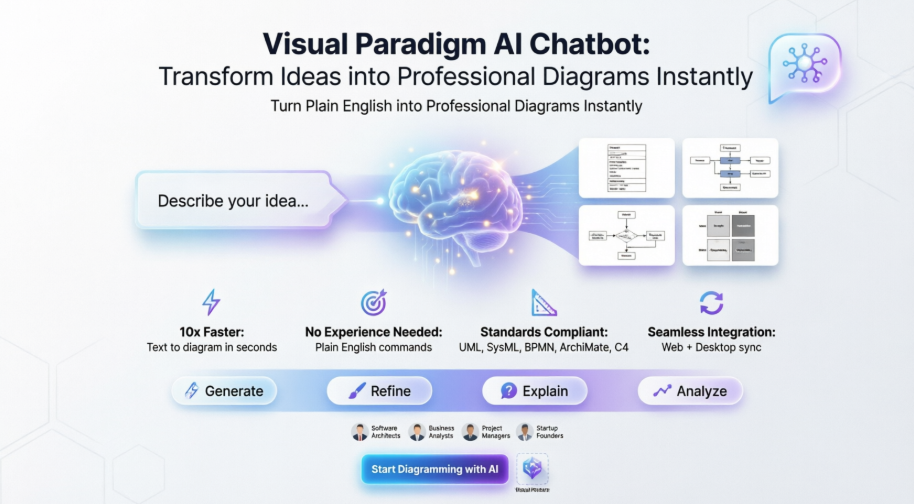
Enter the Visual Paradigm AI Chatbot: a conversational, AI-powered co-pilot that transforms plain English into professional, standards-compliant diagrams in seconds. No prior modeling experience required. No hours spent aligning shapes. Just type what you need, and watch your idea become a polished visual.
This tutorial is your complete, beginner-friendly guide to using Visual Paradigm AI Chatbot—whether you’re new to agile, new to tech, or just new to visual modeling. We’ll compare traditional vs. AI-powered approaches, walk through real workflows, and show you how to get value from day one.
Who This Tutorial Is For
✅ Beginners with no diagramming or modeling background
✅ Agile teams looking to accelerate sprint planning and retrospectives
✅ Non-IT professionals (product owners, marketers, educators) who need to visualize ideas
✅ Traditional teams exploring how AI can complement existing workflows
No matter your role or experience level, if you’ve ever thought, “I wish I could just show what I mean,” this guide is for you.
Traditional Diagramming vs. AI-Powered Modeling: A Side-by-Side Comparison
| Aspect | Traditional Approach | Visual Paradigm AI Chatbot |
|---|---|---|
| Learning Curve | Steep: requires knowledge of UML/BPMN syntax, tool navigation | Gentle: type in plain English; AI handles notation and layout |
| Time to First Draft | Hours: manual placement, connector alignment, styling | Seconds: describe your idea, get a complete diagram instantly |
| Consistency | Depends on user expertise; easy to make notation errors | Automatically follows industry standards (UML, SysML, BPMN, ArchiMate, C4) |
| Iteration Speed | Slow: each change requires manual editing | Fast: refine via conversational commands (“Add a database,” “Rename User to Customer”) |
| Collaboration | Requires exporting/sharing files; version control can be messy | Built-in sync between web and desktop; real-time team editing in VP Online |
| Documentation | Separate effort: write reports after diagramming | On-demand: ask AI to generate summaries, use case descriptions, or project proposals |
| Accessibility | Favors technical experts | Democratizes modeling for stakeholders, founders, educators, and analysts |
Agile or Not Agile? Why AI-Powered Diagramming Fits Any Workflow
Short answer: Yes, it’s agile—and it’s also great for traditional teams.
The Visual Paradigm AI Chatbot aligns perfectly with agile principles:
-
🔄 Responding to change: Refine diagrams conversationally as requirements evolve
-
🗣️ Individuals and interactions: Non-technical stakeholders can contribute directly via natural language
-
🚀 Working software over documentation: Generate just-enough visuals to move forward, then expand as needed
-
🤝 Customer collaboration: Share AI-generated drafts early for fast feedback
But it’s equally valuable for non-agile contexts:
-
📋 Waterfall projects: Create comprehensive, standards-compliant diagrams for formal documentation
-
🎓 Education & training: Use AI examples to teach modeling concepts without overwhelming beginners
-
🌐 Cross-functional initiatives: Bridge communication gaps between business, design, and engineering
The tool doesn’t dictate your methodology—it adapts to how you work.
Getting Started: Access and Setup
The AI Assistant is built directly into both VP Online (web) and Visual Paradigm Desktop.
Web (VP Online)
-
Ideal for quick brainstorming and real-time collaboration
-
Access via browser; no installation required
-
Perfect for remote or hybrid teams
Desktop (Visual Paradigm)
-
Deep integration for advanced modeling workflows
-
Access via Tools > AI Chatbot
-
One-click import of AI-generated diagrams into professional projects
Sync Across Platforms
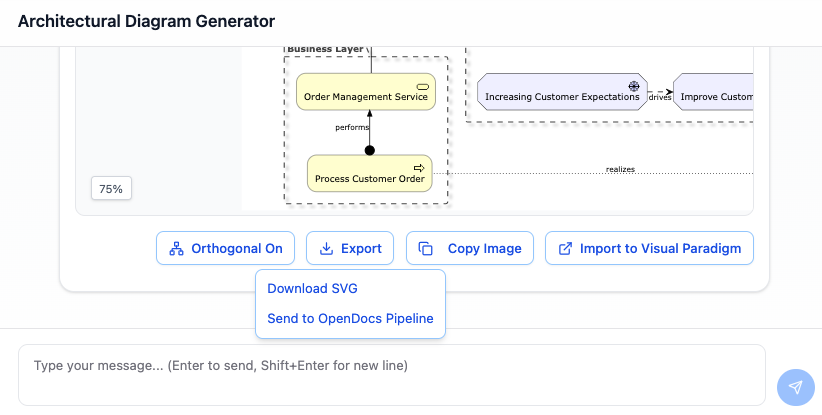
A single account keeps your web-based AI creations and desktop projects perfectly aligned. Start a diagram on your laptop during a meeting, refine it on the web with your team, and export to desktop for final polish.
Core Features Walkthrough
🎨 Instant Diagram Generation
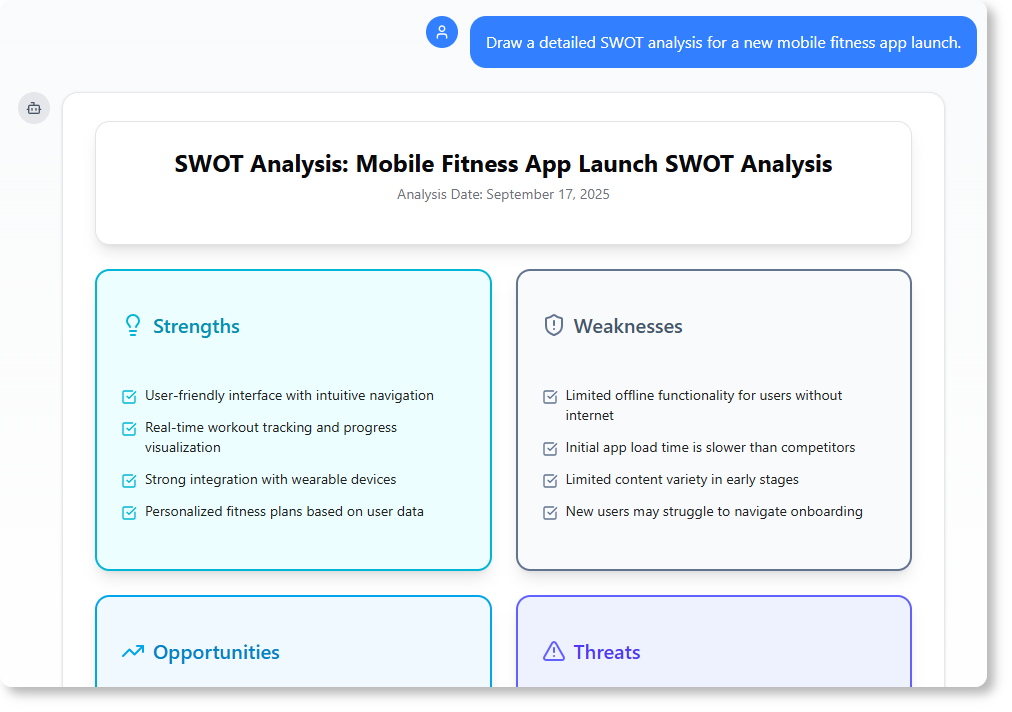
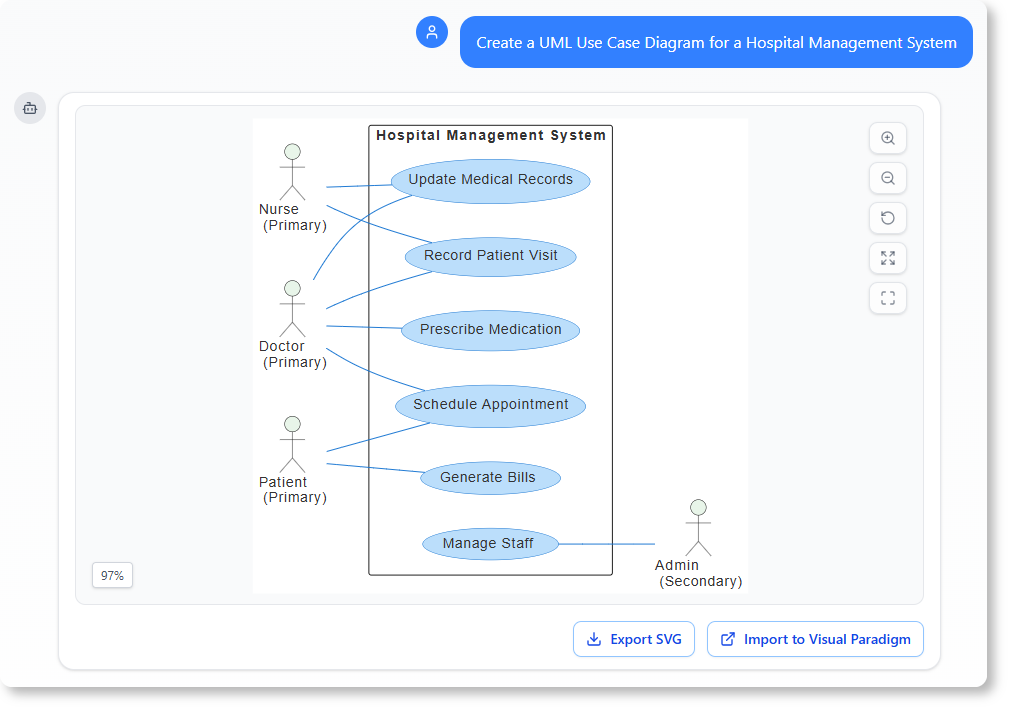
Describe your idea in natural language and get professional diagrams in seconds.
Example Prompts:
-
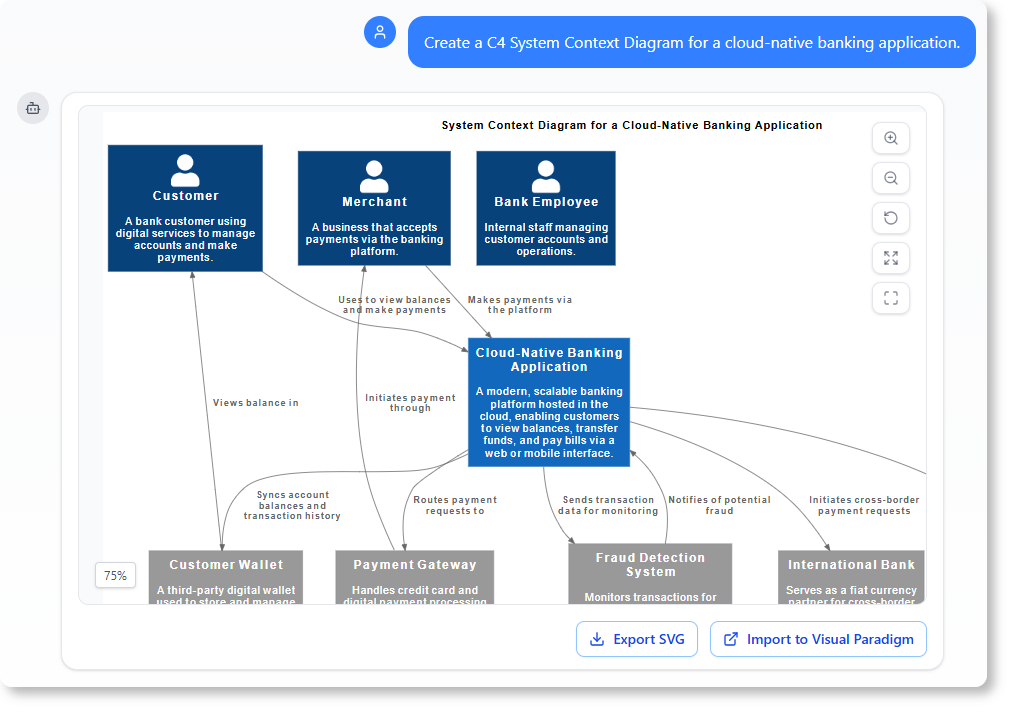
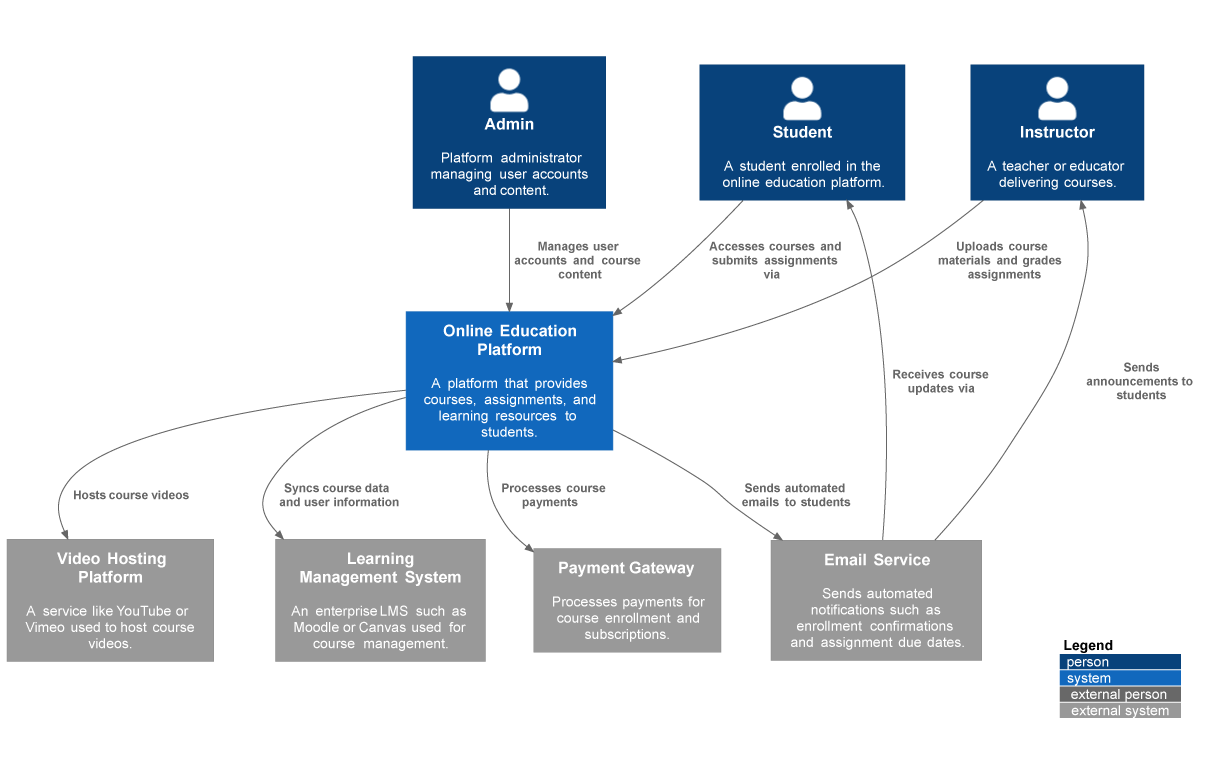
“Create a C4 System Context Diagram for a cloud-native banking application.”
-
“Draw a detailed SWOT analysis for a new mobile fitness app launch.”
-
“Create a UML Use Case Diagram for a Hospital Management System.”
✏️ Refine and Enhance with Simple Commands
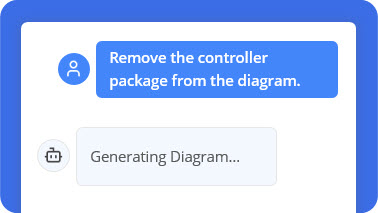
Once your diagram is generated, evolve it through conversation—no drag-and-drop required.
Try these prompts:
-
“Add an alternative path to this Sequence Diagram to handle ‘book damage’”
-
“Rename Customer to User”
-
“Translate the diagram content to Simplified Chinese”
📚 Explain and Document On Demand
Turn your diagram into a knowledge base. Ask the AI to:
-
“Explain this Sequence Diagram to me”
-
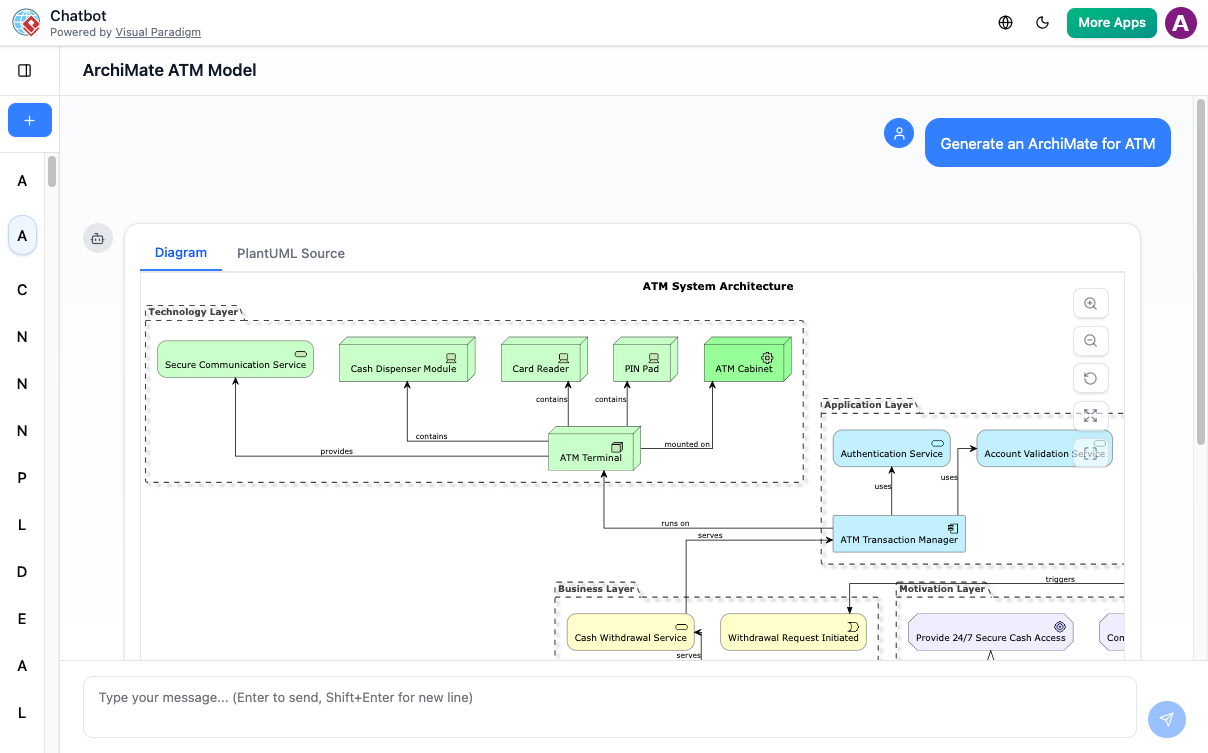
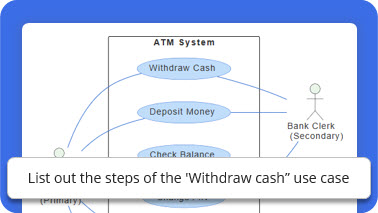
“Generate a Use Case Description on the ‘Withdraw Cash’ use case”
-
“Describe the user journey in this Activity Diagram”
🔍 Analyze and Question Your Design
Use the AI as a domain expert to validate and improve your models:
-
“What are the security risks in this Deployment Diagram?”
-
“What are the possible scenarios for the ‘Place Order’ use case?”
-
“How can we improve the scalability of this system architecture?”
Step-by-Step: From Idea to Intelligent Diagram
1️⃣ Describe Your Idea
Start simple. Type what you want in plain language:
“Create a use case diagram for an online shopping system.”
The AI instantly understands your intent and begins visualizing.
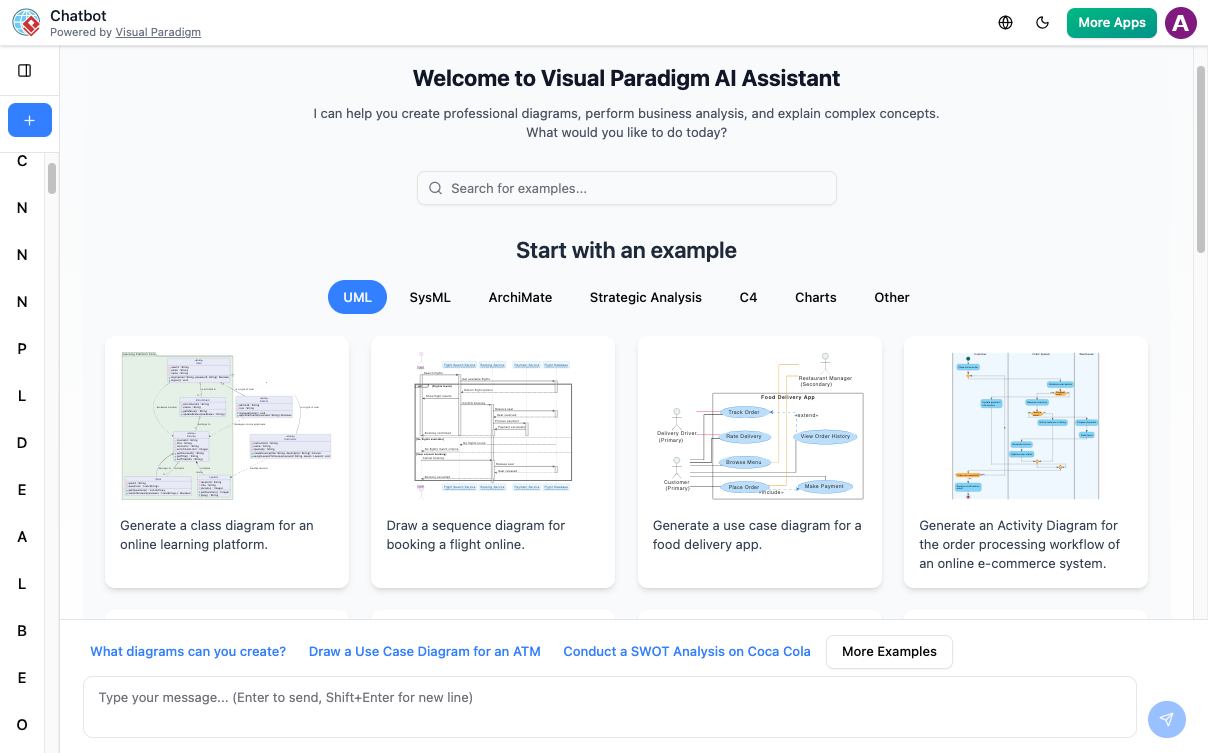
2️⃣ Generate Your Diagram Instantly
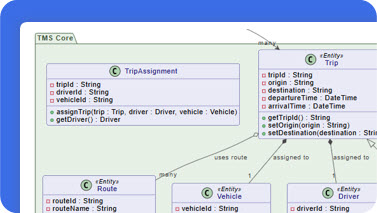
In seconds, your text becomes a complete, presentation-ready diagram. No templates, no manual drawing—just clear, accurate visuals.
3️⃣ Refine with Simple Commands
Need changes? Talk to your diagram:
“Add payment gateway”
“Rename Customer to Buyer”
The AI updates your diagram immediately.
4️⃣ Explore, Document, and Share
Ask questions to deepen understanding:
“What are the main use cases?”
“Generate a project summary”
Export your work or continue refining in Visual Paradigm Desktop for advanced collaboration.
Real-World Use Cases by Role
🧑💻 Software Architects & Developers
-
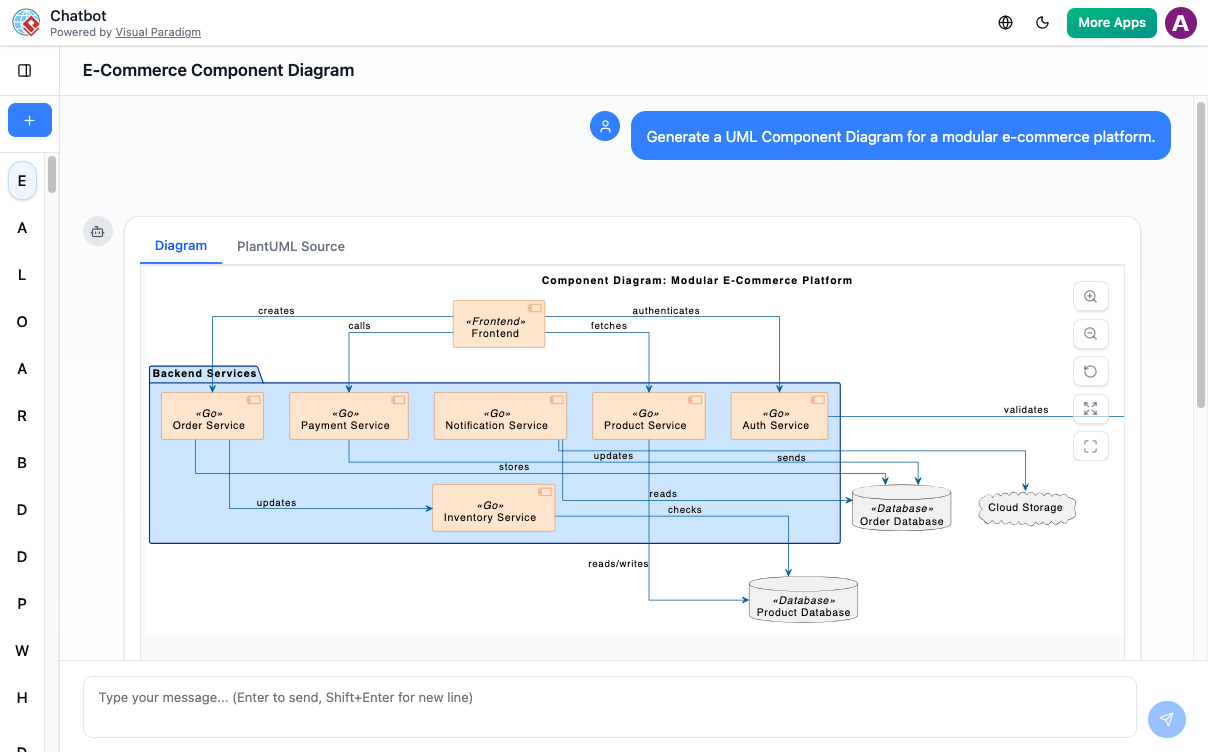
Quickly model system contexts, microservices, and class relationships
-
Validate architecture against security or scalability best practices
-
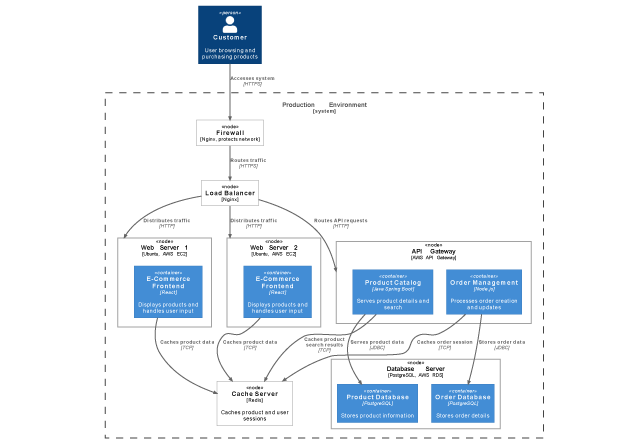
Generate deployment diagrams for cloud-native applications
📊 Business Analysts
-
Map operational workflows using BPMN
-
Create strategic frameworks (SWOT, PESTLE, Ansoff Matrix)
-
Turn process diagrams into requirement documents instantly
🗂️ Scrum Masters & Project Managers
-
Visualize team processes and sprint backlogs
-
Generate automated status reports from activity diagrams
-
Facilitate retrospectives with clear, shared visuals
🚀 Founders & Educators
-
Brainstorm product ideas visually without technical overhead
-
Teach modeling concepts using AI-generated examples
-
Pitch business models with professional diagrams in minutes
Tips for Success: Beginners, Agile Teams, and Non-IT Professionals
👶 For Beginners
-
Start with simple prompts: “Draw a flowchart for user login”
-
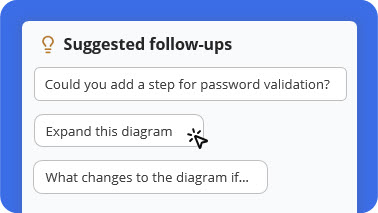
Use the AI’s contextual suggestions to learn next steps
-
Don’t worry about perfect notation—the AI handles standards for you
🔄 For Agile Teams
-
Use AI-generated diagrams in sprint planning to align the team fast
-
Refine diagrams iteratively during stand-ups or retrospectives
-
Export to VP Online for real-time collaboration and version history
💼 For Non-IT Professionals
-
Focus on outcomes, not notation: describe what you need, not how to draw it
-
Use the “Explain” feature to understand technical diagrams created by engineers
-
Generate stakeholder-friendly summaries directly from complex models
Supported Diagram Types: From Code to Strategy
The AI Chatbot covers a comprehensive suite of standards to bring any idea to life:
Software Engineering
-
UML: Use Case, Class, Sequence, Activity, Deployment, Component Diagrams
-
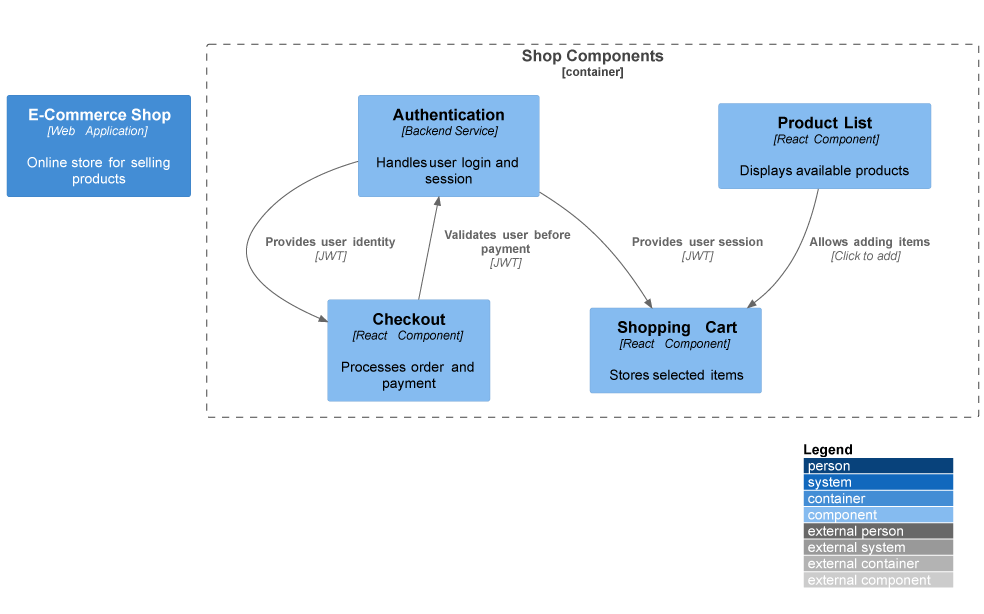
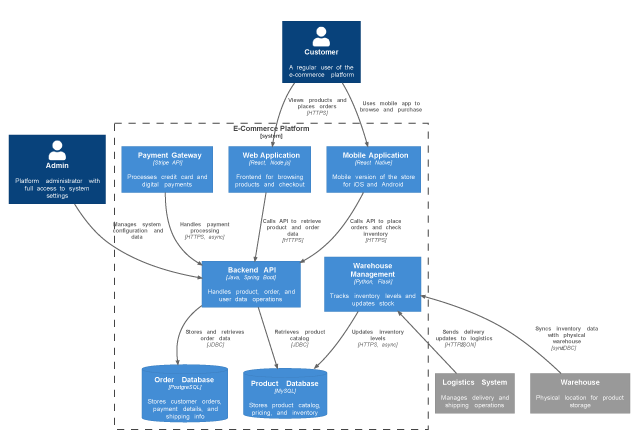
C4 Model: System Context, Container, Component, Deployment Diagrams
-
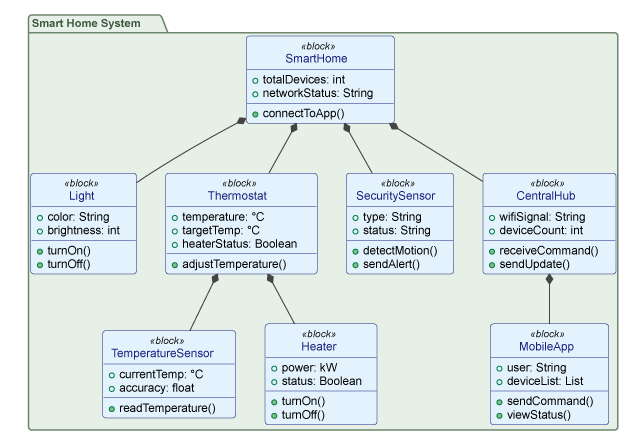
SysML: Block Definition, Internal Block Diagrams
Business & Strategy
-
BPMN: Business Process Models
-
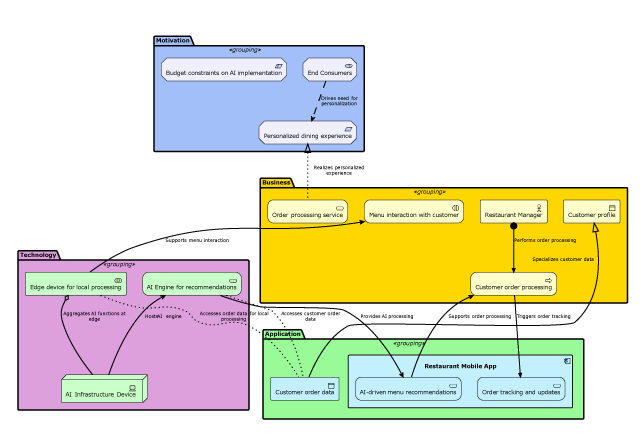
ArchiMate: Enterprise Architecture Views
-
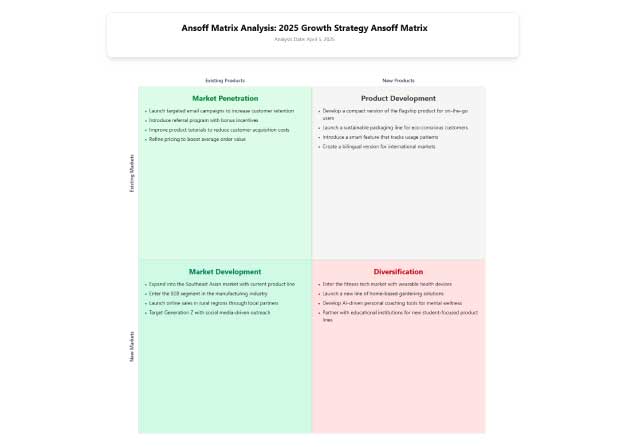
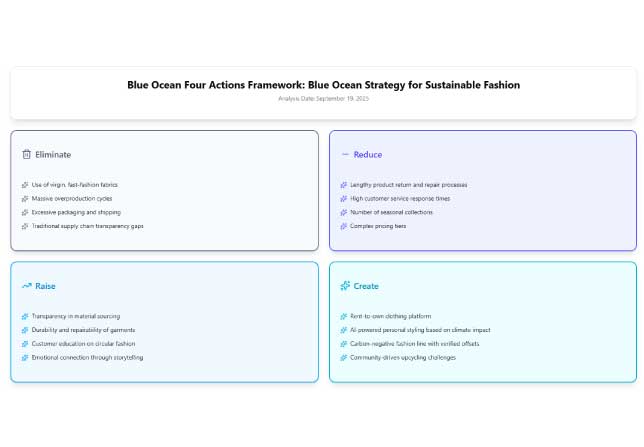
Strategic Frameworks: SWOT, PESTLE, Ansoff Matrix, Blue Ocean Four Actions
What Users Are Saying
“I used to spend hours sketching system contexts. Now I can focus on architecture decisions while the AI handles the drawing.”
Maria Thompson • Solution Architect
“Turning diagrams into reports with one command saves me hours during project reviews and makes my workflow much more efficient.”
Daniel Rivera • Project Manager
“I asked for a ‘deployment diagram for a cloud-based CRM,’ and it delivered exactly what I imagined. The accuracy blew me away.”
Liam Park • Cloud Architect
“As a startup founder, I use it to brainstorm product ideas visually. It helps me turn thoughts into structured business models fast.”
Aisha Khan • Founder & CEO
Conclusion: Visual Modeling, Reimagined for Everyone
The Visual Paradigm AI Chatbot isn’t just a tool—it’s a shift in how we turn ideas into action. By removing the friction between thought and visualization, it empowers anyone—regardless of technical background—to create clear, professional, standards-compliant diagrams in seconds.
For agile teams, it accelerates collaboration and adaptation. For beginners, it demystifies complex notation. For non-IT professionals, it bridges the gap between concept and communication. And for everyone, it frees up mental energy to focus on what truly matters: solving problems, making decisions, and driving innovation.
Whether you’re mapping a microservice architecture, refining a business process, or pitching your next big idea, this AI-powered co-pilot ensures your visuals are accurate, professional, and ready to share—fast. With seamless integration across web and desktop, support for global standards, and an intuitive conversational interface, Visual Paradigm AI Chatbot doesn’t just help you draw diagrams. It helps you think clearer, work smarter, and build better—together.
In a world where clarity is currency, the ability to instantly transform thought into structured visual intelligence isn’t just advantageous—it’s essential. The future of visual modeling is conversational, collaborative, and powered by AI. And with Visual Paradigm, that future is already here.
Reference
- Visual Paradigm AI Chatbot Features: Official product page outlining the AI Chatbot’s capabilities for instant diagram generation, conversational editing, and seamless integration with Visual Paradigm tools.
- Visual Paradigm AI Chatbot Platform: Direct access to the AI-powered conversational modeling assistant for creating professional diagrams through natural language prompts.
- Harnessing Visual Paradigm’s AI for Diagram Generation: The Ultimate 2026 Guide: Comprehensive third-party guide exploring how Visual Paradigm’s AI ecosystem combines intelligence, structure, and integration for smarter diagramming workflows.
- Visual Paradigm AI Chatbot: Turn Your Ideas into Diagrams Instantly: Official blog post demonstrating how to transform text prompts into presentation-ready UML, C4, and strategic diagrams in seconds.
- Visual Paradigm AI Chatbot Multi-Language Support Release: Release notes detailing expanded language capabilities including Spanish, French, Chinese, Japanese, and German support for global teams.
- AI Chatbot Features Overview: Dedicated features page highlighting instant generation, conversational editing, documentation on demand, and contextual suggestions.
- Visual Paradigm 18.0 Release: AI-Powered Features: Major release announcement introducing AI-powered diagramming capabilities integrated into the Visual Paradigm desktop environment.
- What Makes Visual Paradigm’s AI Chatbot Different from Other AI Diagram Tools?: Comparative analysis explaining the unique advantages of Visual Paradigm’s embedded AI approach versus standalone diagramming tools.
- Revolutionizing Use Case Elaboration with Visual Paradigm AI: A Comprehensive Guide: In-depth tutorial on leveraging AI to accelerate use case modeling, documentation, and refinement processes.
- Visual Paradigm AI Chatbot: The AI-Powered Tool for Component Diagrams: Specialized review focusing on the chatbot’s effectiveness for generating and editing software architecture component diagrams.