
Mastering Loop Structures in Flowcharts with VPasCode and PlantUML
In the realm of software architecture and algorithm visualization, few structures are as fundamental yet powerful as the loop. Whether you are designing a simple counter or a complex data processing pipeline, the ability to repeat a set of actions based on a condition is essential. This tutorial explores how to model a repetitive algorithm—specifically, printing a number five times—using PlantUML within the Visual Paradigm VPasCode environment.
Unlike traditional drag-and-drop modeling tools where layout management can be tedious, VPasCode allows you to define complex flow control logic using concise text-based syntax. By understanding the “Diagram-as-Code” approach, you can create maintainable, version-controlled, and perfectly aligned activity diagrams.
Deconstructing the Algorithm
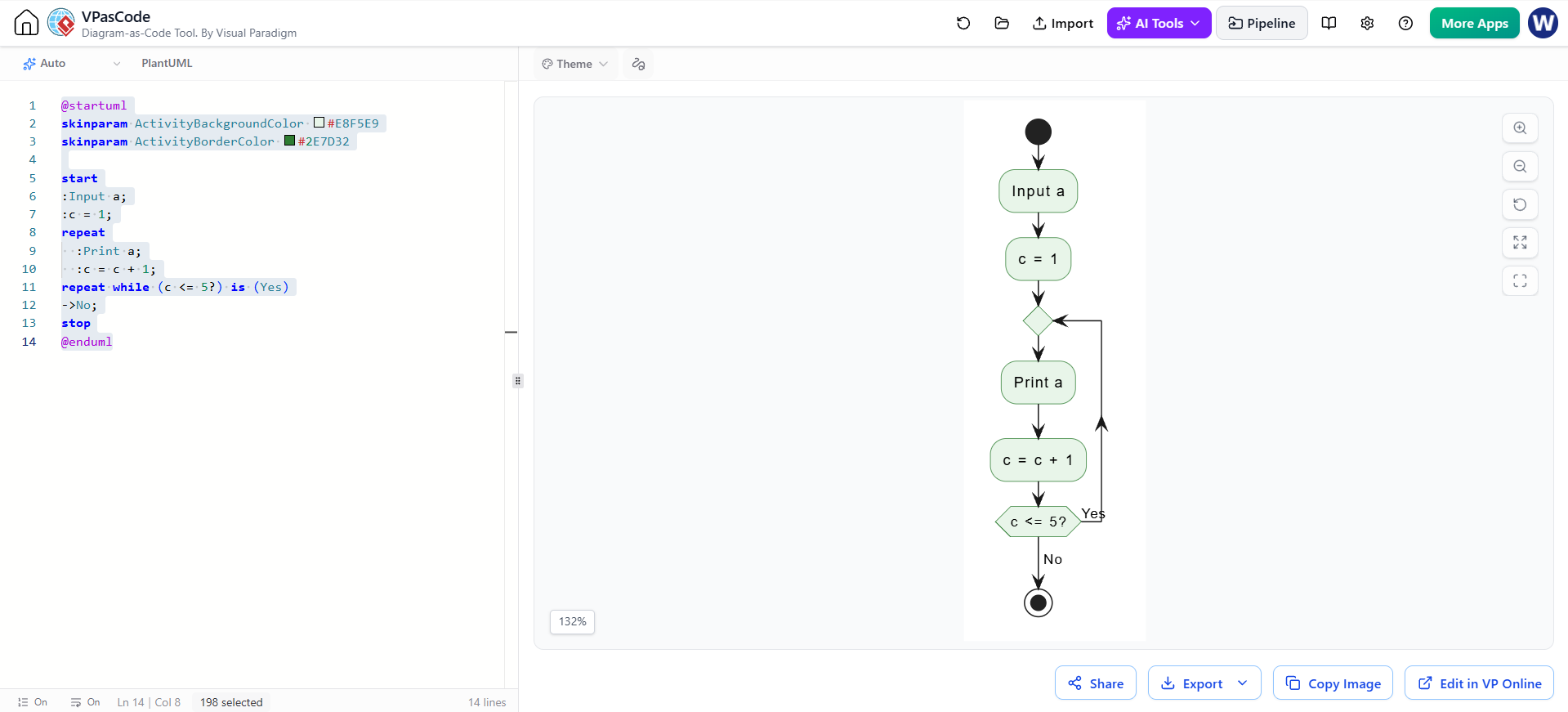
Before diving into the syntax, let’s analyze the logic represented in the diagram. The goal is to take an input variable, a, and print its value five times. This requires a counter variable, c, to track the number of iterations.
The algorithm follows these logical steps:
- Initialization: Define the input
aand set a loop countercto 1. - Execution: Print the value of
a. - Increment: Increase the counter
cby 1. - Condition Check: Verify if
cis less than or equal to 5. If yes, repeat the process; otherwise, stop.
Implementing the Loop with VPasCode
Visual Paradigm’s VPasCode utilizes PlantUML syntax, which is highly expressive for defining control flow. Below is the raw code used to generate the activity diagram shown in the reference image. Notice how the logic flows linearly from the code block to the visual representation.
@startuml
skinparam ActivityBackgroundColor #E8F5E9
skinparam ActivityBorderColor #2E7D32

start
:Input a;
:c = 1;
repeat
:Print a;
:c = c + 1;
repeat while (c <= 5?) is (Yes) ->No;
stop
@enduml
Key Syntax Components
Let’s break down the critical elements of the code that create the looping behavior:
1. Visual Styling
The skinparam directives are used to customize the look and feel of the diagram. In this example, we set a soft green background (#E8F5E9) and a dark green border (#2E7D32) for activity nodes, ensuring the diagram is visually distinct and professional.
2. The Repeat-While Structure
The core of the loop is defined by the repeat and repeat while keywords. In PlantUML activity diagrams:
repeat: Marks the beginning of the loop body. It automatically creates a synchronization point (a diamond shape) at the end of the loop.repeat while (condition) is (Yes) ->No: This attaches a condition to the loop’s exit point. It directs the flow back to the start of the loop if the condition is true (“Yes”) and allows the flow to exit if it is false (“No”).
3. The Logic Flow
The code dictates that the actions “Print a” and “c = c + 1” happen before the check is performed. This is a post-test loop (or do-while loop), which guarantees that the body of the loop executes at least once, even if the initial condition is false. However, since we initialize c to 1 and check against 5, the loop will execute exactly five times.
Best Practices for Algorithm Modeling
When translating algorithms into diagrams using VPasCode, consider these architectural principles to ensure clarity:
- Separation of Concerns: Keep the input logic distinct from the processing logic. In our example,
:Input a;is separate from the loop structure, making the diagram easier to debug. - Descriptive Labels: While code is concise, ensure your activity labels (like
:c = c + 1;) are unambiguous. Using standard programming notation helps developers read the diagram instantly. - Visual Consistency: Always define your
skinparamsettings at the top of the file. This ensures that if you modify the color scheme, it applies globally to the entire diagram, maintaining a professional aesthetic.
Conclusion
By leveraging the power of VPasCode, you can transform complex algorithmic logic into clear, executable visual models. The combination of text-based syntax and automated rendering allows for rapid prototyping of system architectures. Whether you are iterating through data or managing user sessions, mastering loop structures in activity diagrams is a vital skill for any technical architect.