
Mastering AI Chatbot Modeling: From Text to Diagram with Visual Paradigm
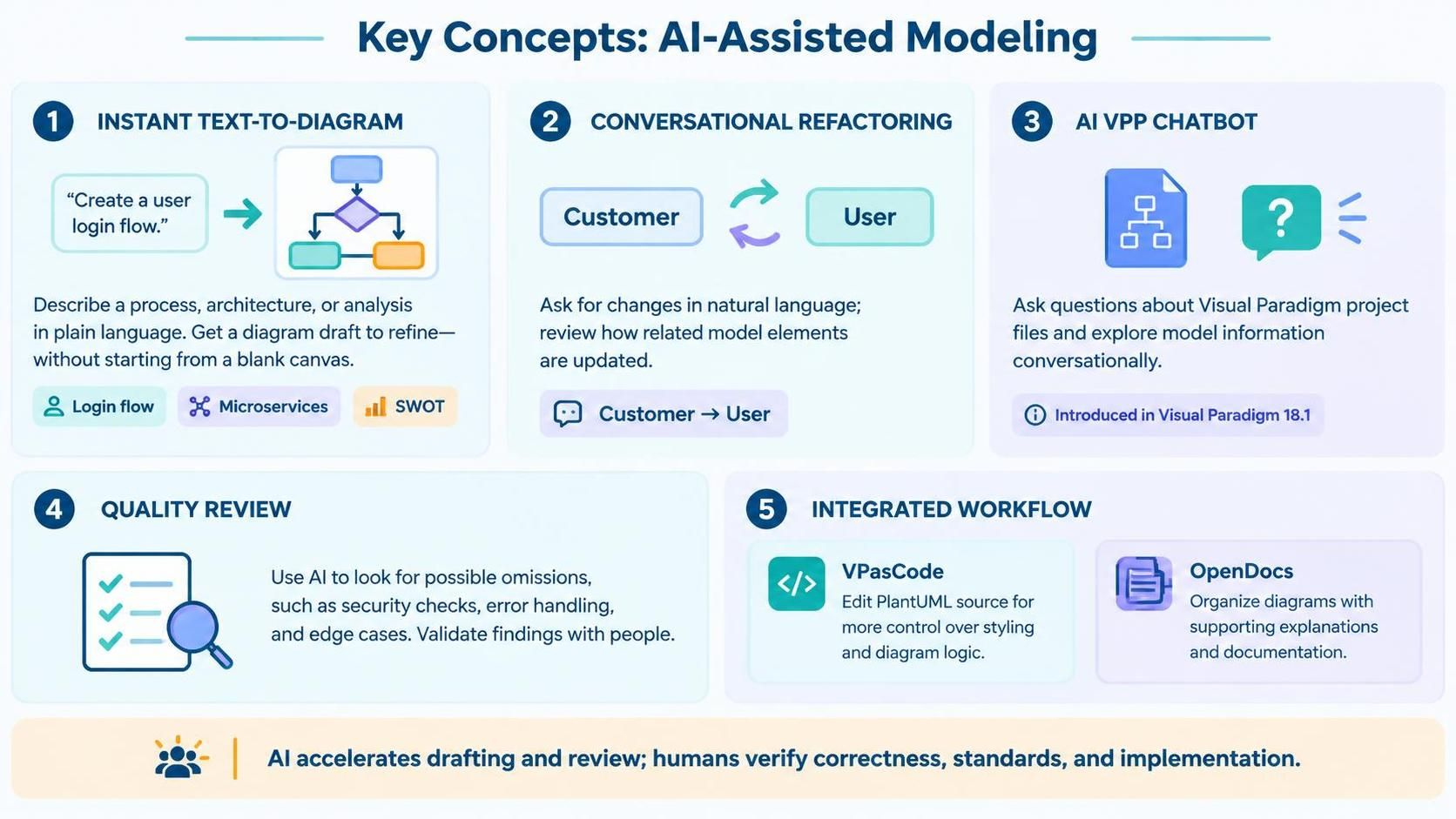
The landscape of software architecture and business process modeling is shifting rapidly. Gone are the days when creating a complex diagram required hours of manual drag-and-drop. Today, the integration of Artificial Intelligence (AI) into modeling platforms like Visual Paradigm has introduced a paradigm shift, moving the focus from the mechanics of drawing to the substance of the logic itself.
This tutorial explores the Key Concepts of AI-Assisted Modeling, a workflow that bridges the gap between human intent and visual representation. We will break down how the system handles instant text-to-diagram generation, conversational refactoring, and integrated quality reviews.
1. Instant Text-to-Diagram: The Power of Natural Language
The journey of a modern diagram begins not with a shape, but with a sentence. The Instant Text-to-Diagram capability allows architects and analysts to describe a process, architecture, or analysis in plain language. Instead of selecting a “Start Event” and connecting a “Task,” you simply type a request such as, “Create a user login flow.”
Upon receiving this prompt, the AI ecosystem analyzes the semantic meaning of your words and generates an initial diagram draft. This capability is particularly powerful for diverse modeling needs, including:
- Process Flows: Quickly mapping out a login flow or an onboarding sequence.
- System Architecture: Drafting a high-level view of microservices interactions.
- Strategic Analysis: Generating SWOT analysis diagrams to visualize business strategy.
This approach eliminates the “blank canvas” syndrome, allowing users to start their work with a tangible artifact already in place.
2. Conversational Refactoring: Iterative Design
Once the initial draft is generated, the modeling process becomes a dialogue. Conversational Refactoring empowers users to tweak the diagram using natural language commands. This interaction is designed to be fluid and intuitive.
For example, if the AI initially labels a node as “Customer,” you can simply ask to “rename Customer to User.” The system understands that this is a semantic change and updates the model accordingly. This conversational loop allows for the rapid addition of alternative paths or the renaming of elements without ever touching the diagram’s underlying code or properties.
3. The AI VPP Chatbot: Context-Aware Intelligence
At the heart of this ecosystem is the AI VPP Chatbot, a specialized assistant introduced to streamline the user experience. Unlike a generic search bar, this chatbot is context-aware and integrated directly into the Visual Paradigm project files.
It serves as an expert companion for exploring model information. You can ask specific questions about your project, such as “Which services interact with the payment gateway?” or “Show me the error handling paths.” This feature, introduced in Visual Paradigm 18.1, transforms the model from a static drawing into a searchable, interrogable database of business logic.
4. Quality Review: Validating with AI
Human oversight remains critical, but AI can significantly accelerate the validation process. The Quality Review feature leverages AI to scan your models for potential omissions or logical gaps. It acts as a safety net, looking for:
- Security Checks: Ensuring sensitive data is properly protected in the flow.
- Error Handling: Verifying that the diagram accounts for failure scenarios.
- Edge Cases: Identifying paths that might be missing or incomplete.
While the AI flags these issues, the final validation is a collaborative effort between the tool’s insights and the human expert’s judgment.
5. Integrated Workflow: VPasCode and OpenDocs
For those requiring granular control, the workflow integrates VPasCode and OpenDocs. VPasCode allows for the editing of the underlying PlantUML source code, offering precise control over styling and logic for complex structures. Simultaneously, OpenDocs organizes these diagrams with supporting explanations, creating living documentation that can be exported to Markdown, PDF, or web formats.
Conclusion
The integration of AI in Visual Paradigm is not about replacing the architect; it is about accelerating the drafting and review phases so that humans can focus on verifying correctness, standards, and implementation details. By combining instant generation, conversational refinement, and rigorous quality review, this workflow represents the future of efficient modeling.