
Mastering AI-Assisted UML Modeling in Visual Paradigm: From Drafts to Verified Design
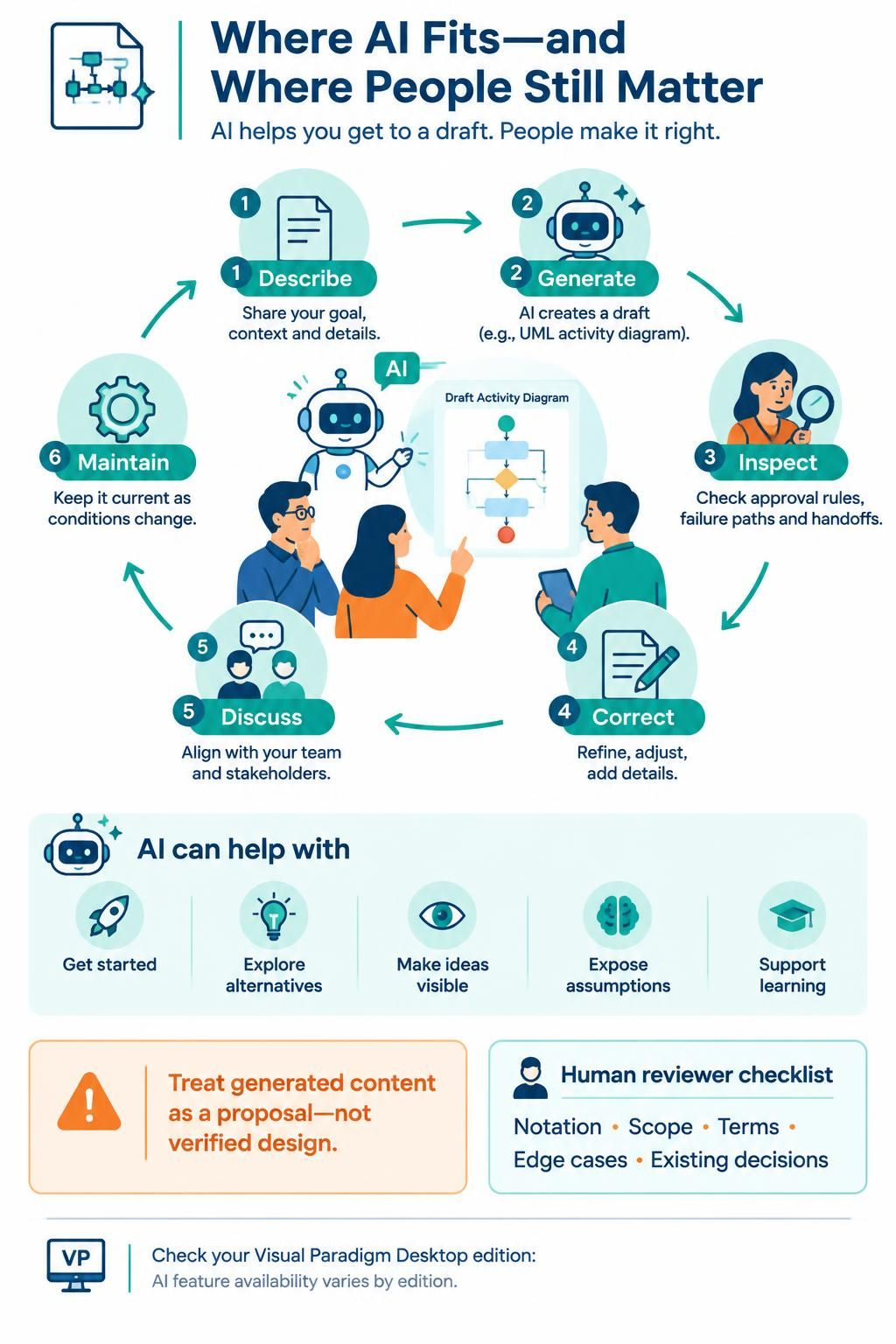
In the realm of enterprise architecture and software design, the “blank page” problem remains a significant bottleneck. Visual Paradigm addresses this by integrating AI-assisted diagram generation into a human-centric workflow. This tutorial explores how to leverage this technology not to replace the architect, but to accelerate the drafting process while maintaining rigorous control over system logic.
The Core Workflow: A Productive AI Loop
The fundamental shift in AI-assisted modeling is the transition from a linear process to an iterative loop. As outlined in Visual Paradigm’s methodology, a productive workflow consists of six distinct stages:
- Describe: You articulate your goal, context, and specific details to the AI.
- Generate: The AI creates a draft diagram (e.g., a UML activity diagram) based on your input.
- Inspect: You rigorously check the draft for real-world logic, such as approval rules and failure paths.
- Correct: You refine the diagram, adjusting the visual output to match the corrected logic.
- Discuss: The team aligns with stakeholders on the proposed solution.
- Maintain: The model is kept current as business conditions change.
Step-by-Step: The “Order Process” Example
To understand this loop in practice, consider a team tasked with modeling an Order Process. Instead of manually drawing every swimlane and decision diamond, the team utilizes the following approach:
- 1. Describe: The team inputs a prompt requesting an activity diagram for an order process, specifically noting the need for complex approval logic.
- 2. Generate: The AI instantly renders a draft activity diagram. This serves as a “first version” to get the team past the initial hurdle of layout and basic flow.
- 3. Inspect: Here, human expertise takes the lead. The team reviews the AI-generated draft to verify critical elements:
- Does it include the actual approval rules?
- Are there defined failure paths (e.g., what happens if a payment fails)?
- Are the handoffs between departments accurate?
- 4. Correct: Based on the inspection, the team corrects the diagram. If the AI missed a specific exception handling step, it is added manually or via a refined prompt.
- 5. Discuss: The refined model becomes a shared artifact for stakeholders to inspect and validate.
Strategic Applications of AI in Modeling
AI features in Visual Paradigm are not just for drawing pictures; they serve specific strategic functions in the software development lifecycle:
- Getting Started: Transform a rough text description into a visual draft that stakeholders can immediately react to.
- Exploring Alternatives: Quickly compare different process flows or system structures before committing to a single architectural path.
- Making Ideas Visible: Create a shared visual language for people with different backgrounds (e.g., developers vs. business analysts) to discuss effectively.
- Improving Communication: Use diagrams to expose assumptions that might be left implicit in prose documentation.
- Supporting Learning: Help new team members understand complex processes through generated visual representations.
The Human Reviewer’s Checklist
A critical principle of this workflow is to treat generated content as a proposal, not as verified design. The AI acts as a junior drafter; the human architect is the senior engineer responsible for correctness.
When reviewing AI-generated models, you must verify the following:
- Notation: Ensure standard UML rules are followed.
- Scope: Confirm the diagram boundaries are correct.
- Terminology: Check that business terms are used consistently.
- Edge Cases: Ensure failure modes and exceptions are handled.
- Consistency: Verify alignment with existing system decisions.