Introduction
For decades, software development has been plagued by a persistent friction: the gap between design and implementation. Architects would spend weeks crafting detailed Unified Modeling Language (UML) diagrams, only for developers to diverge from them during coding. Conversely, agile teams often skipped documentation entirely, resulting in “black box” systems that were impossible to maintain or explain.
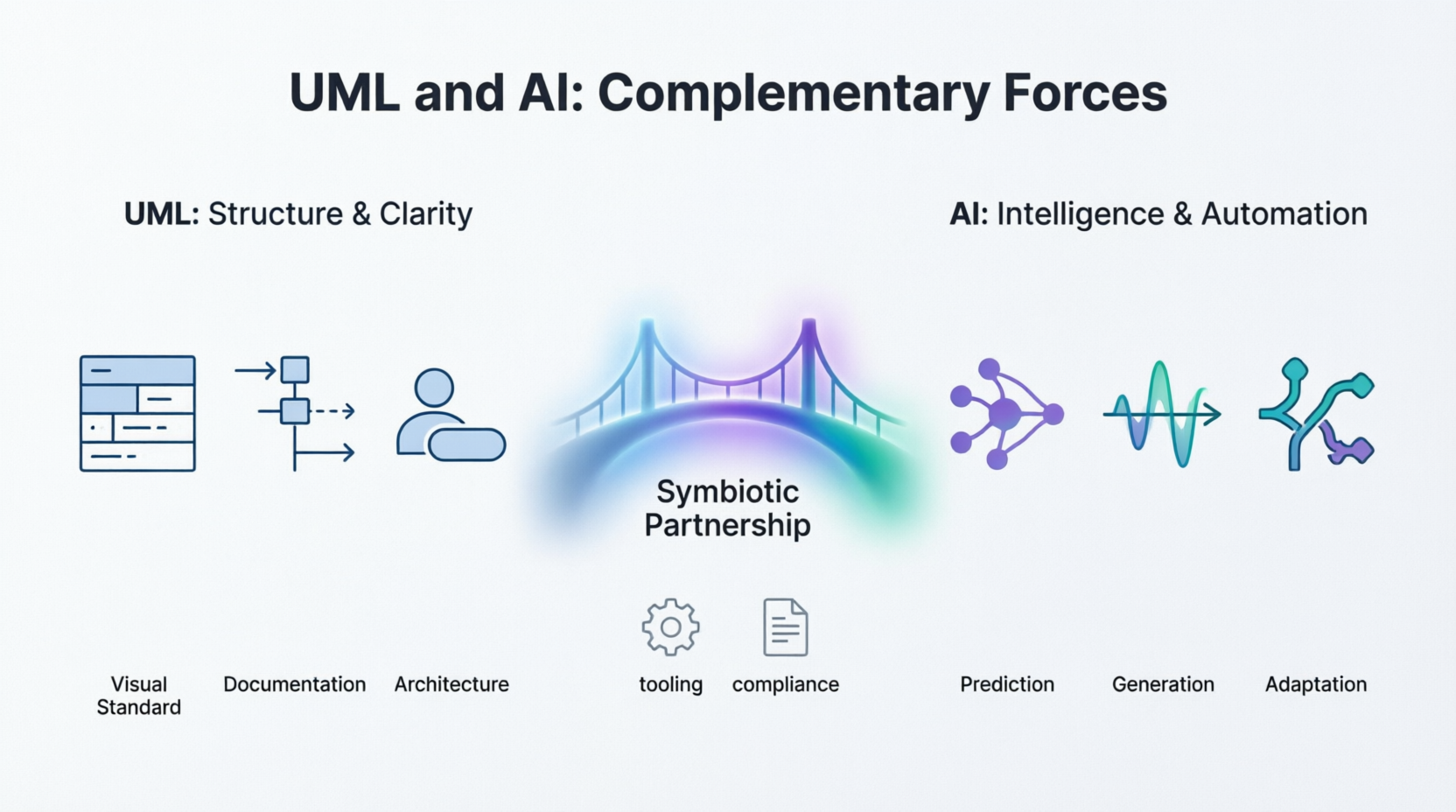
Today, this dichotomy is obsolete. We are entering an era where Artificial Intelligence (AI) and UML are no longer competing disciplines but symbiotic partners. UML provides the essential structural skeleton—the shared vocabulary that aligns stakeholders and documents intent. AI acts as the nervous system, bringing automation, predictive analytics, and real-time synchronization to these static models.
This case study explores how modern tools, specifically Visual Paradigm and its integrated AI ecosystem, are revolutionizing this landscape. By leveraging AI-assisted diagramming, round-trip engineering, and natural language processing, teams can now build systems that are not only intelligent but also transparent, auditable, and human-centered. Whether you are a product manager bridging business requirements or an architect managing complex microservices, understanding this convergence is key to future-proofing your development workflow.
Part 1: Understanding the Core Players
Before diving into integration, it is crucial to understand the distinct roles of UML and AI, and why their combination is powerful.
UML: The Visual Language of Structure
-
Purpose: A standardized visual notation for specifying, visualizing, constructing, and documenting software artifacts.
-
Strengths: Human-readable, industry-standard, captures architecture and behavior clearly.
-
Limitations: Traditionally static, requires manual maintenance, and does not execute or predict outcomes on its own.
AI: The Engine of Intelligence
-
Purpose: Systems that learn, reason, and make decisions based on data.
-
Strengths: Pattern recognition, prediction, automation, and adaptability to changing conditions.
-
Limitations: Often opaque (“black box”), requires significant data, and can be difficult to explain to non-technical stakeholders.
Why They Are Complementary
-
AI Enhances UML Creation: AI can analyze code repositories to automatically generate and update UML diagrams, ensuring documentation never falls out of sync with reality.
-
UML Provides Structure for AI: UML models make complex AI pipelines (data ingestion, training, inference) understandable to stakeholders who are not machine learning experts.
-
Explainable AI Through Visualization: UML activity and sequence diagrams can visualize the decision flow of AI models, aiding in regulatory compliance (e.g., GDPR, HIPAA).
-
AI-Powered Analysis: Machine learning can analyze thousands of UML diagrams to identify architectural anti-patterns and predict potential bottlenecks.
Part 2: The Tooling Powerhouse – Visual Paradigm
To effectively merge UML and AI, you need a tool that supports both rigorous standardization and flexible automation. Visual Paradigm stands out as a comprehensive solution that bridges this gap.
Core UML Diagram Support
Visual Paradigm fully supports all 14 standard UML diagram types, categorized into structural and behavioral views:
-
Structural Diagrams: Class, Object, Component, Deployment, Package, Composite Structure, and Profile Diagrams.
-
Behavioral Diagrams: Use Case, Activity, State Machine, Sequence, Communication, Interaction Overview, and Timing Diagrams.
Advanced Features Bridging Design and Code
Visual Paradigm goes beyond static drawing by offering features that connect architectural blueprints to actual deployment:
1. Code Engineering & Round-Trip Engineering
-
Forward Engineering: Generate source code directly from Class Diagrams. Supported languages include Java, C++, C#, PHP, Python, and REST APIs.
-
Reverse Engineering: Import existing codebases or binaries to instantly generate accurate UML Class Diagrams.
-
IDE Integration: Runs natively as a plugin inside major development environments like Eclipse, Microsoft Visual Studio, and NetBeans to perform real-time round-trip engineering.
2. Requirements & Requirements Management
-
Textual Analysis: Highlight nouns and verbs in raw text specification documents to seamlessly identify candidate classes, actors, and operations.
-
Use Case Flow of Events: A dedicated editor to document specific event sequences, which can then automatically generate interactive Sequence and Activity diagrams.
-
SysML & Requirement Diagrams: Built-in support for Systems Modeling Language (SysML) to map and track complex system specifications.
3. AI-Assisted Diagramming
-
AI Generation: Features a smart AI ecosystem where you can input plain-text descriptive prompts to automatically generate UML diagrams, including Class, Activity, and Package Diagrams.
-
Syntax Validation: Real-time syntax checking ensures your custom configurations comply precisely with standard Object Management Group (OMG) UML rules.
4. Extended Modeling Ecosystem
The tool bridges software design with business operations through several extensions:
-
Database Design: Entity Relationship Diagrams (ERD) with complete database generation and reversal features.
-
Business Modeling: Business Process Model and Notation (BPMN), Data Flow Diagrams (DFD), and Case Management Model and Notation (CMMN).
-
Enterprise Architecture: Framework support for ArchiMate, TOGAF ADM, and Zachman.
Edition Availability
-
Community Edition: A free desktop-based application for non-commercial use with access to core UML and ERD features.
-
Online Edition: Web-based tier supporting browser-based cloud collaboration.
-
Professional/Enterprise Editions: Commercial tiers unlocking advanced automation, round-trip code synchronization, and enterprise framework capabilities.
Part 3: Practical Integration Scenarios
How do these concepts play out in real-world projects? Here are three scenarios illustrating the synergy between UML and AI, facilitated by tools like Visual Paradigm.
Scenario 1: Agile Product Development
Challenge: A rapidly evolving product with multiple AI features requires constant alignment between product managers and engineers.
Solution:
-
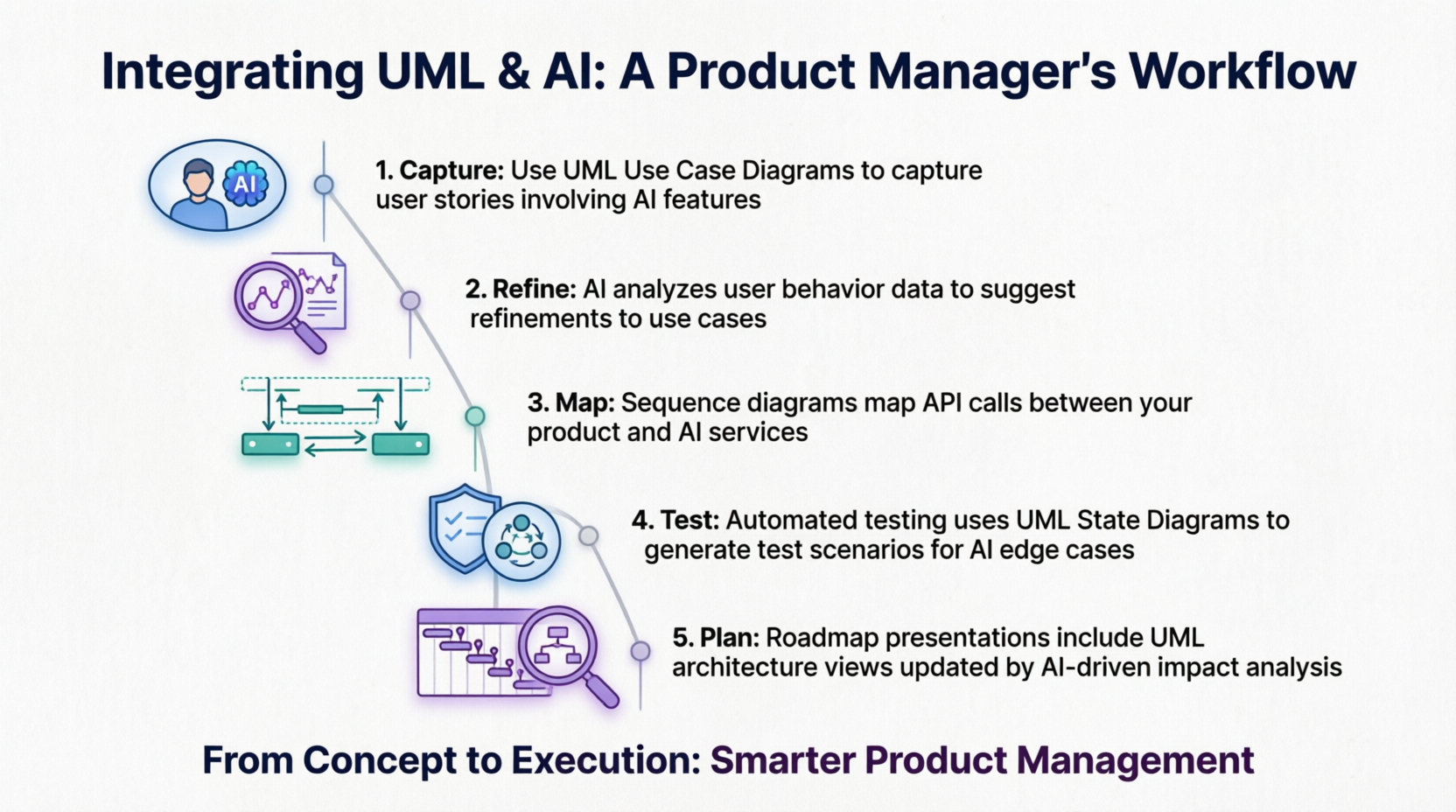
Capture Requirements: Use UML use case diagrams to capture user stories involving AI features.
-
AI Refinement: AI analyzes user behavior data to suggest refinements to these use cases.
-
Map Interactions: Sequence diagrams map API calls between the product and AI services.
-
Automated Testing: Automated testing uses UML state diagrams to generate test scenarios for AI edge cases.
-
Impact Analysis: Roadmap presentations include UML architecture views updated by AI-driven impact analysis.
Benefit: Product managers can leverage AI insights while using UML to communicate findings clearly to engineering teams.
Scenario 2: Enterprise Architecture Management
Challenge: Managing complexity in cloud-native architectures with distributed AI components.
Solution:
-
Deployment Diagrams: Show where AI models run (edge vs. cloud).
-
Component Diagrams: Illustrate microservices interacting with AI APIs.
-
AI Monitoring: AI monitors system metrics and alerts when actual behavior diverges from UML specifications.
-
Predictive Maintenance: AI forecasts when architecture needs refactoring based on UML complexity metrics.
Scenario 3: Regulatory Compliance in AI Systems
Challenge: A financial services company must document AI decision-making for auditors.
Solution:
| UML Artifacts | AI Contribution |
|---|---|
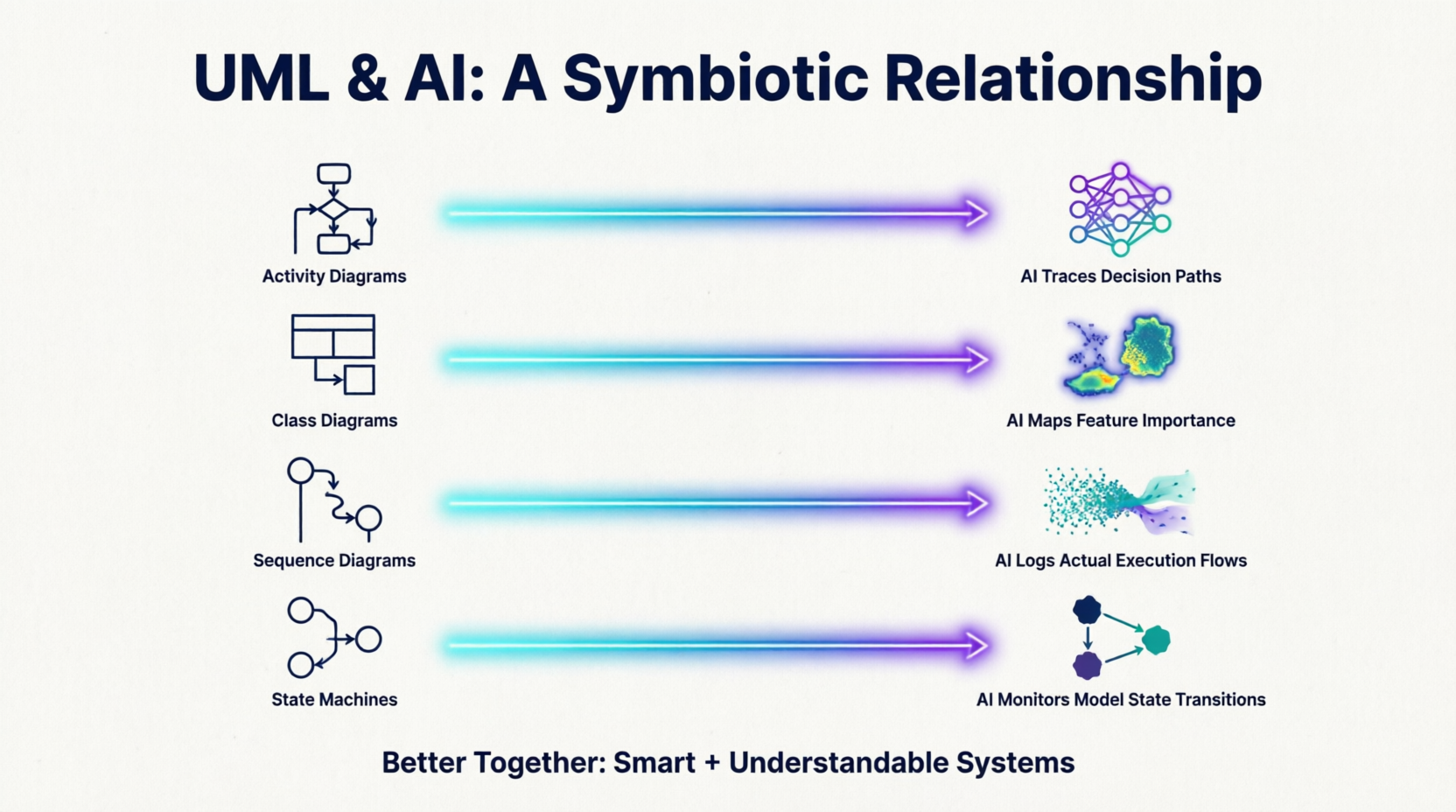
| Activity Diagrams | AI traces decision paths |
| Class Diagrams | AI maps feature importance |
| Sequence Diagrams | AI logs actual execution flows |
| State Machines | AI monitors model state transitions |
Outcome: Auditable, visual documentation that satisfies regulators while remaining technically accurate.
Part 4: Concrete Case Studies
Case Study 1: E-Commerce Recommendation System
Context: An online retailer wants to improve conversion rates using personalized recommendations.
UML Components:
-
Class Diagram: Defines entities like
User,Product,RecommendationEngine, andFeedbackLoop. -
Sequence Diagram: Maps the flow: User browses → Request sent → AI processes → Recommendations returned.
-
Activity Diagram: Models the A/B testing workflow for different recommendation algorithms.
AI Contributions:
-
Analyzes clickstream data to optimize recommendation algorithm selection.
-
Predicts which UML-modeled user journeys have the highest conversion potential.
-
Automatically detects when actual user behavior diverges from modeled sequences.
Outcome: 23% increase in conversion, clear documentation for compliance, and faster iteration cycles.
Case Study 2: Autonomous Vehicle Software
Context: Developing safety-critical software for self-driving cars.
UML Components:
-
State Machine: Defines vehicle states (parked, driving, emergency stop).
-
Component Diagram: Maps sensor fusion, perception, planning, and control modules.
-
Deployment Diagram: Distinguishes between edge computing and cloud processing tasks.
AI Contributions:
-
Computer vision models process sensor data.
-
Reinforcement learning optimizes driving policies.
-
Anomaly detection identifies when real-world behavior doesn’t match UML state transitions.
Outcome: A safety-critical system with auditable architecture and adaptive intelligence.
Case Study 3: Healthcare Diagnostic Assistant
Context: A hospital implements an AI assistant to help doctors diagnose conditions.
UML Components:
-
Use Case Diagram: Shows interactions like “Doctor requests diagnosis” and “System provides recommendations.”
-
Sequence Diagram: Details data privacy checks → Model inference → Explanation generation.
-
Activity Diagram: Models the escalation workflow when AI confidence is low.
AI Contributions:
-
Deep learning models analyze medical images.
-
NLP extracts relevant patient history.
-
Explainable AI generates human-readable rationales mapped to UML activities.
Outcome: An FDA-compliant system with transparent decision-making and improved diagnostic accuracy.
Part 5: Best Practices for Integration
For Product Managers
-
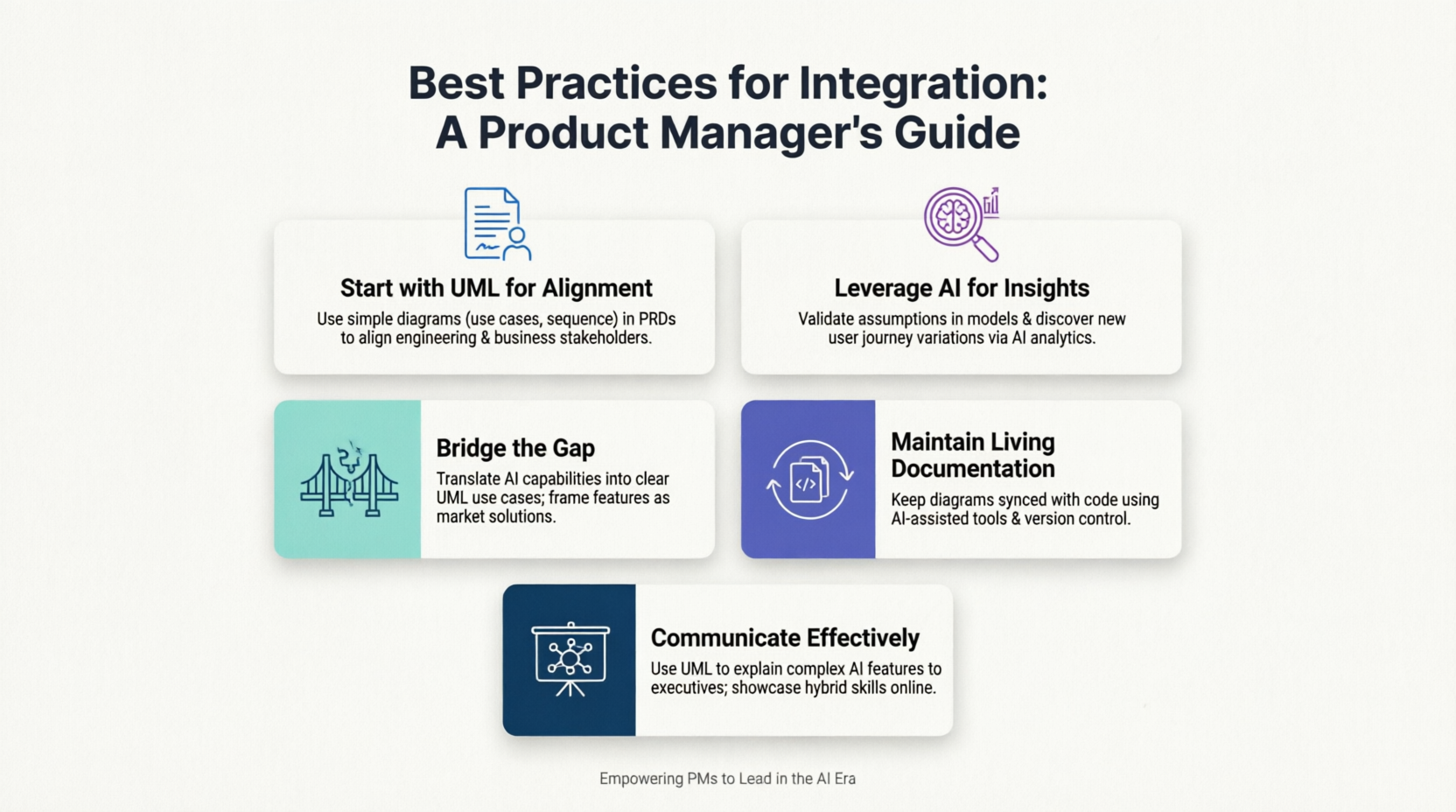
Start with UML for Alignment: Use simple UML diagrams (use cases, basic sequence) in product requirement documents to ensure engineering and business stakeholders share mental models.
-
Leverage AI for Insights: Use AI analytics to validate assumptions in your UML models and let AI suggest user journey variations you hadn’t considered.
-
Bridge the Gap: Translate AI capabilities into UML use cases for clarity. Frame AI features in terms of market problems.
-
Maintain Living Documentation: Keep UML diagrams updated with AI-assisted tools and version control your diagrams alongside code.
-
Communicate Effectively: Use UML to explain AI features to executives.
For Technical Teams
-
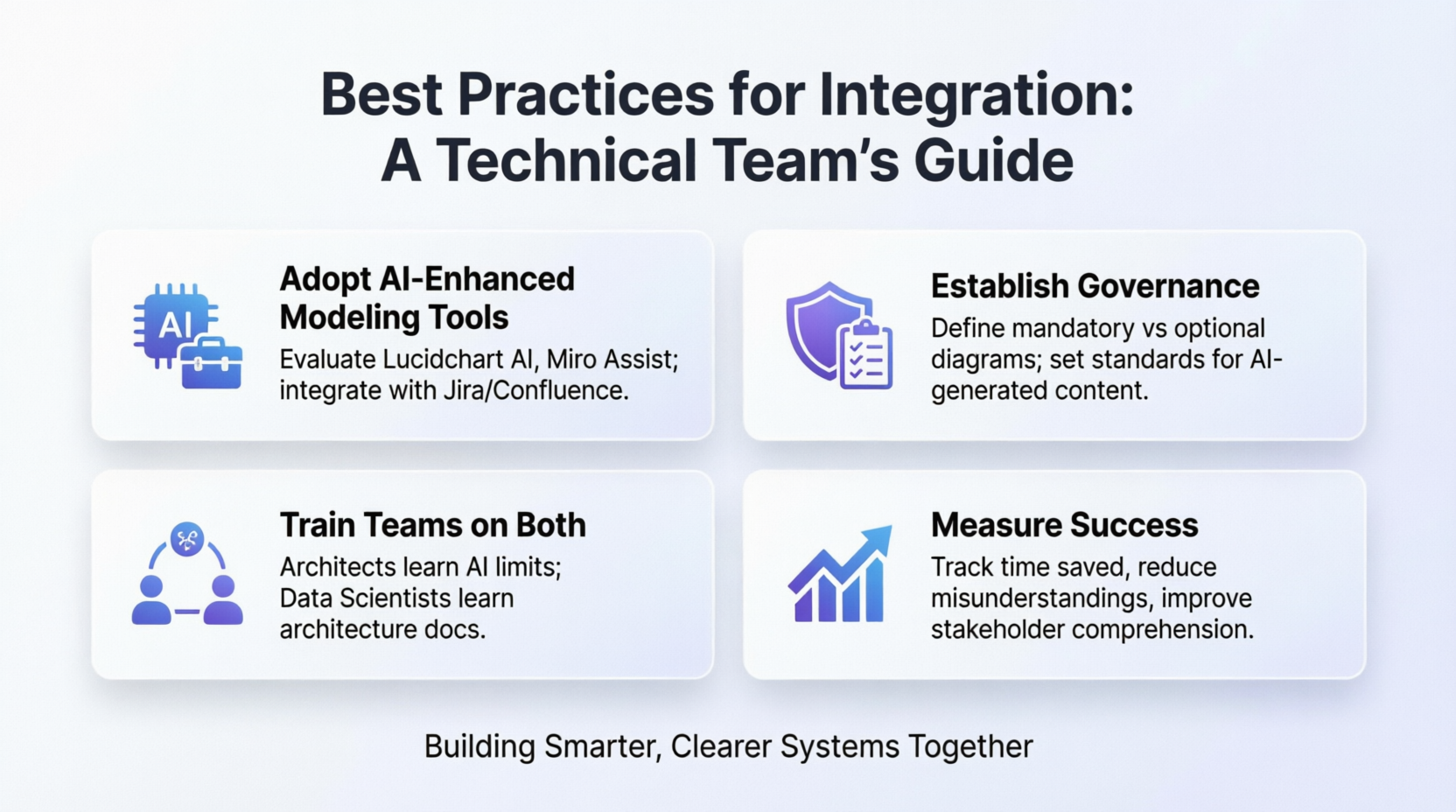
Adopt AI-Enhanced Modeling Tools: Evaluate tools like Visual Paradigm with AI, Lucidchart with AI, or Miro Assist. Integrate them with your existing workflow (Jira, Confluence, etc.).
-
Establish Governance: Define which diagrams are mandatory vs. optional and set standards for AI-generated vs. human-created content.
-
Train Teams on Both: Ensure architects understand AI limitations and data scientists understand architectural documentation.
-
Measure Success: Track time saved in diagram creation/maintenance, monitor reduction in architectural misunderstandings, and measure stakeholder comprehension improvements.
Part 6: When to Use Each (and Both)
| Situation | Primary Tool | Rationale |
|---|---|---|
| Initial system design | UML | Establishes shared understanding |
| Code generation from design | Both | UML provides structure, AI generates code |
| Debugging AI behavior | Both | UML shows expected flow, AI shows actual patterns |
| Stakeholder communication | UML | Visual, standardized, accessible |
| Predicting system failures | AI | Learns from historical data |
| Documenting AI architecture | UML | Makes complex AI systems comprehensible |
| Optimizing database schemas | Both | UML ER diagrams + AI performance predictions |
| Requirements validation | Both | UML models requirements, AI checks consistency |
Part 7: Future Predictions (2026-2030)
-
AI-Native UML Tools: Real-time collaborative UML editing with AI co-pilots, automatic inconsistency detection, and voice-to-UML capabilities (“Show me the authentication flow”).
-
Executable UML Meets AI: UML models become directly executable with AI optimization, allowing simulations to predict system behavior before implementation.
-
Conversational System Design: Natural language conversations with AI generate and refine UML diagrams. “What if we add a caching layer?” prompts AI to update diagrams and predict performance impact.
-
Self-Documenting AI Systems: AI systems automatically generate and maintain their own UML documentation, ensuring continuous synchronization between running systems and architectural models.
-
Hybrid Intelligence Workflows: A iterative loop where humans provide strategic direction via UML, AI handles pattern detection and optimization, and humans review the recommendations.
Potential Risks of Exclusive Use
Using Only UML (No AI)
-
❌ Manual diagram maintenance becomes unsustainable at scale.
-
❌ Missed optimization opportunities hidden in data.
-
❌ Slow response to changing requirements.
-
❌ Limited ability to predict system behavior.
Using Only AI (No UML)
-
❌ “Black box” systems difficult to audit or explain.
-
❌ Poor communication with non-technical stakeholders.
-
❌ Lack of intentional architecture leads to technical debt.
-
❌ Difficult to onboard new team members.
-
❌ Regulatory compliance challenges.
Conclusion
The future of software design is not about choosing between UML and AI; it is about building bridges between them. UML provides the necessary structure, communication framework, and intentional design, while AI brings intelligence, automation, and adaptation. Together, they enable teams to build systems that are both smart and understandable.
For professionals navigating this landscape, tools like Visual Paradigm offer a robust platform to implement this hybrid approach. By leveraging its AI-assisted diagramming, round-trip engineering, and comprehensive UML support, teams can reduce documentation debt, improve stakeholder alignment, and accelerate development cycles.
As we move towards 2030, the most successful organizations will be those that embrace this symbiosis. They will use UML to ensure their AI systems are auditable and compliant, and use AI to keep their UML models living, breathing reflections of their codebases. The question is no longer “UML or AI?” but rather “How can UML and AI work together to build better products faster?“
Recommended Next Steps
-
Experiment: Try an AI-enhanced diagramming tool like Visual Paradigm on your next project.
-
Educate: Share this perspective with your team to bridge the gap between designers and developers.
-
Document: Create a hybrid template combining UML diagrams with AI capability matrices for product requirements.
-
Network: Connect with others exploring this intersection to stay ahead of emerging best practices.
References
- Visual Paradigm UML Tool: Detailed information on Visual Paradigm’s support for UML 2.x specifications and its role in system architecture and code engineering.
- Visual Paradigm: A Comprehensive UML Modeling Solution: Blog post discussing the breadth of Visual Paradigm’s modeling solutions, including reverse engineering and IDE integration.
- Overview of the 14 UML Diagram Types: Guide explaining the structural and behavioral diagrams supported by Visual Paradigm.
- Visual Paradigm User Guide: UML Diagrams: Technical documentation on creating and managing various UML diagram types within the tool.
- Generate UML Class Diagrams with AI: Article detailing how Visual Paradigm’s AI ecosystem can generate class diagrams from text prompts.
- Visualize Your Infrastructure with AI: Guide on using AI to create and manage UML deployment diagrams for infrastructure visualization.
- Visual Paradigm Standard Edition: Information on the Standard Edition features, including code engineering and round-trip engineering capabilities.
- Capture Requirements with Use Cases: Solution overview on using use case diagrams and textual analysis for requirements gathering.
- Use Case Driven Agile Approach: Methodology guide on integrating use case modeling into agile development workflows.
- UML Class Diagram Tutorial: Comprehensive tutorial on creating and interpreting UML class diagrams.
- Enhanced AI Composite Structure Diagram Generation: Release notes on AI enhancements for generating composite structure diagrams.
- Visual Paradigm Free UML Modeling Tiers: Case study on the capabilities and limitations of Visual Paradigm’s free tiers.
- BPMN and UML Integration: Information on integrating Business Process Model and Notation (BPMN) with UML for business modeling.
- Free Web-Based UML Software: Overview of Visual Paradigm Online, the web-based tier for collaborative UML diagramming.
- Generating State Charts: Technical documentation on generating state machine diagrams from use case flows.