


Master Software Architecture: How to Use Visual Paradigm’s New C4 Model Support
Visual Paradigm has announced a game-changing update for software architects and developers: full, dedicated support for all six C4 Model Diagrams within Visual Paradigm Desktop. This update addresses the common challenge of creating consistent, clear software architecture documentation by moving away from generic drawing tools to a structured, native environment.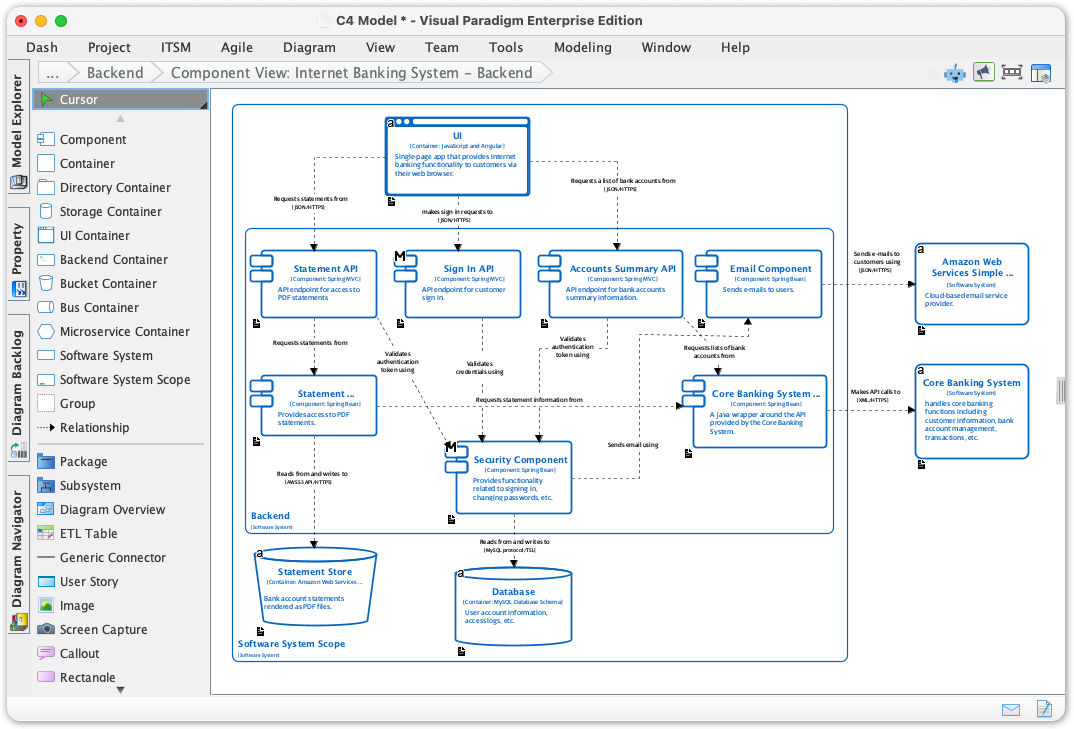
In this tutorial, we will explore how to utilize these new features to achieve clarity in your software design, ensuring your documentation is precise and easy to understand for stakeholders at every level.
Key Concepts: Understanding the C4 Model
Before diving into the tools, it is essential to understand the framework you will be using. The C4 model is widely considered the gold standard for visualizing software architecture. It uses a hierarchical approach to describe software systems, similar to how maps use different scales of zoom.
- Context: The highest level, showing how the software system fits into the world around it.
- Containers: A zoom-in to show the high-level technical building blocks (applications, databases).
- Components: A detailed view of the internals of a container.
- Code: The finest level of detail (classes and interfaces).
Visual Paradigm’s new update integrates this hierarchy directly, allowing you to enforce standard notation without the manual effort of adapting general shapes.
Guidelines: Step-by-Step Implementation
Accessing the new C4 model tools is designed to be seamless and integrated into your standard workflow. Follow these steps to start diagramming immediately.
Step 1: Access the Diagram Toolbar
Launch your Visual Paradigm Desktop application. Navigate to the top toolbar and click on Diagram.
Step 2: Initiate a New Project
From the dropdown or sidebar options presented, select New to open the diagram creation interface.
Step 3: Search for C4 Tools
In the search bar of the new diagram window, type “C4”. This filter will reveal the full suite of newly supported C4 diagrams.
Step 4: Select Your Diagram Type
Choose the specific view you need to create based on your current audience or design phase. You can now select from:
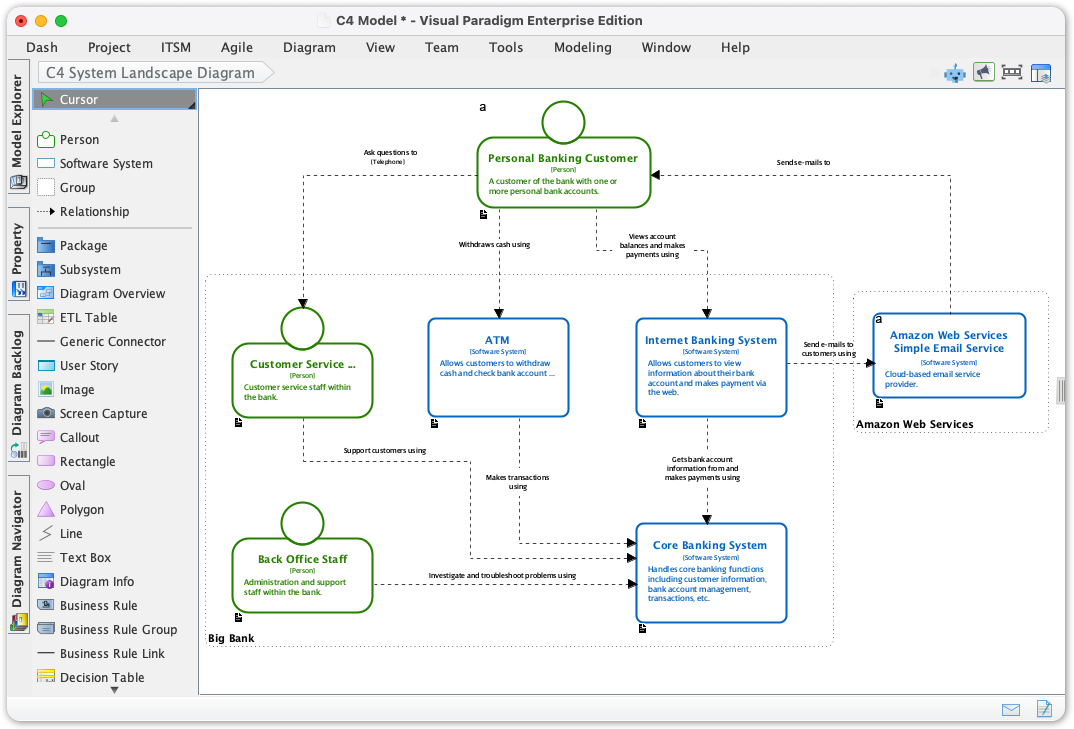
- C4 System Landscape Diagram
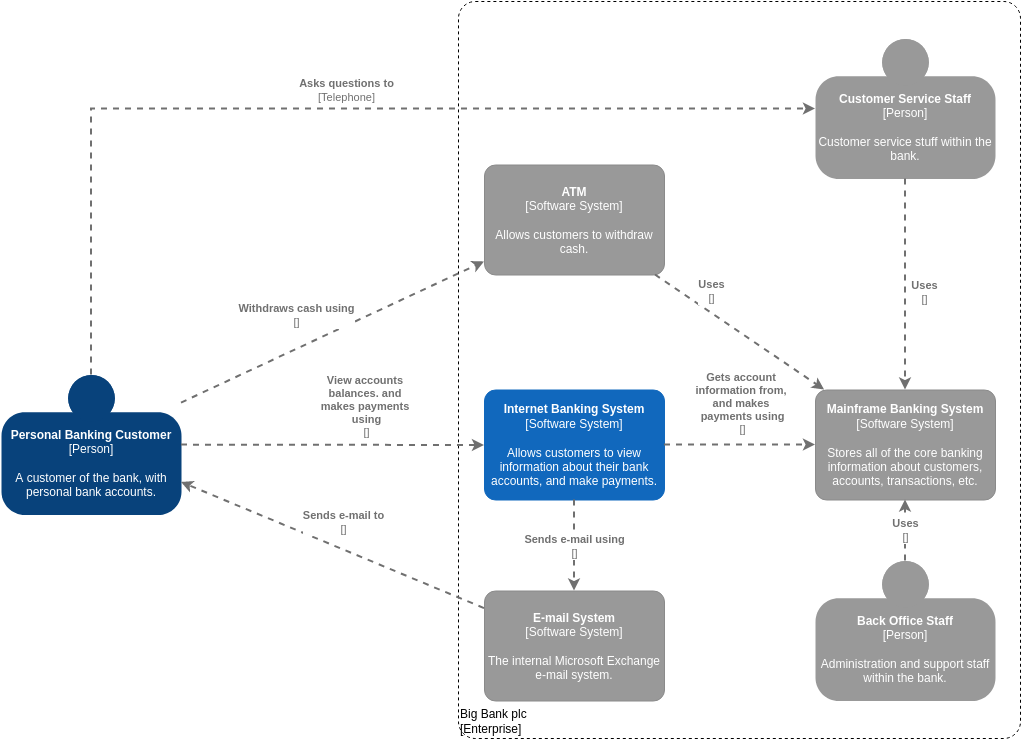
- C4 System Context Diagram
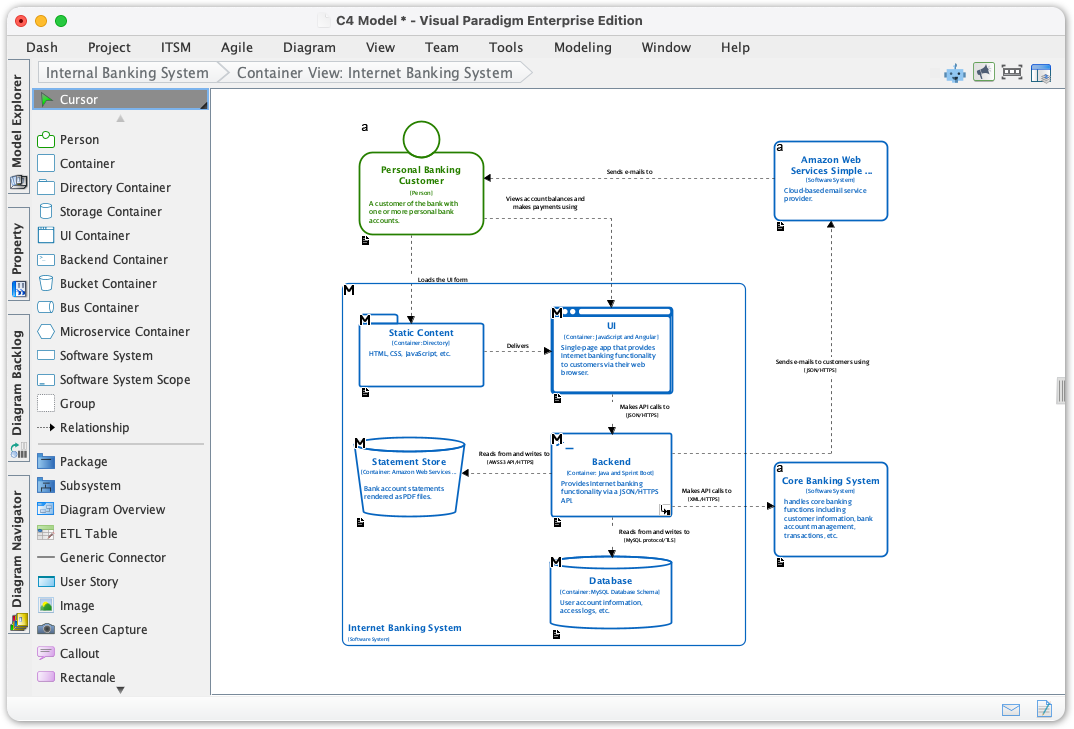
- C4 Container Diagram
- C4 Component Diagram
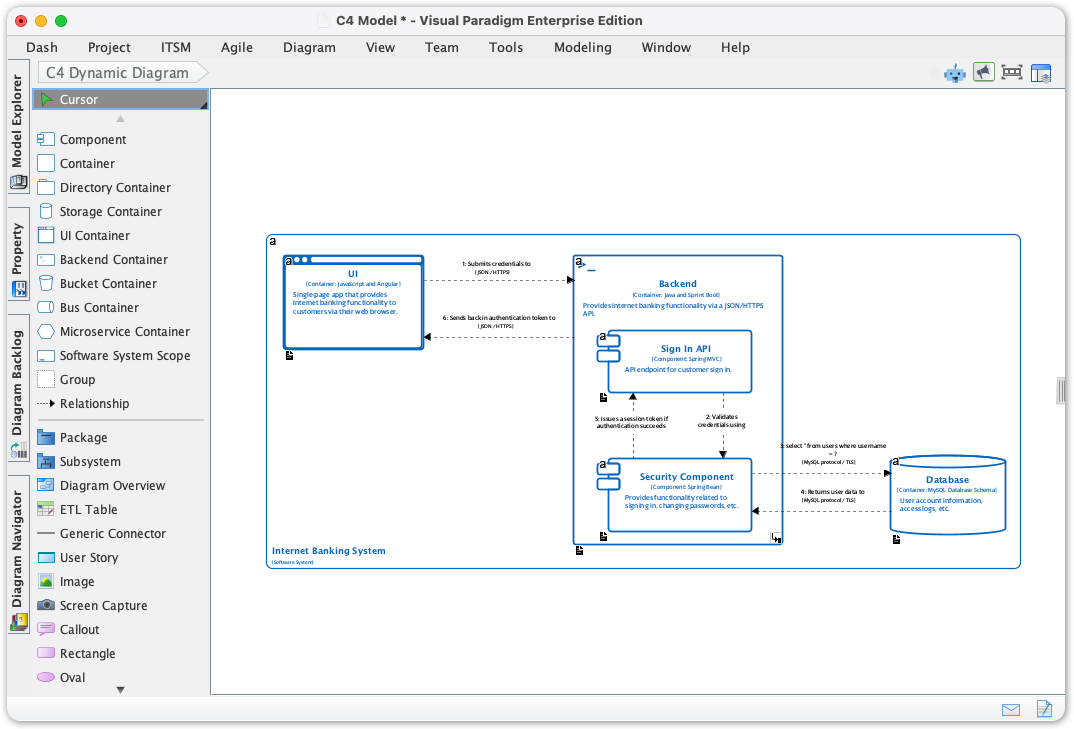
- C4 Dynamic Diagram
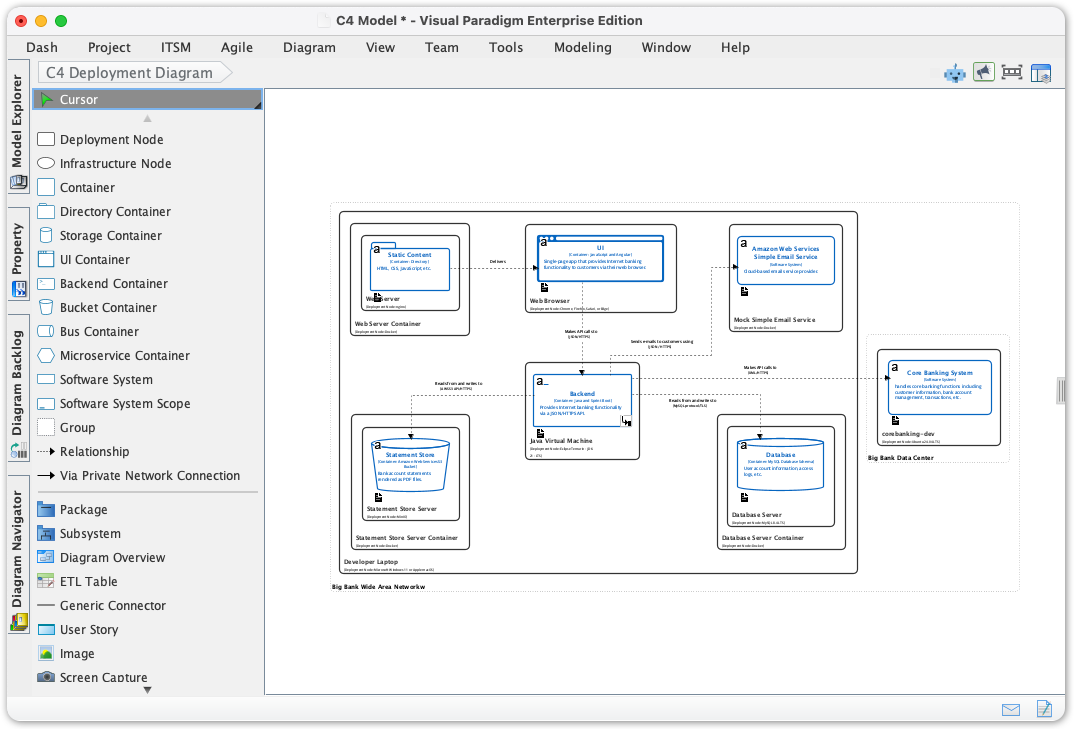
- C4 Deployment Diagram
Step 5: Start Creating
Once selected, the canvas will open with a dedicated palette containing official C4 shapes and templates. You can now drag and drop elements to model your system, ensuring automatic adherence to C4 standards.
Tips and Tricks for Effective Documentation
To get the most out of Visual Paradigm’s native C4 support, consider these expert tips:
- Match the Diagram to the Audience: Use System Landscape and System Context diagrams when communicating with high-level business leaders. Reserve Component diagrams for technical implementers and developers.
- Visualize Interactions: Do not rely solely on static structure. Use the C4 Dynamic Diagram to define how components interact during runtime to model behavior.
- Map to Infrastructure: Use the C4 Deployment Diagram to map your software containers to the underlying hardware or cloud infrastructure, bridging the gap between development and operations.
- Leverage Templates: Use the built-in templates to enforce consistency. This acts as a single source of truth, preventing the documentation from becoming outdated or visually incoherent.
Note: The goal of this update is to remove unnecessary complexity. By using native tools, you can focus on high-value design decisions rather than wasting time correcting visual syntax.
Ready to streamline your architecture documentation? Update your Visual Paradigm Desktop application today and experience the unparalleled ease of native C4 support.
Resources
- Beginner’s Guide to C4 Model Diagrams – Visual Paradigm Blog
- C4 Diagram Tool & Modeling Software | Visual Paradigm
- Online C4 Model Software – Visual Paradigm
- C4 Model Templates
- C4 Model Diagram Tool: Component, Container, Context, Deployment & More | Visual Paradigm
- C4 Model | C4 Model Template
- Unveiling the Power of C4 Model: Simplifying Software Architecture Diagrams – Visual Paradigm Blog
- AI-Powered C4 Diagram Generator | Create Architecture Diagrams from Text
- C4 Model Deployment Diagram for Internet Banking System | C4 Model Template
- C4 Model System Context Diagram for Internet Banking System | C4 Model Template
- C4 Model Dynamic Diagram for API Application | C4 Model Template
- Generate the Complete C 4 Model Instantly with Visual Paradigm’s AI…
- The Ultimate Guide to C4-PlantUML Studio: Revolutionizing …
- C4-PlantUML Studio | AI-Powered C4 Diagram Generator
- C 4 模型模板
