Introduction
If you’ve spent any time experimenting with AI code generators lately, you’ve likely encountered the same frustrating paradox: they can spin up a beautiful, functional-looking UI in seconds, but the moment you refresh the page, everything vanishes. As someone who builds and evaluates software tools daily, I’ve grown tired of these “toy apps” that lack persistent data and rely on AI hallucinations to guess backend structures.
That’s why I decided to take Visual Paradigm’s AI App Studio for a spin. Unlike standard AI builders that throw frontend code at the wall and hope it sticks, App Studio takes a radically different, data-first approach. In this review, I’ll share my hands-on experience with the tool, how it solves the backend nightmare, and why it might just be the bridge between AI-generated prototypes and actual production-ready applications.
The AI App Development Paradox: My Past Struggles
Before diving into App Studio, let’s talk about the problems it aims to solve. In my experience with other AI app builders, I constantly ran into three major roadblocks:
-
Completely Stateless Apps: No database is connected to the generated code. Refresh the browser tab, and all user data, progress, and changes are permanently lost.
-
Frequent AI Hallucinations: The AI builder guesses your data structures while writing the frontend code, resulting in mismatched entity logic and completely broken API endpoints.
-
Backend Setup Nightmares: Even if the frontend looks good, I’d waste hours manually provisioning servers, configuring secure connection strings, and trying to wire up live databases to the generated code.
Enter App Studio: The Intelligent Data Architect
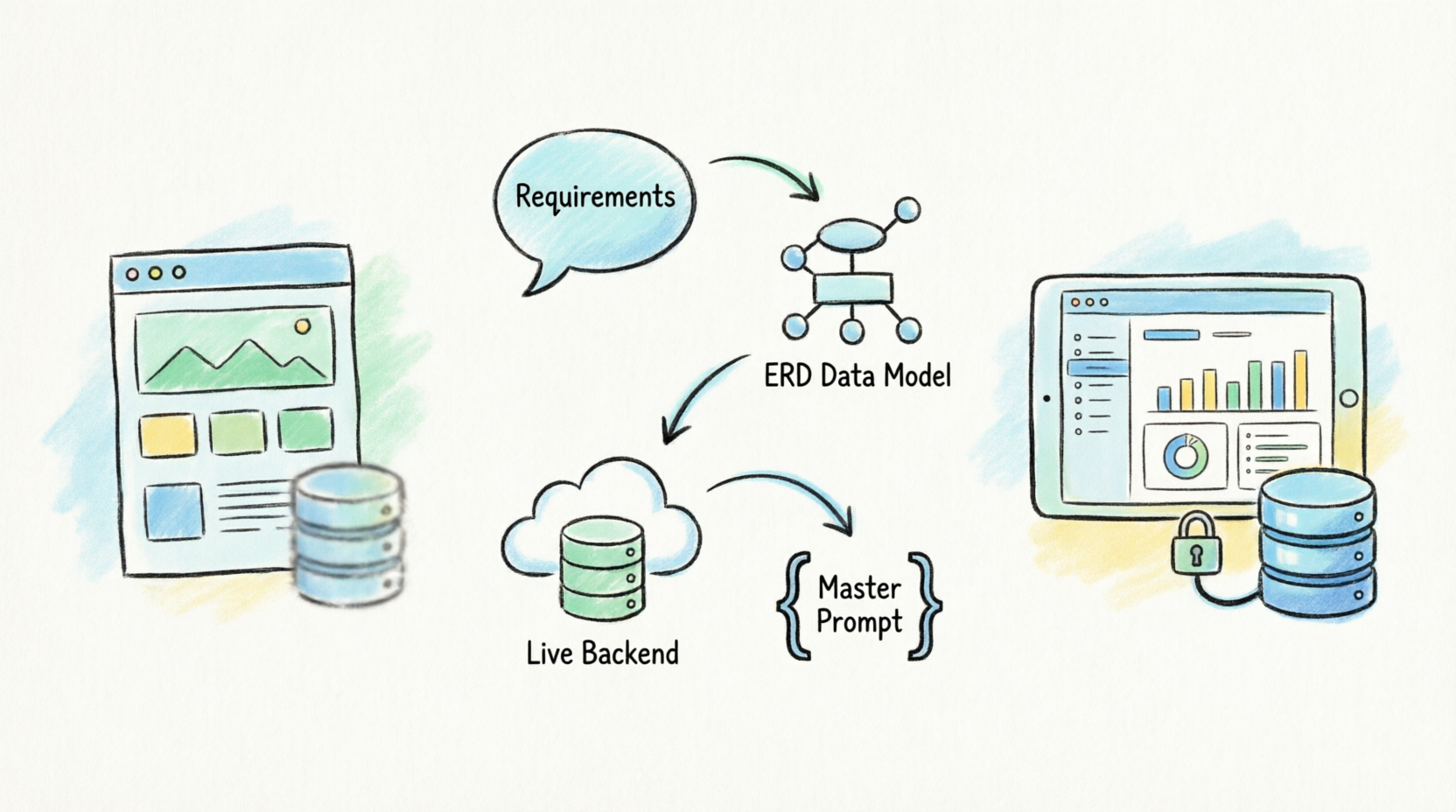
Visual Paradigm’s App Studio flips the formula. Instead of trying to lock me into a rigid, low-code interface builder, it acts as an intelligent data architect. It orchestrates the database architecture first and hands me a perfect code blueprint. By securing and structuring the backend database first, the external AI code environment receives an absolute source of truth. No guessing games, no broken connections.
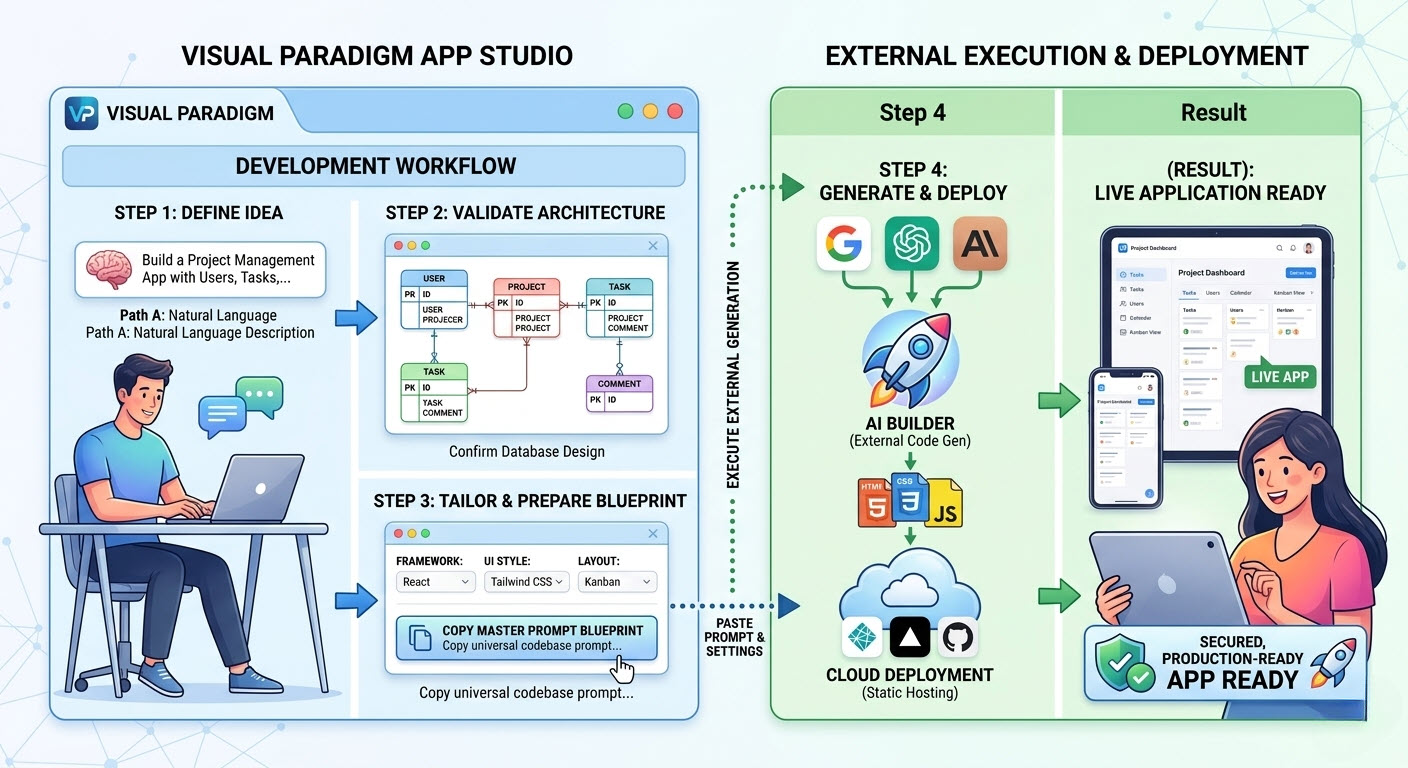
Here is a look at the workflow I experienced, moving from Visual Paradigm’s environment to external deployment:
How App Studio Works: My 4-Step Experience
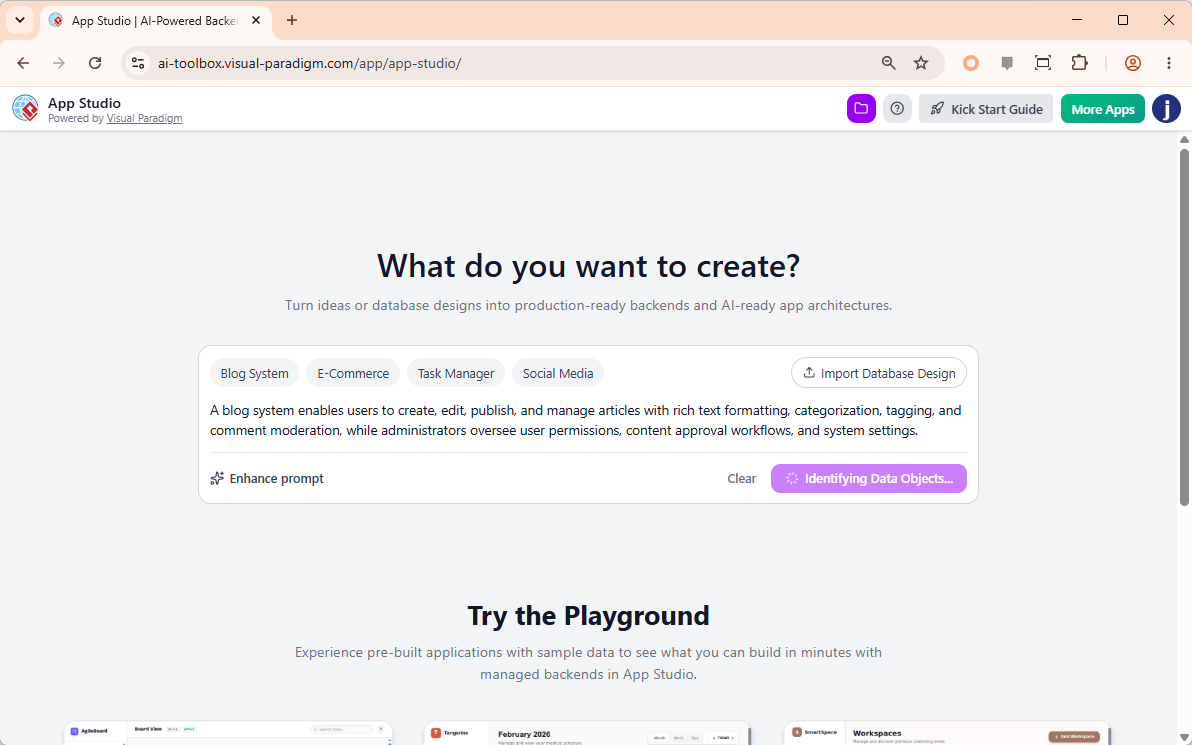
Step 1: Ingesting Requirements or Data Designs
I started by simply typing out a natural language description of the app I wanted to build. The AI instantly enhanced it into a comprehensive specification. For those who already have a structural map, you can also paste PlantUML Entity Relationship Diagram (ERD) code directly.
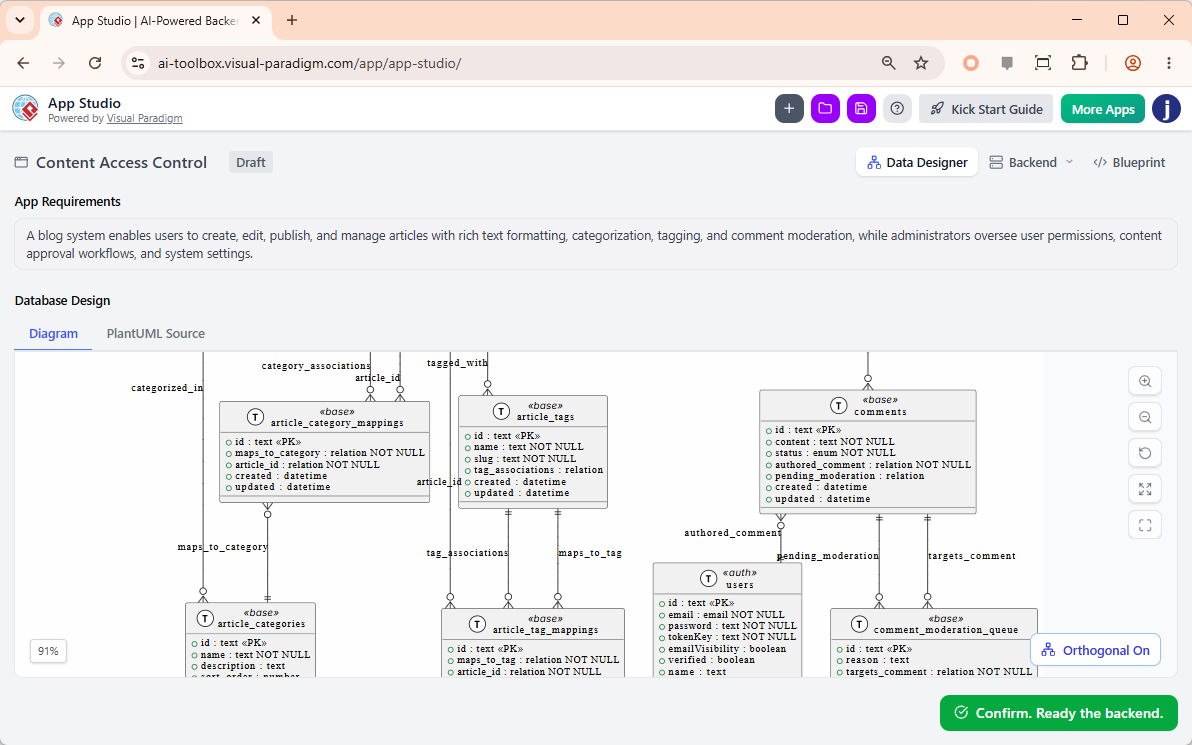
Step 2: AI-Powered ERD Optimization
This was where I was genuinely impressed. The system instantly rendered my text input into a visual database schema. The AI analyzed the structures, resolved syntax issues, patched missing relational links, and fully drafted clear columns and properties. I could review and tweak the data design before moving forward.
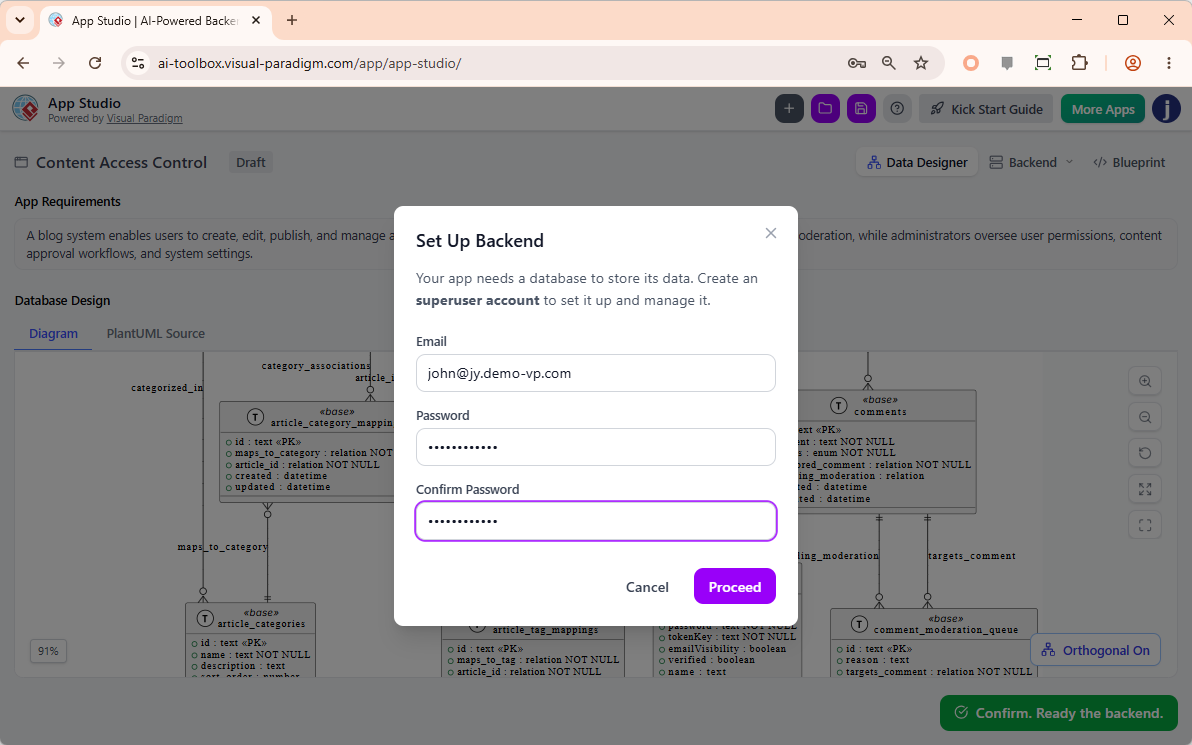
Step 3: Instant Live Backend Provisioning
This is the step that usually takes me hours. With App Studio, I just provided an administrative email and password, and the tool instantly spun up a secure, fully hosted cloud database behind the scenes. My app finally had a live, persistent data home without me having to touch a single server configuration.
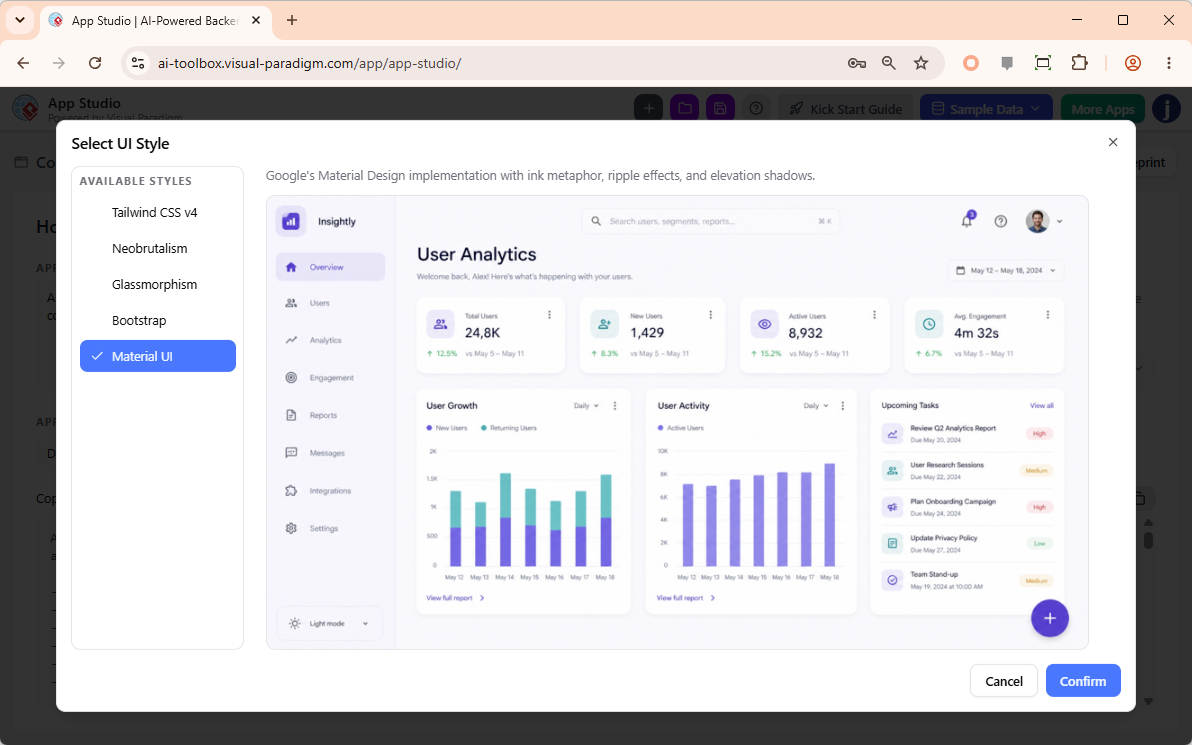
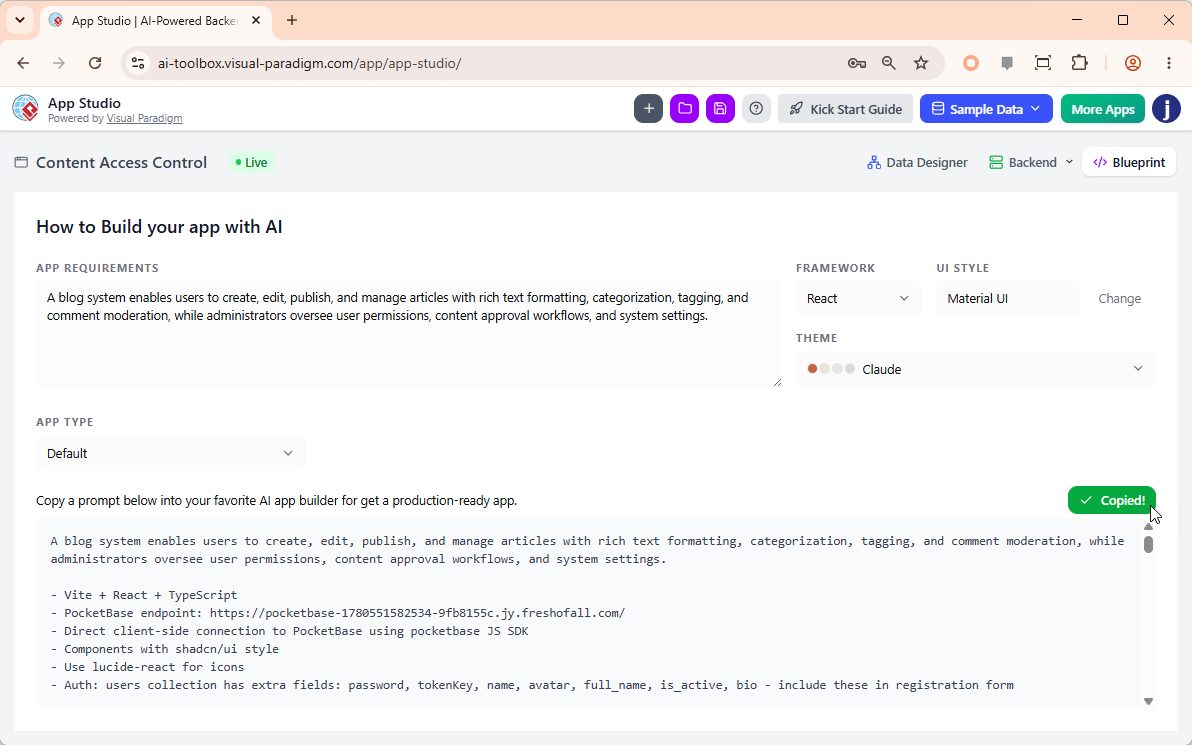
Step 4: Tailoring Framework & Copying the Master Prompt
Finally, I customized my output by selecting my preferred code framework (I went with React) and a UI design philosophy (Tailwind CSS v4). The platform then generated a structural “Master AI Prompt.” I copied this prompt, which included all the live backend architecture and API endpoints, and pasted it into my external AI generator of choice.
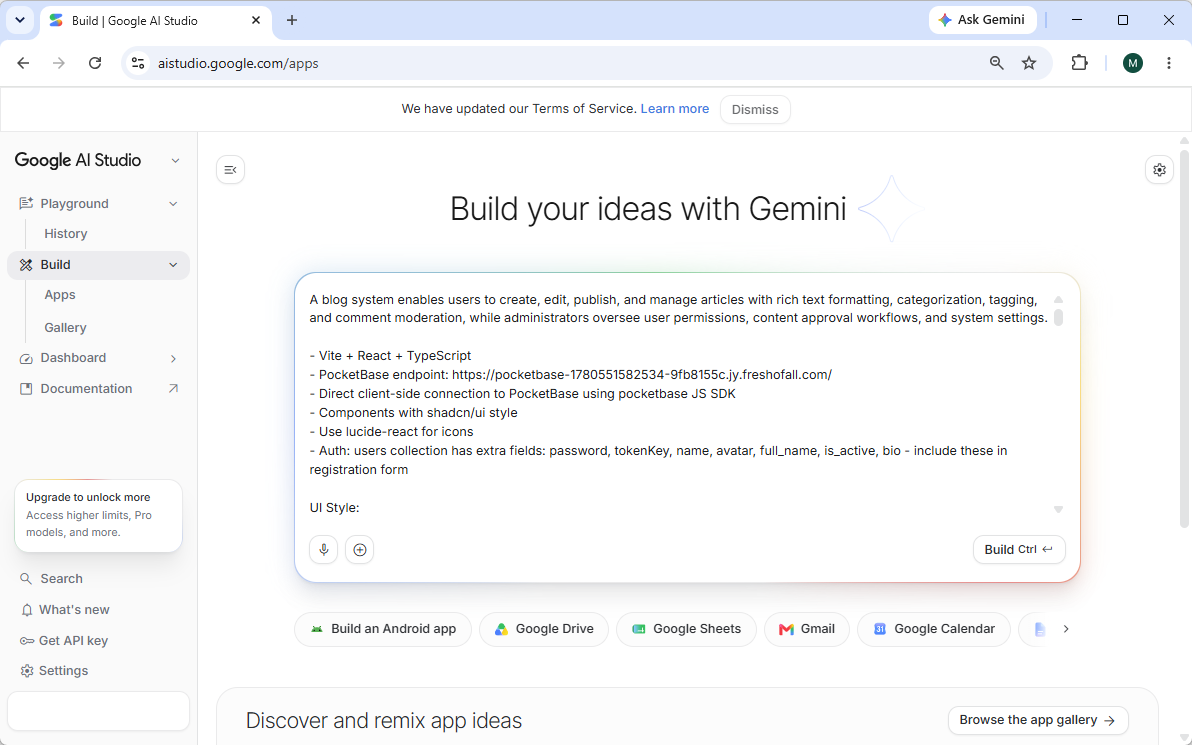
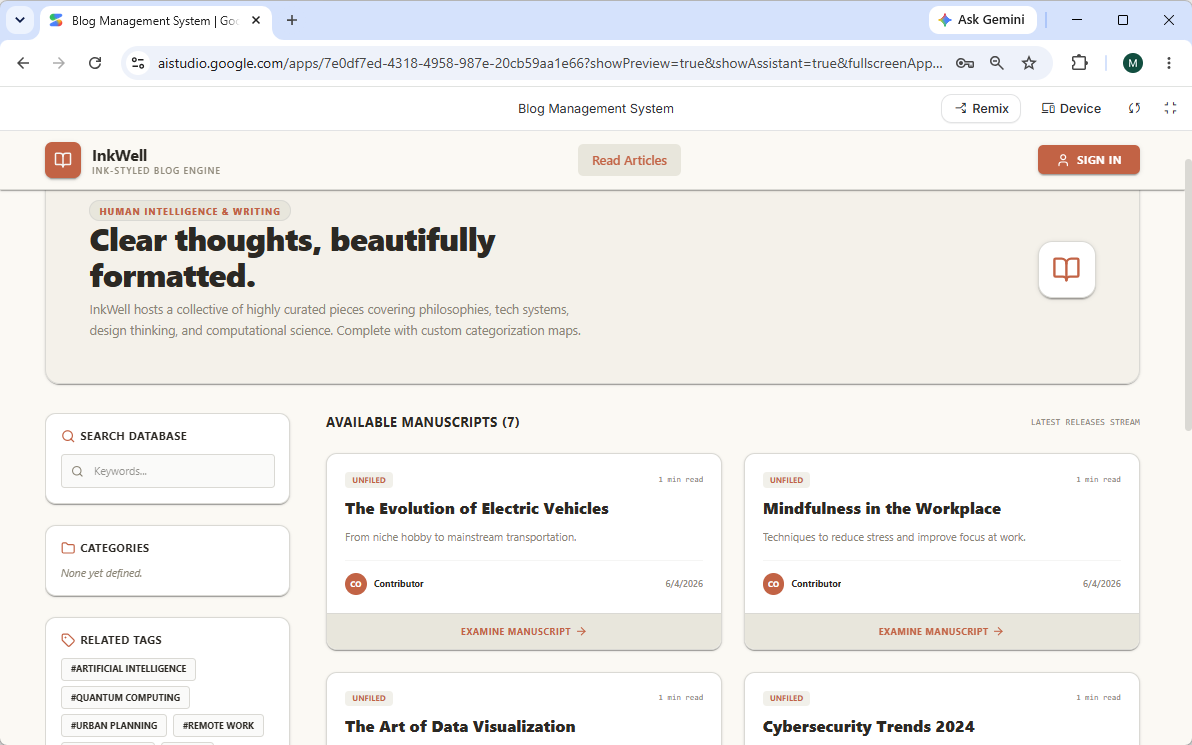
The result? A fully functional, persistent application connected to a real database.
Why I Think Creators and Developers Will Choose App Studio
-
Total Architectural Freedom: I never felt locked into a single ecosystem. Exporting my core data blueprint allowed me to use whatever layout, style palette, or frontend language matched my environment best.
-
Smart Mock Data Seeding: Testing an application with an empty screen is frustrating. App Studio’s built-in AI read my exact database model and safely seeded it with realistic, relational mock testing data instantly.
-
Persistent Data Administration: I loved that I could log back into my project dashboard at any time to modify data records, clean tables, or alter schemas without needing complex external visual database admin suites.
Conclusion
After spending time with Visual Paradigm’s AI App Studio, it’s clear that it addresses the exact pain points that have kept me from taking AI-generated apps seriously. By shifting the focus from frontend code generation to backend data architecture, it eliminates the “stateless” problem and provides a stable foundation for real software. If you are tired of building fragile toy apps and want a streamlined, error-free way to architect and deploy production-ready full-stack applications, App Studio is absolutely worth adding to your toolkit. It doesn’t just generate code; it engineers a complete, deployable ecosystem.
Reference List
-
Introducing Visual Paradigm AI App Studio: Official release notes introducing the AI App Studio and its data-first approach to application generation.
-
Visual Paradigm AI App Studio: The official landing page and workspace for accessing the AI App Studio tool and its data-driven development features.
-
AI App Studio Features: A detailed breakdown of the features, workflows, and benefits of using the AI App Studio for full-stack application generation.
-
Introducing Visual Paradigm 18.1: Release notes for Visual Paradigm 18.1, highlighting the unified ecosystem and AI-driven innovations including App Studio.
-
Visual Paradigm Pricing and Licensing: The official pricing page for Visual Paradigm licenses, detailing the requirements to unlock AI App Studio.