


Visual Paradigm Smart Board is a versatile and free tool designed to help users create various diagrams, including mind maps and concept maps. It is particularly useful for organizing ideas, brainstorming, project planning, and strategic communication. This guide will walk you through the key features, steps to create mind maps, and the benefits of using Visual Paradigm Smart Board.
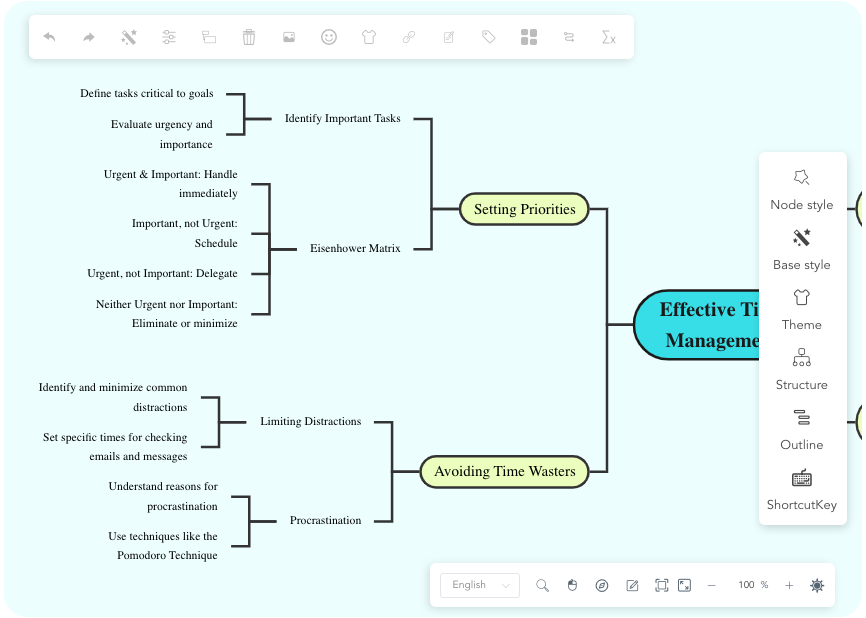
Key Features of Visual Paradigm Smart Board
Free to Use
Visual Paradigm Smart Board is completely free with no hidden charges, making it accessible to everyone. This ensures that users can leverage its powerful features without any financial constraints.
Multiple Diagram Types
The tool supports the creation of various diagram types, including:
- Mind maps
- Concept maps
- Organizational charts
- Brace maps
- Fishbone diagrams
- Tree charts
- Bubble maps
This versatility makes it a one-stop solution for different visualization needs.
Customization Options
Users can customize the appearance of their mind maps with various styles, fonts, colors, and formatting options. This allows for personalized and visually appealing diagrams that can better convey information.
Outline Feature
The outline feature enables users to transform text into structured mind maps. Any changes made in the outline are dynamically reflected in the mind map, ensuring consistency and ease of use.
Export Options
Mind maps created in Visual Paradigm Smart Board can be exported in multiple formats, including:
- JSON
- Images
- SVG
- Markdown
This flexibility allows users to share their mind maps in the format that best suits their needs.
Creating Mind Maps with Visual Paradigm Smart Board
Step-by-Step Guide
-
Access Smart Board
- Sign up or log in to Visual Paradigm’s website.
- Navigate to the Smart Board section.
-
Create a New Mind Map
- Click on “Create New Project.”
- Select “Mind Map” from the available templates.
-
Central Idea
- Enter your central idea or topic in the middle of the canvas. This will serve as the focal point of your mind map.
-
Add Branches and Sub-Branches
- Add main branches representing key aspects of your central idea.
- Further break down these main branches into sub-branches to capture more detailed information.
-
Customize and Export
- Customize the appearance of your mind map using the available styles, fonts, colors, and formatting options.
- Once satisfied with your mind map, export it in the desired format (e.g., PDF, image, SVG).
Benefits of Using Visual Paradigm Smart Board for Mind Mapping
Enhanced Clarity
Mind maps provide a clear overview of tasks and their relationships, making it easier to understand complex information at a glance.
Improved Collaboration
Visual representation of ideas facilitates teamwork. Team members can easily contribute to and understand the mind map, leading to better collaboration.
Flexibility
Mind maps created in Visual Paradigm Smart Board are easily adjustable. Users can modify the structure and content as project requirements change, ensuring the mind map remains relevant and up-to-date.
Effective Problem Solving
Mind mapping helps in identifying challenges and brainstorming solutions. By visually organizing information, users can better analyze problems and develop effective strategies.
Conclusion
Visual Paradigm Smart Board is a powerful and free tool that offers a range of features to create and customize mind maps. Its user-friendly interface, multiple diagram types, and export options make it an excellent choice for organizing ideas, brainstorming, and project planning. By following the steps outlined in this guide, users can create effective mind maps that enhance clarity, improve collaboration, and facilitate problem-solving.
For more information and to get started with Visual Paradigm Smart Board, visit their official website.

Decision Making for Supply Chain Optimization Edit This Template

PDCA (Plan-Do-Check-Act) Edit This Template
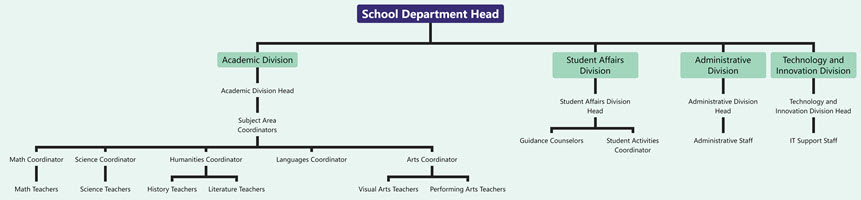
Organizational Chart of School Department Edit This Template
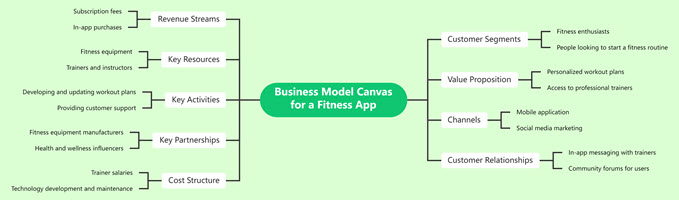
Business Model Canvas for a Fitness App Edit This Template
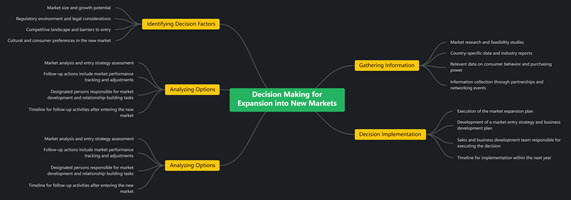
Decision Making for Expansion into New Markets Edit This Template
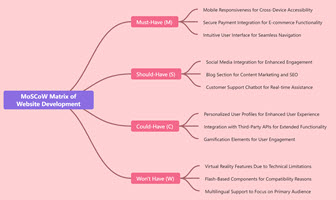
MoSCoW Matrix of Website Development Edit This Template

Tree Chart of Psychological Theories Edit This Template
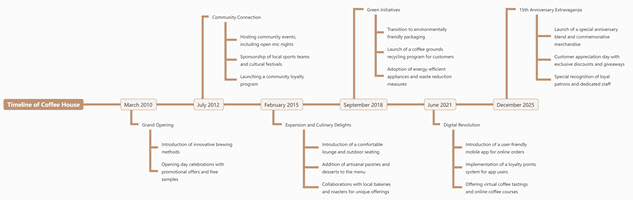
Timeline of Coffee House Edit This Template
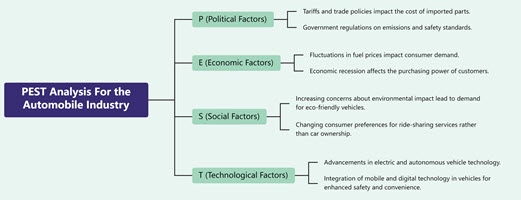
PEST Analysis For the Automobile Industry Edit This Template
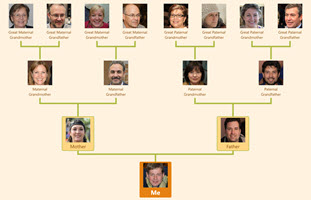
Family Tree With Photo Edit This Template
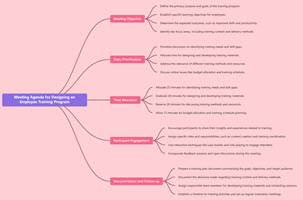
Meeting Agenda for Designing an Employee Training Program Edit This Template
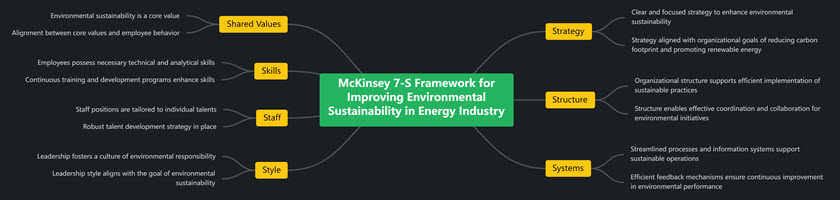
McKinsey 7-S Framework for Improving Environmental Sustainability in Energy Industry Edit This Template
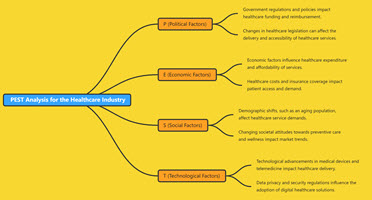
PEST Analysis for the Healthcare Industry Edit This Template

PDCA for improving on-time delivery in a logistics company Edit This Template
References
[1] Creating Concept Maps Using Visual Paradigm Smart Board
[2] YouTube Tutorial on Visual Paradigm Smart Board
[3] Step-by-Step Guide to Create a Mind Map with Visual Paradigm’s Smart Board
[4] Mastering Mind Mapping and Brainstorming with Visual Paradigm Smart Board
[5] Unlock Your Creativity with Visual Paradigm’s Smart Board
[6] Visual Paradigm Smart Board
[7] Mind Mapping Tool Features
[8] YouTube Tutorial on Mind Mapping with Visual Paradigm
Related posts:
 Introduction to Mind Mapping and Visual Paradigm Smart Board
 Comprehensive Guide to Using Fishbone (Ishikawa) Diagrams
Comprehensive Guide to Effective Time Management: From Brainstorming to Execution
Comprehensive Guide to Using Fishbone (Ishikawa) Diagrams
Comprehensive Guide to Effective Time Management: From Brainstorming to Execution
 Comprehensive Guide to Creating a Business Model Canvas for a Food Delivery Service Using Visual Paradigm Smart Board