
Visual Paradigm Community Edition – A Complete Guide to the Free UML Tool

Introduction
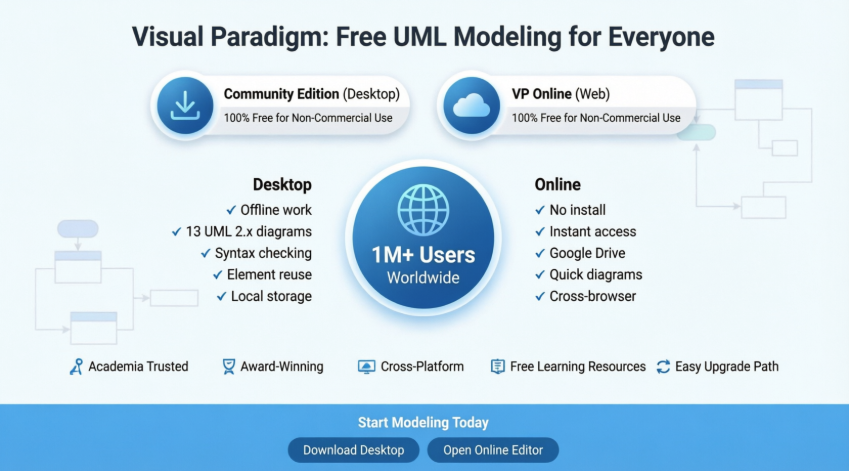
Visual Paradigm offers two distinct free UML tools designed for visual modeling with UML 2.x diagrams: the Community Edition (Desktop) and VP Online Free Edition. Both are completely free for non-commercial purposes, making them ideal for students, educators, hobbyists, and anyone taking their first steps in UML modeling.
Visual Paradigm Community Edition has been providing free UML software since 2004, supporting users worldwide in learning, teaching, and personal projects.
🎨 Diagram Capabilities
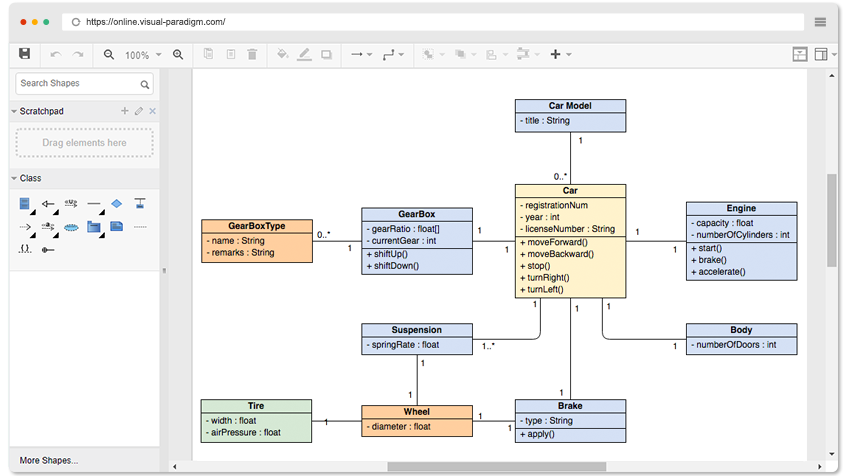
Design API with the Class Diagram Tool
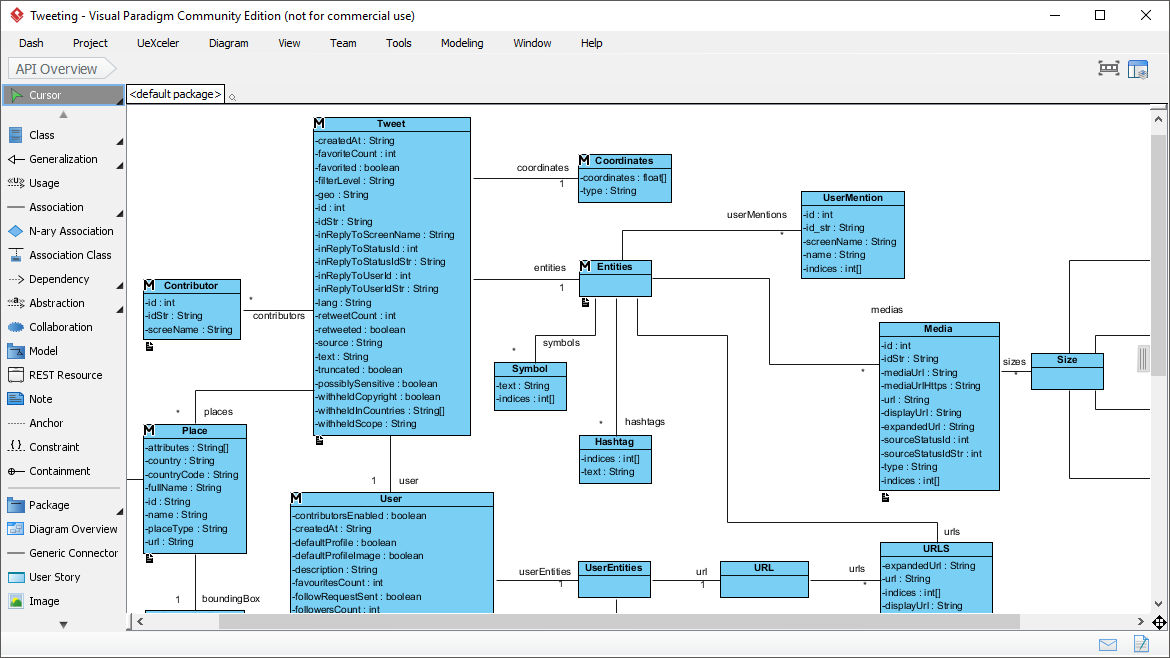
With no redundant widgets on the screen, you can design freely in a large diagram editor.
-
 Class Diagram – Design API structures and relationships
 -
 Entity Relationship Diagram – Model database schemas
 -
 Sequence Diagram – Visualize object interactions over time
 -
 Requirement Diagram – Capture and manage system requirements
 -
 Use Case Diagram – Map user interactions with system functionality
✨ Everything You Need, In One Place

UML Support
Draw ANY of the UML 2.x diagrams with full specification compliance.

Modeling Capability
Re-usable elements, syntax checking, sub-diagrams, model transformations, and more.

Efficiency
We care about the difference between a click and a drag. Optimized workflows for maximum productivity.

Cross Platforms
Modeling in ANY Java-enabled platform – Windows, Mac OS X, Linux.

Resource Catalog
Draw UML Diagrams in Quick
With just a few clicks of your mouse, you can create stunning diagrams in no time. The Resource Catalog is your secret weapon for maximum efficiency and top-notch quality. Visual Paradigm is designed with you in mind, ensuring that every aspect of your design journey is as seamless and high-quality as possible.
🔧 Real Modeling Tools
We Build Modeling Software, Not Just Drawing Tools
Reuse elements in different models, ensure the correctness of design with syntax checking, establish multiple levels of abstraction with sub-diagrams, add references to design artifacts, etc. Visual Paradigm is a UML tool designed for great outcomes.
If you have ever used a real modeling software, you will appreciate how much it can help with your modeling work.


🆓 Finding a Free UML Tool?
Visual Paradigm Online (VP Online) Free Edition is a free online drawing tool that supports UML, ERD, Organization Chart, and more. It features a simple, intuitive yet powerful UML editor, which allows you to create professional UML diagrams smoothly and quickly.
✅ No ads
✅ No limited period of access
✅ No limitations on number of diagrams or shapes
✅ You own the diagrams you create for personal and non-commercial purposes
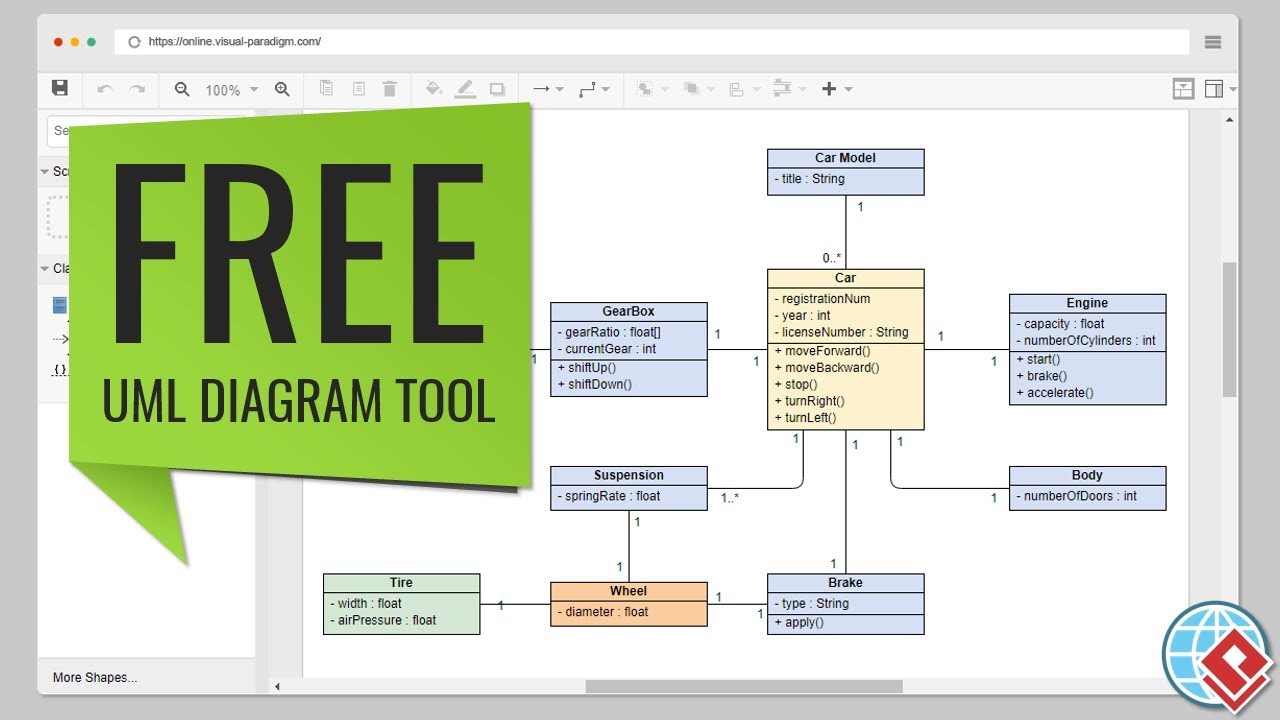
🎯 Drawing Professional UML Diagrams Quickly and Freely
Free UML Editor
Free UML Diagram tool for personal use:
-
✅ No limited number of diagrams and shapes
-
✅ No limited period of access
-
✅ No ads
-
✅ Output and share as PNG/JPG/GIF/SVG/PDF
Powerful UML Editor
UML diagramming can be simple and fun. Features include:
-
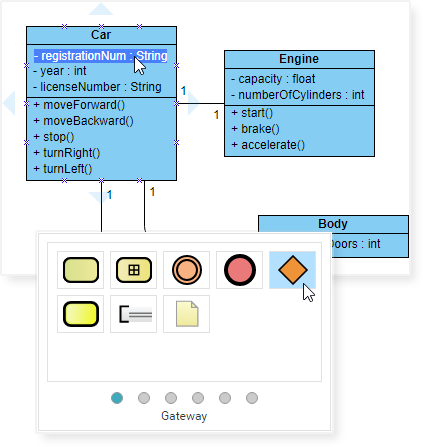
Drag-to-create shapes and connectors
-
Well-attached connectors (no separating apart)
-
Draw your own diagrams with custom shapes
-
Hundreds of diagram examples and templates
Impressive UML Diagrams
Precisely position shapes and connectors with alignment guides. Format your UML diagrams with:
-
Shape and line formatting
-
Font style options
-
Shape alignment and distribution tools
-
Embed images and URLs
-
Shadow effects and more
📋 Key Features and Benefits
-
Unlimited period of access
-
Unlimited number of diagrams
-
Unlimited number of shapes
-
Support for UML Tool, ERD editor, Org. Chart editor, Floor Plan tool, ITIL, Business Concept Diagram
-
Upgrade path to paid editions for more diagram types and advanced features
-
Cross-platform: Windows, Mac, Linux. Compatible with all web browsers
-
Easy to use: Create and connect shapes with drag and drop. Connectors snap to shapes and never separate.
-
Rich formatting: Apply different options for shapes and lines, solid and gradient paint, 40+ connector types, RTF caption, font options, shadow effects, etc.
-
Custom diagrams: Draw your own diagrams with your own shapes
-
Visio compatibility: Visio drawing and stencil import support
-
Export flexibility: Print, export and share your work in PNG, JPG, SVG, GIF, PDF formats
-
Quick start: Hundreds of diagram examples and templates to get started immediately
-
Cloud integration: Google Drive integration for easy storage and sharing
-
Rich content: Easily embed text, external images and web links to diagrams
🔍 But Don’t Take Our Word For It
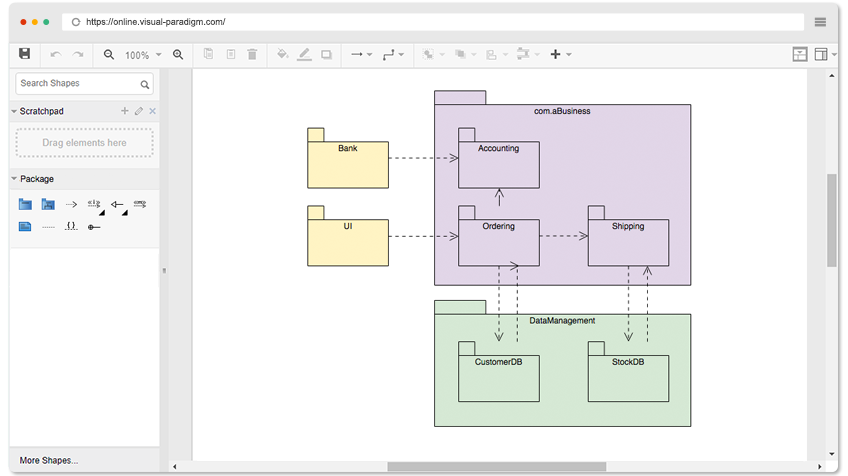
Try it yourself. Browse the UML Diagram examples below and click Open Diagram to open and edit. You will see for yourself that it is everything we say it is, or perhaps more.
Available diagram types:
-
Class Diagram
-
Use Case Diagram
-
Sequence Diagram
-
Activity Diagram
-
Deployment Diagram
-
Component Diagram
-
State Machine Diagram
-
Package Diagram
🖥️ Visual Paradigm Community Edition – Free UML Software Tool
Visual Paradigm Community Edition was launched in 2004 to provide a free UML software for sole non-commercial purposes, supporting users who are:
-
Making their first steps in UML modeling
-
Needing a free and cross-platform UML modeling software for personal use
-
Applying UML on student projects and academic work
Why Visual Paradigm?

Reason 1: Comprehensive UML Support
UML modelling tool free for all sorts of non-commercial purposes. Supporting the 13 UML 2.x diagrams

We are adopted by over 1 Million installations around the globe, and still growing. Many professionals use the paid editions of Visual Paradigm daily to draw professional UML and ERD diagrams for system and database design & analysis.
Reason 2: Trusted by IT Professionals and Large Organizations
Many blue-chip organizations, IT companies, consultants, universities, NGOs, and government units throughout the world have adopted Visual Paradigm (paid editions).

Reason 3: High Quality – Award-Winning
We are not just trusted by the best-known enterprises worldwide, but also recognized by the industry. Visual Paradigm is a multiple international awards winner.

Reason 4: Most Widely-Used Modeling Platform for Academia
The most widely-used UML tool for academia, adopted by thousands of Universities and Colleges worldwide.

Reason 5: Huge Collection of FREE Learning Resources
(Supported by VP Community Circle)

Hundreds of UML and ERD examples ready for importing into Visual Paradigm for instant experimentation or to get started with your own UML model. All for FREE.
Reason 6: Upgrade Path to Commercial Editions
Easy upgrading for a huge set of additional features (BPMN, team collaboration support, etc.) and for commercial use, starting at $6/month.

Reason 7: Active User Forum for Support and Exchange
Support, share, and exchange your ideas with other people in Visual Paradigm’s active user forum.

Reason 8: Cross-Platform, User-Friendly, Fast & Responsive
Visual Paradigm runs on different platforms such as Windows, Linux, and Mac. Its intuitive interface and powerful modeling features make modeling fast and easy!

📊 Comparison: Desktop vs. Online
Visual Paradigm offers two distinct free UML tools: the Community Edition (desktop) and VP Online Free Edition. Both are free for non-commercial use, such as student projects or personal learning.
| Feature | Community Edition (Desktop) | VP Online (Free Edition) |
|---|---|---|
| Platform | Installable on Windows, macOS, Linux | Web-based; runs in any browser |
| Primary Use | Professional-grade modeling with syntax checking | Quick, intuitive diagramming |
| Internet | Can work offline once installed | Requires an internet connection |
| Diagrams | All 13 UML 2.x diagrams + ERD + SysML | UML, ERD, Org Charts, Floor Plans |
| Storage | Local files on your computer | Cloud-based (Google Drive integration) |
| Output | Images (watermarked for free edition) | Images (PNG, JPG, SVG, PDF) |
Key Differences
🔹 Modeling Intelligence: The Community Edition is a true modeling tool. It includes advanced features like element reuse (changing a class name in one place updates all diagrams) and syntax checking.
🔹 Convenience: VP Online is built for speed and zero configuration. It lacks the deep engineering features of the desktop app but offers an easier drag-and-drop interface for users who just need a quick diagram.
🔹 UML Coverage: While the online version covers major UML types like Class and Sequence diagrams, the Desktop Community Edition supports the full suite of 13 UML 2.x diagram types.
🚀 Getting Started
You can download the tools based on your needs:
📥 Download Community Edition
For a more robust, offline modeling experience with advanced features
🌐 Use VP Online
For instant, web-based drawing with zero installation
📚 Reference List
-
Visual Paradigm Free UML Design Tool: Official page for Visual Paradigm’s free UML design tools, featuring Community Edition details and download options.
-
My Journey with Visual Paradigm Community Edition: Personal user review and experience report on using Visual Paradigm Community Edition for real-world modeling tasks.
-
Free UML Tool – Visual Paradigm: Overview of Visual Paradigm’s free UML modeling capabilities, features, and supported diagram types.
-
Best Free and Commercial Agile Tools: Article highlighting Visual Paradigm Online as a top free tool for agile teams, with no limitations on diagrams or shapes.
-
Free Visual Paradigm Online: Landing page for the free web-based edition of Visual Paradigm with feature highlights and editor access.
-
VP Online Desktop Accessibility: Information about cross-platform accessibility and browser compatibility for VP Online.
-
Free Visual Paradigm Online – Features: Detailed feature list for the free online edition, including export options and integration capabilities.
-
Archimetric: Visual Paradigm Review: In-depth user testimonial covering practical applications and benefits of the Community Edition.
-
Free UML Tool Online: Dedicated page for the free online UML editor with templates, examples, and quick-start resources.
-
Free Web-Based UML Software: Guide to using Visual Paradigm’s browser-based UML modeling tools without installation.
-
Free Web-Based Class Diagram Software: Specialized resource for creating class diagrams using the free online editor.
-
Free Visual Paradigm Online – Overview: Comprehensive overview of capabilities, limitations, and use cases for the free online edition.
-
Free Online Diagram Software: Broader guide covering all diagram types supported by Visual Paradigm’s free online platform.
-
Visual Paradigm Online: Ultimate Diagramming Tool: Blog post discussing use cases for businesses and individuals, with feature comparisons.
-
ERD Tool – Visual Paradigm: Resource for Entity Relationship Diagram modeling using Visual Paradigm’s free and paid editions.
-
UML Resources – University of Waterloo: Academic resource page with UML learning materials and tool recommendations, including Visual Paradigm.
💡 Pro Tip: Whether you choose the desktop Community Edition for deep modeling work or VP Online for quick diagrams, both tools provide professional-grade UML capabilities at zero cost for non-commercial use. Start with the online editor for immediate access, then download the desktop edition when you need advanced modeling intelligence.