


In the fast-paced world of system analysis and project management, the ability to visualize complex concepts quickly is a competitive advantage. Visual Paradigm Desktop has released a major upgrade to its AI Diagram Generator, transforming how professionals approach modeling. This update introduces support for a wide array of highly requested diagram types, including Data Flow Diagrams (DFD), Entity-Relationship Diagrams (ERD) using Chen Notation, and Mind Maps.
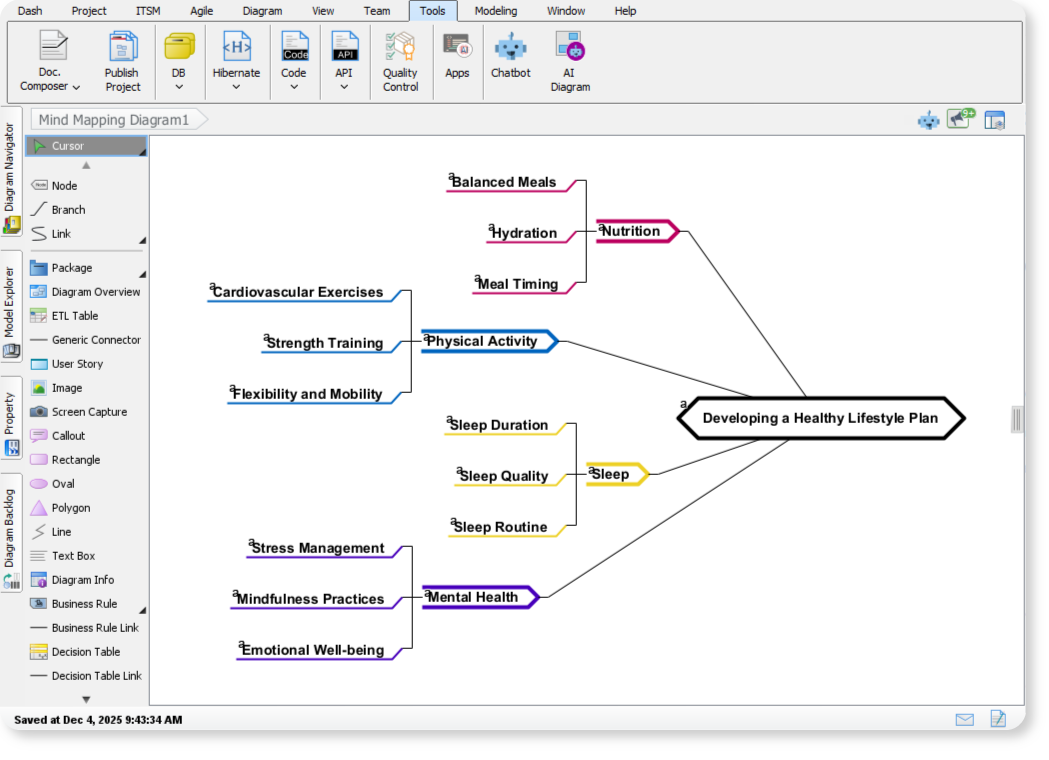
This comprehensive guide explores how these new features allow analysts, engineers, and project managers to move from abstract concepts to complete, rigorous visualizations in seconds, significantly reducing the manual effort previously required.
Key Concepts: Understanding the New AI Capabilities
Before diving into the workflow, it is essential to understand the core diagrams and concepts introduced in this update. These tools bridge the gap between high-level brainstorming and detailed technical specification.
- Generative AI for Modeling: Unlike traditional drag-and-drop tools, this feature uses Artificial Intelligence to interpret textual descriptions and automatically construct structured diagrams. It handles the layout, notation rules, and entity connections.
- Data Flow Diagram (DFD): A visual representation of the flow of data through a system. It illustrates inputs, outputs, processes, and data storage. The AI now supports multiple notations, including Gane-Sarson, Yourdon & Coad, and Yourdon DeMarco.
- ERD (Chen Notation): A specialized notation for Entity-Relationship Diagrams that focuses on abstract data modeling. It clearly distinguishes between entities, attributes, and relationships, making it ideal for high-level database design.
- SysML Internal Block Diagram (IBD): Used in systems engineering, this diagram captures the internal structure of a block in terms of properties and connectors, essential for defining complex physical or logical architectures.
Addressing the Challenge of Diverse Modeling Needs
Modern projects rarely rely on a single type of diagram. A comprehensive analysis often requires switching between conceptual maps, process flows, and data structures. Previously, this meant manually selecting shapes and enforcing specific notation rules—a slow and error-prone process.
The expanded AI Diagram Generator addresses this by offering instant, standards-compliant visualizations across multiple domains:
- Data Analysis: Instantly generate DFDs and ERDs to map information architecture.
- Conceptual & Planning: Use Mind Mapping, Decision Tables, Implementation Plans, and Migration Roadmaps for strategy.
- System Engineering: Kickstart engineering projects with SysML Internal Block Diagrams.
- Object-Oriented Design: utilize CRC Card Diagrams for logic and class analysis.
Guidelines: How to Generate Diagrams with AI
Visual Paradigm has integrated these new capabilities into a streamlined workflow. Follow these steps to generate complex models from simple text inputs.
Step-by-Step Process
- Access the Tool: Open Visual Paradigm Desktop and click on the Tool tab in the ribbon menu.
- Select AI Diagram: Click on the AI Diagram button to open the generator interface.
- Choose Diagram Type: From the dropdown menu, select your desired output (e.g., “Data Flow Diagram,” “ERD (Chen Notation),” or “Mind Map”).
- Input Your Topic: Enter a specific topic or a descriptive text prompt. For example, “Online Food Ordering System” or “Music Streaming Subscription Services.”
- Generate: Hit OK. The AI will analyze your input and construct the diagram instantly.
Real-World Examples
To understand the power of this tool, consider the following use cases supported by the update:
- DFD Example (Online Food Ordering): By entering this topic, the AI generates a diagram showing how orders, payment details, and customer data flow between the User, the Ordering Platform, and the Kitchen/Payment Systems.
- ERD Example (Music Streaming): Entering “Music Streaming Subscription Services” prompts the AI to create a Chen Notation ERD. It maps entities like Users, Plans, Artists, and Playlists, illustrating the structural relationships that define the service.
Tips and Tricks for Optimizing AI Output
To get the most out of the AI Diagram Generator, consider these best practices to refine your results and tailor them to your audience.
- Leverage Customization Options: Do not settle for the default output. The AI tool allows you to adjust the tone, content type, and target audience. This ensures the resulting diagram and any accompanying documentation are suitable for stakeholders, whether they are technical engineers or business executives.
- Be Specific with Prompts: While general topics work, providing a more detailed description (e.g., “Library management system with late fee calculation and user roles”) will yield a richer, more accurate diagram.
- Combine Diagram Types: Use a Mind Map for initial brainstorming and then use the resulting nodes as prompts to generate more technical DFDs or ERDs. This creates a cohesive documentation trail from concept to design.
- Verify Notations: If you are working in a specific regulated environment, ensure you select the correct DFD notation (e.g., Gane-Sarson vs. Yourdon) from the dropdown to maintain compliance standards.
By automating the structural heavy lifting, Visual Paradigm’s updated AI Diagram Generator allows you to stop drawing and start designing. Update your desktop application today to harness the speed of AI for your next project.