

Now Reading: Revolutionizing Requirements: A Comprehensive Guide to AI-Powered Use Case Modeling
-
01
Revolutionizing Requirements: A Comprehensive Guide to AI-Powered Use Case Modeling



Revolutionizing Requirements: A Comprehensive Guide to AI-Powered Use Case Modeling
Introduction: The Shift from Manual to Automated Modeling
For decades, use case modeling has served as the backbone of effective software design. It is the blueprint stage where business requirements are translated into technical specifications. However, the traditional process has long been plagued by inefficiencies: it is manual, fragmented, and notoriously time-consuming. With the advent of the AI-Powered Use Case Modeling Studio in January 2026, the industry is witnessing a paradigm shift. This guide explores the transition from traditional methodologies to an AI-driven workflow, highlighting how automation is redefining the role of business analysts and system architects.
1. Overcoming the “Blank Page” Syndrome
One of the most daunting challenges in traditional software modeling is the initiation phase. Architects and analysts often face the “blank page” problem, spending days or even weeks organizing thoughts, drafting initial requirements, and sketching rough designs before a formal specification begins to take shape. This phase is characteristically slow and prone to procrastination or analysis paralysis.
The AI Advantage: Goal-Based Generation
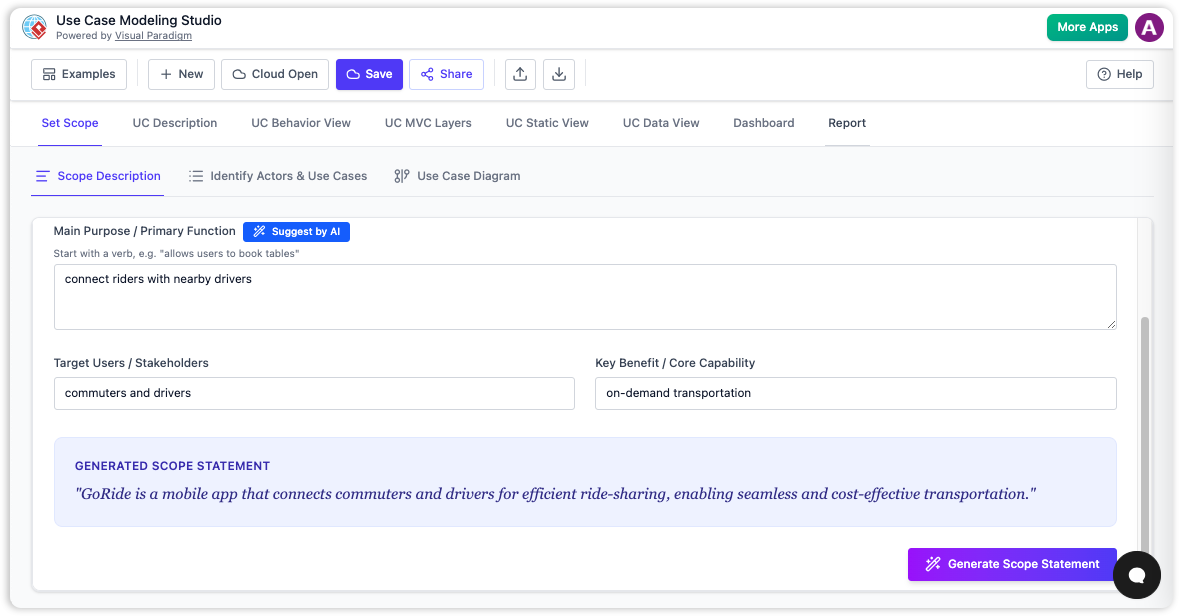
The AI-driven approach eliminates this hurdle entirely. Instead of starting from scratch, the AI-Powered Studio utilizes Goal-Based Generation. Users simply input a high-level system goal—for example, “design a comprehensive online booking system for a veterinary clinic.” The modeling engine analyzes this prompt and immediately generates a finished draft of a multi-section specification. This capability allows teams to bypass the tedious drafting phase and move directly to refinement and strategy.
2. Visual Architecture: From Manual Drawing to Instant Clarity
In a traditional workflow, the creation of Unified Modeling Language (UML) diagrams—such as Use Case, Activity, Sequence, and Class diagrams—is a labor-intensive manual task. Designers typically struggle with two distinct challenges: the intellectual logic of the flow and the aesthetic layout of the diagram. Adjusting arrows, aligning boxes, and ensuring standard notation compliance can consume more time than defining the actual logic.
Automated Diagramming
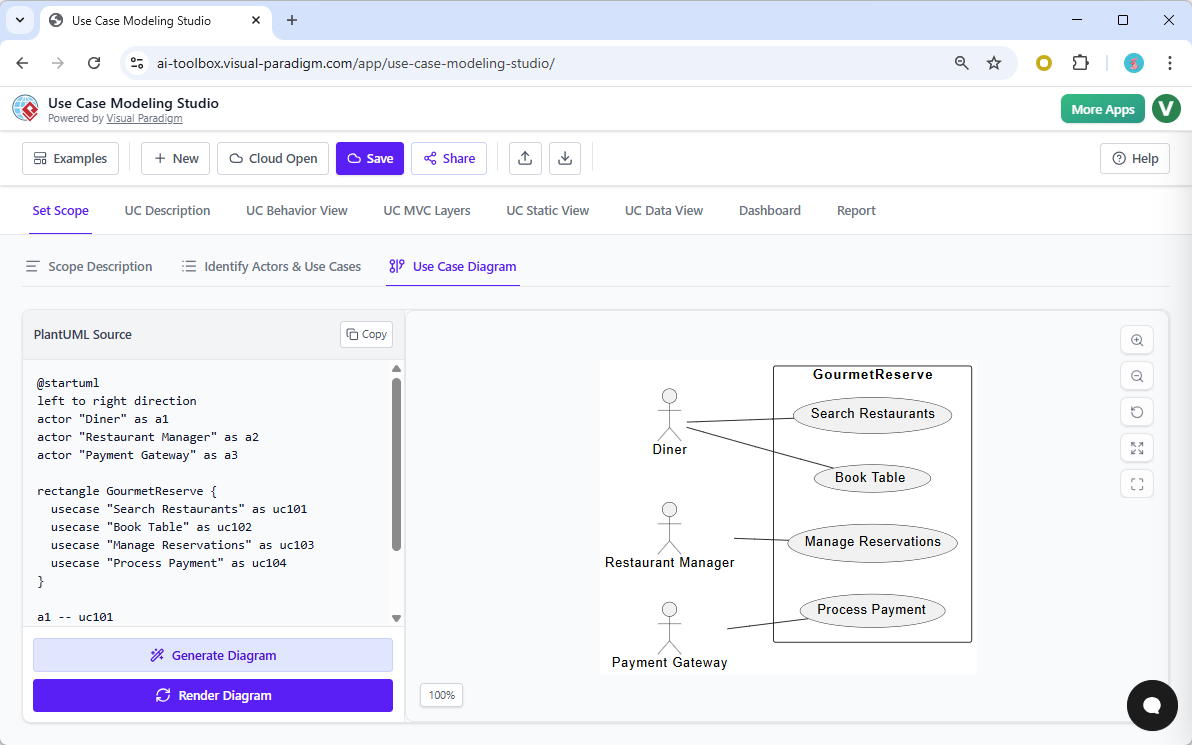
AI-powered modeling introduces instant diagram drawing. The tool parses written descriptions and requirements to automatically generate professional, technically accurate visual models. It handles both the logic (ensuring the flow makes sense) and the layout (ensuring the diagram is readable). This ensures that visual documentation is always up-to-date and generated instantly, removing the friction of manual graphic design tools.
3. Bridging the Gap: From Requirements to Quality Assurance
A critical bottleneck in the software development lifecycle (SDLC) is the handoff between the design team and the Quality Assurance (QA) team. Traditionally, QA engineers must manually interpret use case flows to write test scenarios. This human interpretation is often where errors creep in, as ambiguities in the text lead to missing edge cases or incorrect test steps.
AI-Driven Test Planning
The AI-Powered Studio bridges this gap by automating the transition from design to testing. By analyzing the specific “flow of events” within the use case, the AI generates detailed Test Cases. It identifies the “happy path,” alternative flows, and complex edge cases, providing clear, step-by-step instructions and expected results. This reduces the time required to spin up QA cycles and ensures that test plans are mathematically aligned with the requirements.
4. The Consistency Engine: Eliminating Document Drift
Perhaps the most significant risk in manual modeling is “document drift.” This occurs when a change is made in one part of the documentation—such as renaming a requirement or altering a process flow—but is not updated in related diagrams or test plans. Over time, the documentation contradicts itself, leading to developer confusion and implementation errors.
Synchronization via AI
To combat this, the AI-Powered Studio employs a Consistency Engine. This system acts as a watchdog, ensuring that any update to a use case name, actor, or flow description automatically propagates across all linked artifacts. This creates a true “single source of truth,” ensuring that the Software Design Document (SDD) remains internally consistent without requiring manual cross-checking.
5. Strategic ROI: From Resource Drain to Innovation
Traditional modeling is resource-heavy, often consuming hundreds of billable hours per project on administrative tasks like formatting, drawing, and checking for errors. By automating the “grunt work,” the AI-Powered Studio shifts the focus of the design team. Architects can dedicate their time to high-level strategy, innovation, and solving complex business problems rather than wrestling with drawing tools. What used to take weeks of manual effort can now be assembled into a professional SDD with a single click.
Comparative Overview: Traditional vs. AI-Powered Workflows
The following table summarizes the key differences between the legacy approach and the new AI-driven standard.
| Feature | Traditional Modeling | AI-Powered Modeling Studio |
|---|---|---|
| Starting Point | Days of manual drafting and sketching to overcome the blank page. | Simple goal statement input leads to instant drafts. |
| Diagramming | Manual drawing, layout adjustments, and technical notation management. | Instant, one-click generation of technically accurate diagrams. |
| Consistency | Prone to human error, drift, and contradictory documentation. | Automated synchronization via the Consistency Engine. |
| QA Transition | Manual interpretation of flows to create test plans. | Automated generation of detailed test cases and edge cases. |
| Documentation | Manually assembled, formatted, and maintained. | One-click generation of professional SDD reports. |
An Analogy for Understanding the Shift
To fully grasp the magnitude of this technological leap, consider the difference between cartography and GPS. Traditional modeling is akin to hand-drawing a map of a new city while walking through it. It is a slow process; it is easy to miss a street, get lost, or make scale errors. Furthermore, if a new road is built, the entire map must be manually redrawn.
Using the AI-Powered Use Case Modeling Studio is comparable to using GPS-mapped satellite imagery. You simply provide the destination, and the system instantly generates the fastest routes, detailed street views, and traffic alerts. Most importantly, the moment a path changes, every view updates automatically, ensuring you never navigate with outdated information.
Conclusion
The introduction of AI into use case modeling is not merely a productivity boost; it is a fundamental restructuring of how software requirements are defined. By automating the creation of text, visuals, and test plans, the AI-Powered Use Case Modeling Studio allows teams to deliver higher quality software specifications in a fraction of the time, turning the design phase from a bottleneck into a strategic accelerator.

