
In modern software development, balancing speed with structure is a constant challenge. Agile methodologies prioritize working software over comprehensive documentation, yet teams still require a shared mental model of the system architecture. This is where package diagrams play a critical role. They provide a high-level view of the system’s organization without getting bogged down in implementation details. For agile teams, integrating these diagrams into the workflow ensures that technical debt does not accumulate silently.
This guide explores how to utilize package diagrams effectively within an agile environment. We will discuss integration strategies, workflow tips, and methods to keep documentation relevant without slowing down delivery. The goal is to create clarity, not bureaucracy. By understanding the mechanics of package dependencies, teams can maintain a flexible codebase that supports rapid iteration.
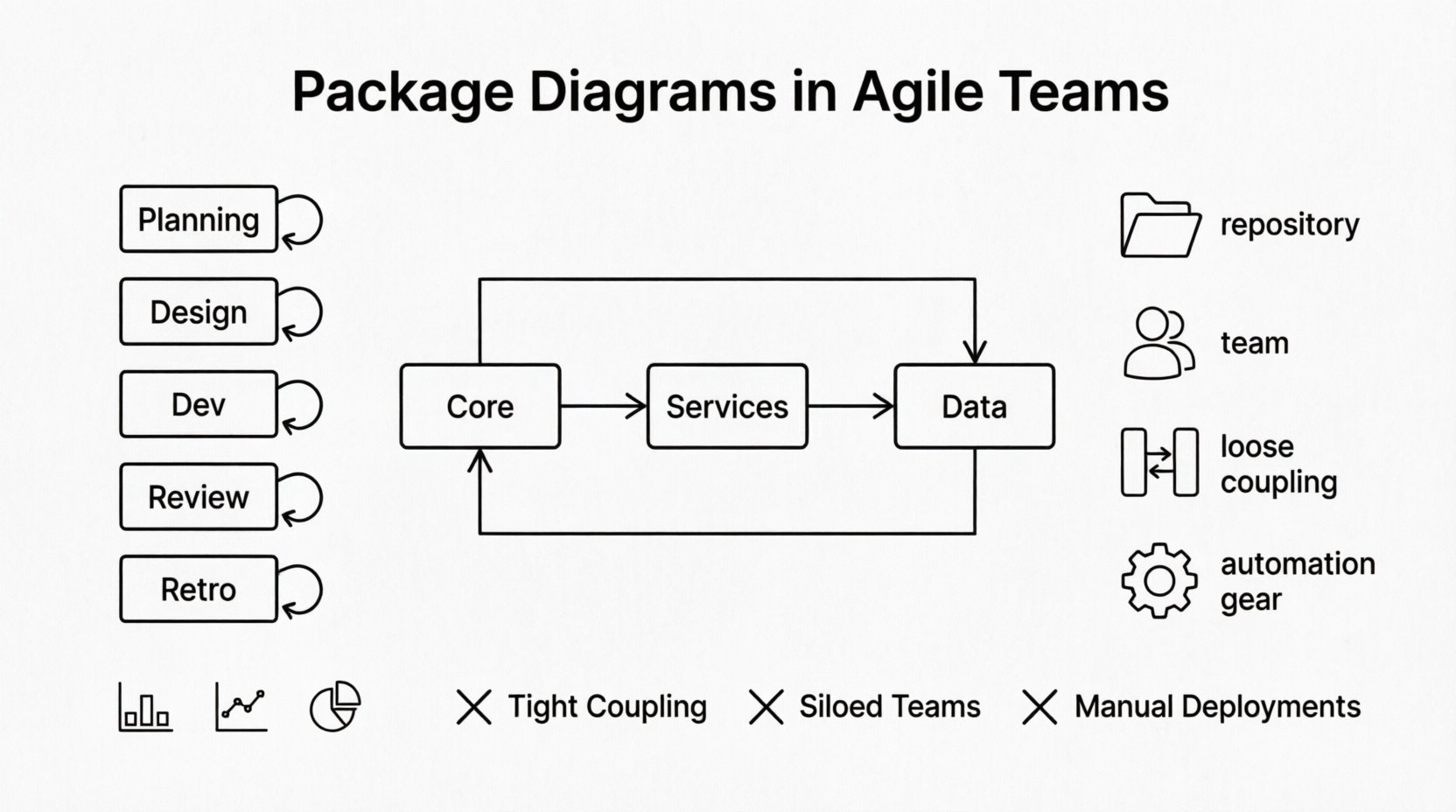
Understanding the Basics of Package Diagrams 🧩
A package diagram is a type of Unified Modeling Language (UML) diagram that organizes elements into groups or packages. These packages represent logical groupings of components, subsystems, or modules within a larger system. Unlike class diagrams which focus on individual entities, package diagrams focus on the macro-structure. They show how different parts of the system interact with one another at a high level.
For development teams, this visualization serves as a map. It helps developers understand boundaries and responsibilities. When a new feature is requested, the diagram indicates which packages are affected. This reduces the risk of unintended side effects during refactoring.
- Abstraction: Packages hide complexity by grouping related classes and interfaces.
- Dependencies: Arrows indicate how one package relies on another.
- Visibility: They define public and private interfaces between groups.
Without this abstraction, a system can become a monolithic block of code where changes in one area break another. Package diagrams enforce a discipline of separation of concerns. This is particularly important in distributed teams where different squads work on different parts of the application simultaneously.
Why Agile Teams Need Visual Architecture 🚀
There is a misconception that agile development discourages documentation. While it is true that agile values working software, it does not value no documentation. It values useful documentation. Package diagrams are useful because they communicate structure quickly. They are less verbose than text descriptions and more readable than raw code.
In a fast-paced sprint cycle, developers often lack time to read through entire repositories to understand where a change fits. A package diagram provides immediate context. It answers the question: “Where does this new module belong?”
Furthermore, these diagrams facilitate communication between technical and non-technical stakeholders. Product managers can see how features are grouped without needing to understand the code syntax. This transparency builds trust and aligns expectations regarding system complexity.
Integrating Diagrams into the Sprint Cycle ⚙️
Integrating documentation into an agile sprint requires timing and discipline. If diagrams are created only after the work is done, they often become outdated by the time the release occurs. If they are created before the work starts, they may not reflect the final reality. The sweet spot lies in creating them just-in-time.
Here is a suggested approach for incorporating package diagrams into the workflow:
- Sprint Planning: Review existing diagrams to identify affected areas before committing to tasks.
- Design Phase: Draft the initial package structure for new features that span multiple modules.
- Development: Update the diagram incrementally as interfaces are finalized.
- Code Review: Verify that the code structure matches the documented package boundaries.
- Retrospective: Identify if the diagram needs updating based on refactoring that occurred.
This iterative approach ensures the diagram remains a living artifact rather than a static relic. It becomes part of the Definition of Done for tasks involving architectural changes.
Workflow Strategies for Team Collaboration 🤝
Collaboration is key to maintaining accurate diagrams. When multiple developers modify the system, conflicts in the documentation can arise. To prevent this, teams should adopt specific workflow strategies.
1. Single Source of Truth
The team must agree on one location for the diagrams. Storing them in the repository alongside the code ensures version control. This allows changes to the diagram to be reviewed and merged just like code changes. It also guarantees that the diagram version matches the code version.
2. Ownership and Responsibility
Assign ownership of specific packages to specific squads. If Squad A owns the “Payment” package, they are responsible for updating its diagram. This prevents the “everyone’s responsibility is no one’s responsibility” scenario. It creates accountability without centralizing the burden on a single architect.
3. Automated Updates
Whenever possible, use tools that can generate diagrams from the codebase automatically. This reduces the manual effort required to keep documentation current. While manual diagrams offer more intentional design representation, automated ones ensure accuracy regarding actual dependencies.
Managing Dependencies and Coupling 🔗
One of the primary reasons for using package diagrams is to manage dependencies. High coupling between packages makes a system fragile. Changes in one package ripple through others unpredictably. The diagram makes these dependencies visible.
Teams should aim for loose coupling and high cohesion. This means packages should have many internal connections but few external connections. The diagram helps visualize this balance.
Consider the following rules for dependency management:
- Dependency Direction: Dependencies should flow in one direction where possible. Cyclic dependencies between packages should be avoided.
- Stability: Stable packages should not depend on unstable packages. Unstable packages should depend on stable ones.
- Interface Boundaries: Define clear interfaces between packages. Internal implementation details should not leak outside the package boundary.
When reviewing the diagram, look for long dependency chains. These indicate complex interactions that might be candidates for refactoring. Reducing the depth of the dependency tree improves testability and maintainability.
Common Pitfalls to Avoid 🚫
Even with the best intentions, teams can fall into traps when documenting architecture. Being aware of these common pitfalls helps maintain the value of the diagrams.
| Pitfall | Consequence | Mitigation Strategy |
|---|---|---|
| Over-Engineering | Spending too much time drawing perfect diagrams. | Focus on high-level structure only. Use whiteboard sketches for initial ideas. |
| Outdated Documentation | Diagram does not match the code. | Make updates part of the code review process. |
| Excessive Detail | Diagram becomes cluttered and unreadable. | Use aggregation and delegation to simplify connections. |
| Isolated Documentation | Diagram is stored separately from code. | Version control diagrams with the source code repository. |
Another common issue is treating the diagram as a one-time activity. Architecture evolves as the product evolves. If the diagram is static, it becomes misleading. Teams must accept that documentation is a continuous effort.
Maintaining Diagram Relevance Over Time 🔄
Maintaining relevance requires a culture of continuous improvement. It is not enough to create a diagram; the team must value it enough to update it. This involves integrating the update process into daily habits.
Regular audits can help. Once per quarter, review the package structure against the current system state. Identify packages that have drifted from their original intent. If a package has become a dumping ground for unrelated classes, it may need to be split or renamed.
Training is also essential. New team members should be introduced to the package structure during onboarding. This ensures they understand where to place new code. It prevents the “spaghetti code” problem where files are scattered without logical grouping.
Metrics for Success 📊
How do you know if the package diagrams are adding value? You can track specific metrics related to architecture health.
- Change Impact: Measure how many packages are affected by a single change. Fewer affected packages indicate better decoupling.
- Build Stability: Monitor build failures related to dependency issues. A reduction in these failures suggests clearer boundaries.
- Onboarding Time: Track how long it takes new developers to make their first merge. A clear package structure should reduce this time.
- Documentation Updates: Count how often diagrams are updated. Frequent updates indicate active maintenance and relevance.
These metrics provide objective data on whether the architectural discipline is paying off. They move the conversation from “is documentation useful?” to “how is the architecture performing?”
Handling Complex Systems 🌐
As systems grow, a single package diagram may become too large to be useful. In complex environments, teams should adopt a layered approach. Break the system into sub-systems, each with its own diagram.
Use a hierarchy of diagrams. The top-level diagram shows the main subsystems. Drill-down diagrams show the internal structure of each subsystem. This keeps the information manageable.
When dealing with microservices, package diagrams can still be valuable at the service level. They help define the internal structure of a single service. This ensures that even within a distributed system, individual components remain organized.
Collaborating with Product Owners 👥
Product owners often ask about the complexity of features. Package diagrams can help answer this. By showing the affected packages, developers can estimate the effort required more accurately. If a feature touches many packages, it implies higher integration effort and risk.
This transparency helps in prioritization. Features that require significant architectural changes might be deprioritized in favor of simpler ones, depending on the strategic goals. It allows for data-driven decision-making regarding the product roadmap.
Technical Debt and Refactoring 🛠️
Package diagrams are essential tools for identifying technical debt. When refactoring, the goal is to improve the structure without changing the behavior. The diagram serves as the target state.
During refactoring sprints, compare the current code against the diagram. Identify discrepancies. If the code has drifted, update the diagram. This cycle ensures that the design intent is preserved. It prevents the gradual degradation of the system structure.
Refactoring is not just about code quality; it is about maintaining the mental model of the system. When developers can see the intended structure, they are more likely to make changes that align with it.
Conclusion on Agile Documentation 📝
Package diagrams are not a barrier to agility; they are a facilitator. They provide the necessary structure to allow for speed and safety. When integrated thoughtfully into the workflow, they reduce risk and improve communication.
Success lies in balance. Too much documentation slows the team down. Too little documentation leads to chaos. The package diagram sits in the middle, offering a clear view of the system’s organization without overwhelming detail.
By following these tips, teams can maintain a healthy architecture that supports long-term growth. The focus should always be on value. If the diagram does not help the team build better software, it should be simplified or discarded. Keep the documentation lean, relevant, and aligned with the code.
The journey of architectural improvement is continuous. As the team learns and the product evolves, the diagrams should evolve with them. This dynamic approach ensures that the system remains maintainable and adaptable for years to come.