
Software architecture relies heavily on visual representations to communicate structure and dependencies. Among the various modeling techniques, the Package Diagram stands out as a critical tool for organizing system components. These diagrams provide a high-level view of how different parts of a system interact without getting bogged down in individual class details. Understanding how to construct and interpret them is essential for any technical lead or architect.
This guide addresses fifteen common inquiries regarding package diagrams. We will explore definitions, relationships, best practices, and common pitfalls. By the end of this resource, you will have a clearer understanding of how to utilize these diagrams effectively in your design process.
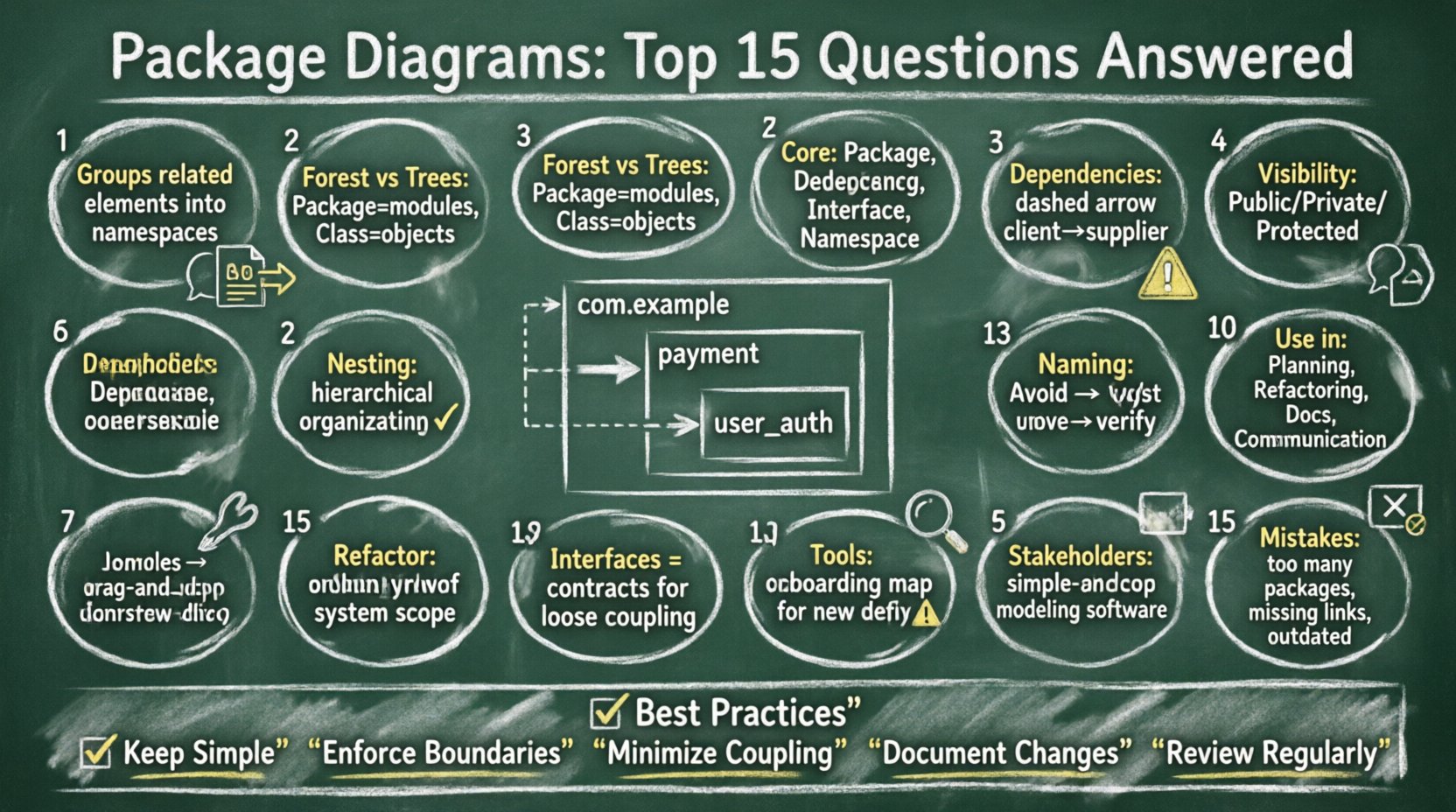
1. What exactly is a Package Diagram? 📄
A Package Diagram is a type of structural diagram used in modeling languages to show the organization of a system. It groups related elements into packages, which act as namespaces. These packages help manage complexity by hiding internal details and exposing only necessary interfaces.
- Primary Function: To visualize the high-level structure.
- Key Elements: Packages, Dependencies, and Interfaces.
- Usage: Architectural design and system documentation.
Unlike class diagrams, which focus on objects and their relationships, package diagrams focus on modules and their interactions. This abstraction allows teams to discuss system boundaries without getting lost in implementation specifics.
2. How does it differ from a Class Diagram? 🔄
While both are structural, they serve different purposes. A Class Diagram details the attributes and methods of specific classes. A Package Diagram details the modules that contain those classes.
| Feature | Package Diagram | Class Diagram |
|---|---|---|
| Focus | Modules and namespaces | Objects and data |
| Detail Level | High-level (Abstract) | Low-level (Concrete) |
| Dependencies | Between packages | Between classes |
| Goal | System organization | Data structure design |
Use a package diagram when you need to see the forest, and a class diagram when you need to see the trees.
3. What are the core components of a package? 🧩
Understanding the building blocks is crucial for accurate modeling.
- Package: A container for related elements.
- Dependency: A relationship indicating that one package requires another to function.
- Interface: A contract that defines how a package interacts with others.
- Namespace: The scope within which names are unique.
These components work together to define the boundaries and connections of your system.
4. How do dependencies work in this context? 🔗
Dependencies represent a usage relationship. If Package A depends on Package B, changes in B might affect A. This is often depicted with a dashed arrow pointing from the client to the supplier.
- Direct Dependency: Immediate usage.
- Indirect Dependency: Usage through an intermediate package.
- Circular Dependency: A situation where A depends on B, and B depends on A.
Minimizing dependencies is a key goal in maintaining a healthy system. High coupling can lead to fragility where a small change breaks multiple parts of the application.
5. What is visibility in package diagrams? 🛡️
Visibility controls access to elements within a package. Standard visibility modifiers include:
- Public: Accessible from any package.
- Private: Accessible only within the defining package.
- Protected: Accessible within the package and its sub-packages.
Proper use of visibility ensures encapsulation. It prevents external code from relying on internal implementation details that may change.
6. Can packages be nested? 📁
Yes, nesting is a common practice to create hierarchical structures. A parent package can contain child packages, allowing for deeper organization.
- Benefits: Better logical grouping and reduced name collisions.
- Consideration: Avoid excessive depth that makes navigation difficult.
Nesting helps manage large systems by breaking them down into manageable subsystems.
7. When should I use a package diagram? 🤔
Use this diagram during the architectural phase of development. It is ideal for:
- System Planning: Defining the overall structure before coding begins.
- Refactoring: Identifying areas where the structure needs improvement.
- Documentation: Providing a clear map for new team members.
- Communication: Explaining system boundaries to stakeholders.
It is less useful for detailed logic design, where class diagrams are preferred.
8. What are common naming conventions? 🏷️
Consistent naming prevents confusion. Common practices include:
- Lowercase: Use lowercase for package names (e.g.,
payment). - Underscores: Use underscores to separate words (e.g.,
user_auth). - Namespace Prefixes: Include company or domain prefixes (e.g.,
com.example).
Clear names make the diagram readable and the codebase easier to navigate.
9. How do cycles affect system health? ⚠️
Cycles occur when packages depend on each other in a loop. This creates tight coupling and makes testing difficult.
- Impact: Changes ripple unpredictably.
- Solution: Extract shared logic into a separate package.
- Strategy: Use interfaces to decouple implementations.
Avoiding cycles is a primary objective when designing stable architectures.
10. What role do interfaces play? 🤝
Interfaces act as contracts between packages. They define what a package can do without revealing how it does it.
- Decoupling: Allows packages to interact without knowing internal details.
- Flexibility: Enables swapping implementations without changing dependent packages.
Using interfaces promotes loose coupling and high cohesion.
11. How does this support documentation? 📚
Package diagrams serve as a map for the system. They help developers understand where code belongs and how parts connect.
- Onboarding: New hires can quickly grasp the structure.
- Maintenance: Helps identify where changes are needed.
- Standards: Enforces architectural rules across the team.
Documentation should be kept in sync with the code to remain useful.
12. How do you handle refactoring with packages? 🛠️
Refactoring involves reorganizing existing code without changing its behavior. Package diagrams guide this process.
- Identify: Locate packages with high coupling.
- Move: Relocate classes to appropriate packages.
- Verify: Update dependencies to reflect changes.
This process ensures the structure evolves with the requirements.
13. What tools are used for creation? 🛠️
Various generic modeling tools exist to assist in drawing these diagrams. They typically offer drag-and-drop functionality and validation checks.
- Features: Auto-generation from code, reverse engineering, and version control integration.
- Selection: Choose tools that support your team’s workflow.
The specific tool does not matter as much as the adherence to modeling standards.
14. How does this aid stakeholder communication? 🗣️
Non-technical stakeholders often struggle with class diagrams. Package diagrams provide a simpler view.
- Clarity: Shows major system components.
- Scope: Defines what is included or excluded.
- Cost: Helps estimate effort for new features.
Visual aids bridge the gap between technical teams and business leaders.
15. What are common mistakes to avoid? ❌
Even experienced architects make errors. Watch out for these pitfalls:
- Too Many Packages: Over-segmentation creates noise.
- Missing Dependencies: Forgetting to link related packages.
- Ignoring Visibility: Exposing internal details unnecessarily.
- Outdated Diagrams: Failing to update the diagram after code changes.
Regular reviews and refactoring help maintain diagram accuracy.
Summary of Best Practices ✅
To maintain a robust architecture, follow these guidelines.
- Keep it Simple: Avoid unnecessary complexity.
- Enforce Boundaries: Respect package visibility.
- Minimize Coupling: Reduce dependencies between packages.
- Document Changes: Keep the diagram current.
- Review Regularly: Conduct architectural health checks.
By adhering to these principles, you ensure your system remains maintainable and scalable over time. The package diagram is not just a drawing; it is a blueprint for stability and clarity in software development.