


The Evolution of Enterprise Architecture Modeling
Enterprise Architecture (EA) modeling serves as the strategic bridge between business goals and IT infrastructure. It enables organizations to visualize complex interdependencies between processes, systems, and technologies. The industry standard for this visualization is ArchiMate, a modeling language maintained by The Open Group. While ArchiMate provides a robust structure for representing these elements, the traditional manual creation of these diagrams is often labor-intensive, requiring deep technical specification knowledge and significant time allocation.
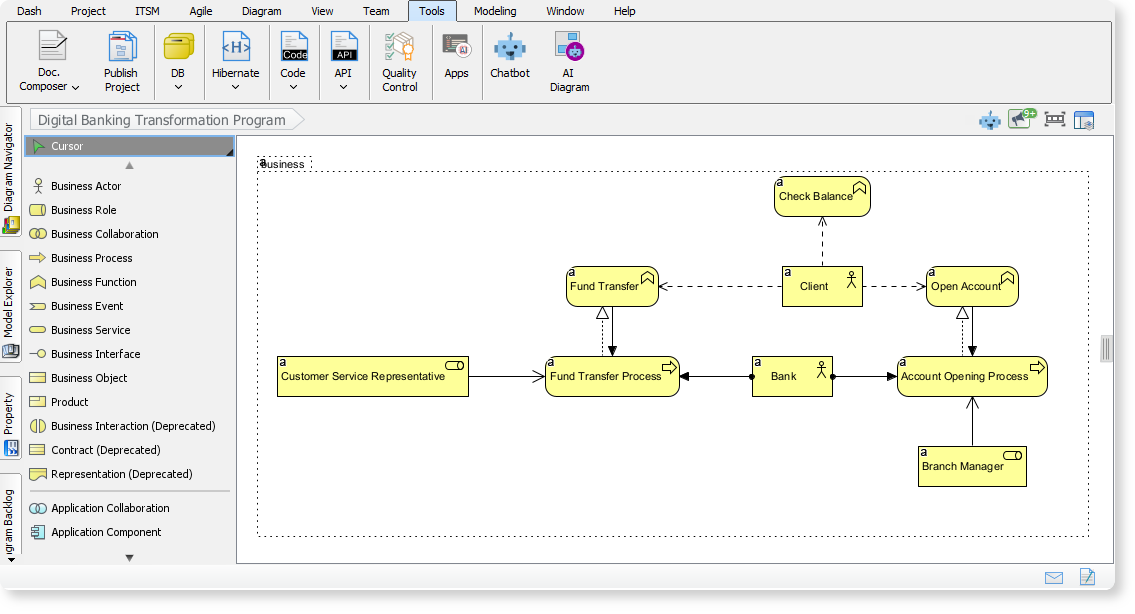
Visual Paradigm Desktop (Enterprise Edition) has revolutionized this process with its AI Diagram Generator. This tool leverages generative AI to instantly create compliant, editable ArchiMate diagrams from simple natural language inputs. By supporting all official viewpoints and automating the drawing process, it allows architects to focus on strategic analysis rather than drafting. This guide explores how to utilize this feature to accelerate your EA workflows by up to 90%.
Why Integrate AI into ArchiMate Modeling?
ArchiMate diagrams are essential for depicting architecture across various layers, including business, application, technology, and physical infrastructure. However, manual modeling presents several challenges, such as staring at a blank canvas, the tediousness of connecting elements manually, and the difficulty of maintaining consistency across multiple viewpoints.
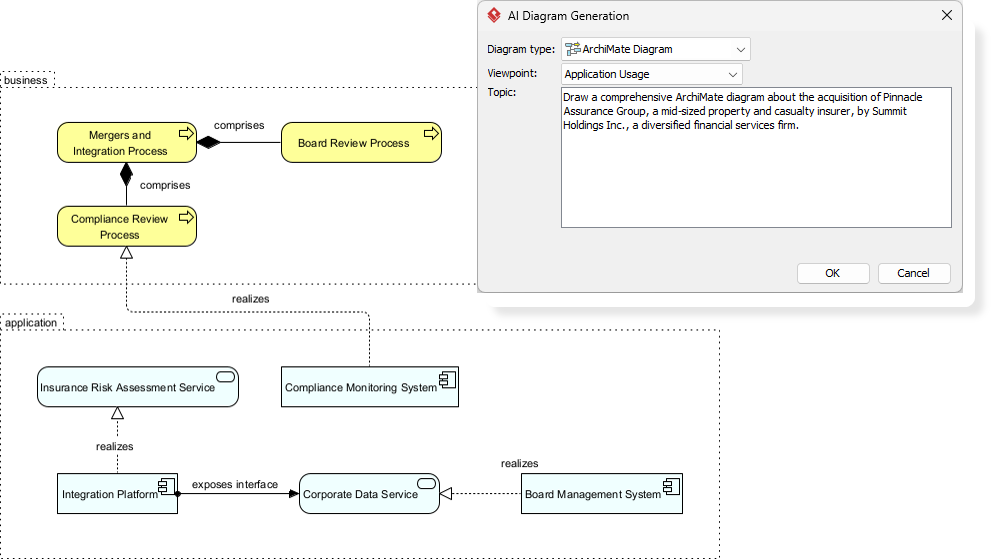
Visual Paradigm’s AI Diagram Generator addresses these issues by offering:
- Automated Creation: Generates diagrams instantly using AI intelligence based on user prompts.
- Standard Compliance: Ensures all models adhere strictly to ArchiMate 3.1 standards.
- Comprehensive Support: Covers all 25 official viewpoints, from “Capability Maps” for executives to “Technology Usage” for engineers.
- Full Customization: Provides fully editable outputs that can be refined for specific audiences and tones.
Prerequisites for Success
Before beginning the tutorial, ensure you have the following:
- Software: Visual Paradigm Desktop (Enterprise Edition).
- Version: The latest version (updated as of December 2025 or later).
- Knowledge Base: While the AI handles complexity, a basic understanding of ArchiMate concepts is beneficial for reviewing outputs.
Step-by-Step Guide: Generating ArchiMate Diagrams
Follow this workflow to transform text requirements into structured architecture models in minutes.
Step 1: Access the AI Tool
Launch Visual Paradigm Desktop and open your project. Navigate to the main menu, click on Tools, and select AI Diagram from the dropdown. This will launch the AI Diagram Generator interface.
Step 2: Select the Appropriate Viewpoint
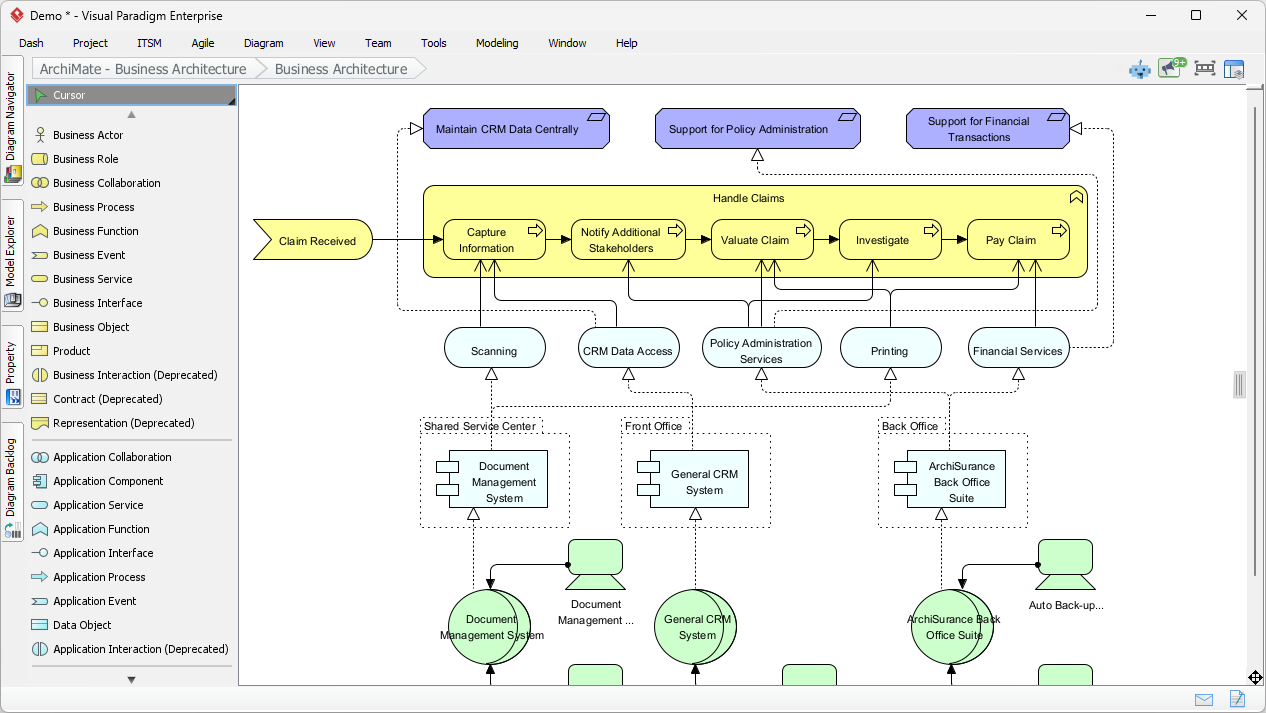
The power of ArchiMate lies in its “Viewpoints“—specialized perspectives tailored to specific stakeholders. In the generator window, locate the viewpoint dropdown menu. Visual Paradigm supports the full spectrum of official viewpoints, including:
- Strategy & Motivation: Goal Realization, Stakeholder, Motivation, Capability Map.
- Business Layer: Business Process, Business Process Cooperation, Organization.
- Application Layer: Application Cooperation, Application Usage.
- Technology & Physical: Technology, Technology Usage, Physical, Implementation and Deployment.
- Cross-Layer: Migration, Project, Requirements Realization.
Tip: If you are unsure where to start, the “Introductory” viewpoint offers a good general overview, while “Motivation” is excellent for strategy-focused sessions.
Step 3: Define Your Requirements
In the input field, enter a concise yet descriptive prompt regarding your topic. You can also specify the target audience and tone to refine the output.
Example Prompts:
- “5G network rollout for a telecom company targeting IT engineers.”
- “Digital transformation in banking services with a focus on customer experience.”
- “Secure healthcare information exchange platform for compliance officers.”
Step 4: Generate and Refine
Click the generate button. The AI will process the input and produce a draft diagram containing relevant actors, processes, applications, and their relationships. Once the diagram appears in your workspace, it is fully editable. You can:
- Fact-check elements against your specific organizational data.
- Adjust shapes, colors, and connection types using standard editing tools.
- Regenerate the model with a refined prompt if the initial output requires adjustment.
Step 5: Export and Collaborate
Once the diagram is finalized, export it as an image (PNG/JPG) or PDF for reporting. You can also share it directly through Visual Paradigm’s team collaboration features.
Real-World Application Scenarios
To demonstrate the versatility of the AI generator, here are three practical examples of how abstract concepts are translated into technical models.
Scenario 1: Telecom 5G Network Rollout
Viewpoint: Implementation and Deployment
Input Topic: “Telecom 5G Network Rollout Architecture”
AI Output: The generator produces a diagram detailing application services (e.g., network management), 5G core network services, and physical infrastructure (base stations, servers). It visualizes the collaboration required to deliver high-speed mobile data, making it ideal for planning deployment phases.
Scenario 2: Digital Banking Transformation
Viewpoint: Business Process Cooperation
Input Topic: “Digital Banking Transformation Program”
AI Output: This model maps the interactions between high-level business processes (like customer onboarding) and the application services supporting them (mobile banking apps, cloud servers). It is particularly useful for agile teams visualizing the impact of digital shifts on existing workflows.
Scenario 3: Healthcare Information Exchange
Viewpoint: Service Realization
Input Topic: “Healthcare Information Exchange Platform”
AI Output: Focusing on data security and flow, this diagram depicts the collaboration between hospitals, patients, and backend applications. It ensures that sensitive data flows are modeled accurately, which is critical for regulatory compliance.
Visual Paradigm AI ArchiMate Toolkit
Visual Paradigm offers a suite of tools designed to support the modern Enterprise Architect. Below is a summary of key features and resources.
| Feature | Description | Use Case |
|---|---|---|
| AI-Powered Generator | Generates compliant diagrams from natural language prompts using ArchiMate 3.1 standards. | Rapid prototyping and drafting of complex architectures. |
| AI Chatbot | Conversational interface to create, refine, and analyze models via chat commands. | Iterative design and quick modifications. |
| Official Viewpoints Guide | Comprehensive documentation of all 23+ viewpoints certified by The Open Group. | Educational reference for selecting the right diagram type. |
| Online ArchiMate Tool | Browser-based tool for manual or AI-assisted drawing without software installation. | Quick edits and accessibility for non-enterprise users. |
Best Practices for AI-Assisted EA Modeling
To maximize the value of the AI Diagram Generator, consider the following best practices:
- Start Broad, Then Refine: Begin with a high-level topic to get the structure right, then use specific sub-prompts to detail individual components.
- Contextualize Your Prompts: Always include the intended audience (e.g., “for executives” vs. “for developers”) in your input. This dictates the level of abstraction the AI applies.
- Human-in-the-Loop Validation: Treat the AI output as a high-quality draft. Always validate the relationships and element types against your organization’s specific reality.
- Integrate with Analysis: Combine your diagrams with Visual Paradigm’s simulation and requirements tracing features to move beyond static drawing into dynamic architecture analysis.
Conclusion
Visual Paradigm’s AI Diagram Generator represents a significant leap forward for Enterprise Architecture. By automating the tedious aspects of ArchiMate modeling, it empowers professionals to deliver high-quality, standardized, and strategic insights with minimal effort. Whether you are documenting a legacy system or planning a future state transformation, upgrading to the Enterprise Edition to access these AI capabilities is a strategic investment in efficiency and accuracy.
-
AI ArchiMate Diagram Generator: Generate ArchiMate diagrams using AI-powered automation for enterprise architecture modeling.
-
AI-Powered ArchiMate Modeling Guide | Visual Paradigm Enterprise: 1 week ago – – Cybermedian: Visual Paradigm Enterprise Edition is a certified ArchiMate 3.1 enterprise architecture tool that supports all ArchiMate 3 vocabulary, notation, syntax, and semantics .
-
Guide to Visual Paradigm AI ArchiMate Generator | Enterprise Architecture: 1 week ago – – Cybermedian: Visual Paradigm Enterprise Edition is a certified ArchiMate 3.1 enterprise architecture tool that supports all ArchiMate 3 vocabulary, notation, syntax, and semantics . It includes a powerful ArchiMate drawing tool, viewpoint management tool, and TOGAF Guide-through Process.
-
Visual Paradigm AI Platform: A Comprehensive ArchiMate Guide: 9 hours ago · Explore the Visual Paradigm AI Visual Modeling Platform through the ArchiMate perspective. Learn how its standardized intelligence, persistent visual structures, and context-aware tools outperform generic LLMs.
-
How to Use AI for ArchiMate Modeling in TOGAF ADM | Visual Paradigm Guide: 1 week ago – Visual Paradigm AI Generator: A feature within Visual Paradigm that uses Natural Language Processing (NLP) to convert text inputs into standard-compliant ArchiMate diagrams, supporting all official viewpoints .