


In the realm of knowledge organization and idea visualization, the fusion of traditional tools with modern technologies has led to innovative solutions. The equation “Mindmap + Markdown = MarkMap” captures the essence of transforming textual outlines into visual diagrams, while “MarkMap + AI = Visual Paradigm Markmap Studio” represents the next evolution, infusing artificial intelligence to make the process smarter and more dynamic. This article delves into these key concepts, explaining their foundations, functionalities, and practical examples to help you understand and apply them effectively.
What is a Mind Map?
A mind map is a diagram that represents ideas, tasks, concepts, or information branching out from a central theme. Developed by Tony Buzan in the 1970s, mind maps mimic the way the human brain organizes thoughts—non-linearly, with associations and hierarchies. They are widely used for brainstorming, note-taking, project planning, and problem-solving. Key elements include a central node (the main idea), branches for subtopics, and further subdivisions for details, often enhanced with colors, icons, and keywords for better retention and clarity.
Mind maps excel in making complex information digestible. For instance, in education, a student might create a mind map for a history topic like “World War II,” with the central node branching into causes, key events, major figures, and consequences. This visual structure aids memory and reveals connections that linear notes might obscure.
The Role of Markdown in Structured Content
Markdown is a lightweight markup language created by John Gruber in 2004, designed to format plain text in a readable way that can be easily converted to HTML or other formats. It’s popular among writers, developers, and content creators for its simplicity—no need for complex editors; just text with symbols for formatting.
Core syntax includes:
- Headings: # Heading 1, ## Heading 2, etc.
- Lists: – Bullet point for unordered, 1. Numbered for ordered.
- Emphasis: *Italic* or **Bold**.
- Links: [Text](URL).
Markdown’s strength lies in its portability and use in tools like GitHub, Obsidian, and Notion. It allows users to focus on content without distractions, making it ideal for outlining ideas hierarchically through nested lists and headings.
Markmap: The Synergy of Mind Maps and Markdown
Markmap is an open-source tool that bridges Markdown’s textual simplicity with the visual power of mind maps. Essentially, it parses Markdown documents—focusing on headings and lists—and renders them as interactive mind maps in a web browser or integrated environments. The name “Markmap” cleverly combines “Markdown” and “mind map,” emphasizing its core function: converting structured text into dynamic, expandable diagrams.
How Markmap Works
At its heart, Markmap uses JavaScript libraries to transform Markdown input. You provide a Markdown file or text, and it generates an SVG-based mind map where:
- Top-level headings become main branches.
- Subheadings and nested lists form sub-branches.
- Users can interact by zooming, panning, collapsing/expanding nodes, and even searching within the map.
It’s lightweight and doesn’t require heavy software installation. For example, the markmap.js library can be embedded in web pages, or extensions integrate it into code editors. Key features include interactivity (e.g., clickable nodes), ease of use (just write Markdown), and beauty (clean, customizable visuals).
Practical Examples of Markmap
Consider a simple Markdown outline for a project plan:
# Project: Launch New App
## Planning Phase
- Define goals
- Research market
## Development Phase
- Design UI/UX
- Code backend
  - API integration
  - Database setup
## Testing Phase
- Unit tests
- User feedback
When processed through Markmap, this becomes a mind map with “Project: Launch New App” as the center, branching into “Planning Phase,” “Development Phase,” and “Testing Phase,” with further details as sub-nodes.

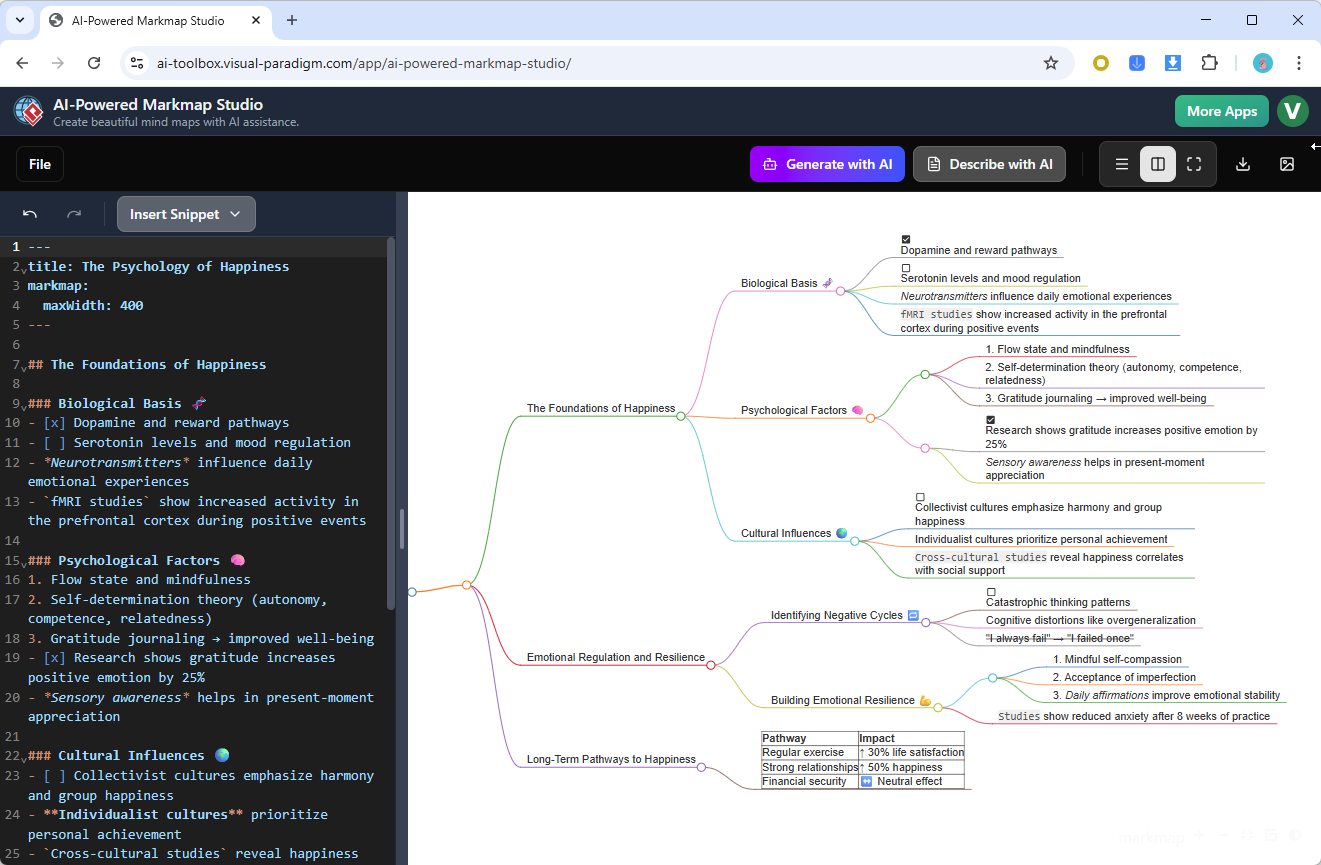
This is particularly useful for developers outlining code structures or writers mapping story plots.
Markmap’s GitHub repository offers demos and tools for integration, making it accessible for both personal and collaborative use. Plugins extend its reach to platforms like JotterPad or JetBrains IDEs, where users convert notes into visual aids seamlessly.
Elevating Markmap with AI: Visual Paradigm Markmap Studio
Building on Markmap’s foundation, Visual Paradigm Markmap Studio introduces artificial intelligence to automate and enhance mind map creation. Developed by Visual Paradigm, a leader in diagramming software, this web-based tool understands Markdown input and uses AI to generate, edit, and analyze mind maps instantly. It represents the “MarkMap + AI” evolution, turning static conversions into intelligent, adaptive visualizations.
Key AI Features and Integration
Visual Paradigm Markmap Studio integrates seamlessly with Markdown by parsing text to create maps, but AI adds layers:
- Smart Suggestions: AI generates randomized topic ideas to overcome creative blocks.
- Analysis Mode: Describes existing maps, identifies logical gaps, or suggests improvements.
- Adjustable Depth: Switch between high-level overviews and detailed breakdowns.
- Exports: Output as Markdown for tools like Obsidian or Notion, or professional formats like SVG/PNG for presentations.
The AI processes natural language prompts or Markdown, making it user-friendly for non-technical users. For instance, input a prompt like “Brainstorm marketing strategies for a tech startup,” and AI generates a mind map with branches for digital marketing, SEO, social media, etc.
Examples of Visual Paradigm Markmap Studio in Action
Imagine brainstorming a business plan. Start with rough Markdown notes:
# Business Plan
## Market Analysis
- Competitors
- Target audience
## Strategies
- Product development
- Marketing
The result is an interactive map exportable for team sharing.
In education, a teacher could input lesson outlines in Markdown, use AI to expand on subtopics, and visualize for students.
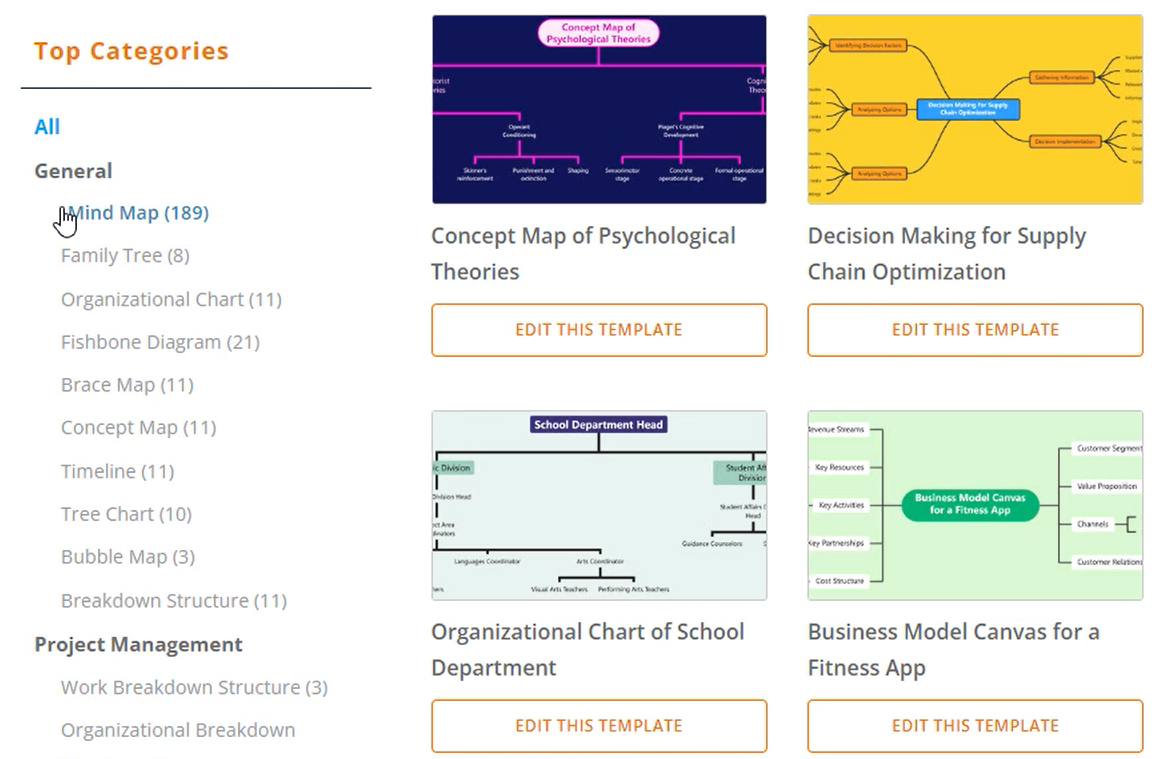
For developers, it analyzes code documentation gaps, turning API specs into visual hierarchies.
Visual Paradigm’s broader AI suite, including chatbots for modeling, complements this tool for enterprise use.
Benefits and Applications
Combining these tools streamlines workflows: Markdown for quick drafting, Markmap for basic visualization, and AI in Visual Paradigm for advanced insights. Benefits include increased productivity, better idea organization, and accessibility—anyone with text skills can create professional visuals. Applications span education, business, creative writing, and software development.
Conclusion
The progression from mind maps and Markdown to Markmap, and further to AI-powered solutions like Visual Paradigm Markmap Studio, democratizes visual thinking. By starting with simple text and leveraging tools for interactivity and intelligence, users can unlock new levels of creativity and efficiency. Whether you’re a student outlining essays or a professional planning projects, these concepts offer powerful ways to map your mind. Explore the official tools to get started and transform your ideas today.