Now Reading: From Concept to Blueprint: A Comprehensive Guide to AI-Powered System Architecture
-
01
From Concept to Blueprint: A Comprehensive Guide to AI-Powered System Architecture



From Concept to Blueprint: A Comprehensive Guide to AI-Powered System Architecture
The journey from a creative spark to a technically sound software architecture has traditionally been a manual, fragmented process that consumes hundreds of hours. For business analysts and software architects, the transition from abstract requirements to concrete diagrams is often fraught with inefficiency. However, the landscape of system design changed significantly with the release of the AI-Powered Use Case Modeling Studio in January 2026. This technology has revolutionized the workflow, allowing teams to transform a simple goal statement into a comprehensive suite of UML diagrams and professional documentation in seconds.
Overcoming the “Blank Page” Challenge
The most difficult part of system design is often the beginning. Traditionally, stakeholders spend days painstakingly drafting requirements and drawing initial sketches to articulate a vision. The AI-Powered Studio eliminates this “blank page” hurdle by allowing users to input a high-level system goal, such as “Design an online booking system.”
Through a feature known as the Set Scope foundation, the platform utilizes a “Suggest by AI” engine. This engine transforms a brief prompt into a structured Scope Statement that details the system’s core purpose, target users, and key benefits. This generated text serves as the “single source of truth,” feeding all downstream generations to ensure the final architecture is directly tied to business needs.
Automating Requirements Discovery
Once the scope is established, the transition from a vague concept to a structured list of requirements begins. The AI analyzes the scope text to identify necessary interactions automatically, removing the need for architects to manually list every possible interaction.
The system automatically suggests the following core components:
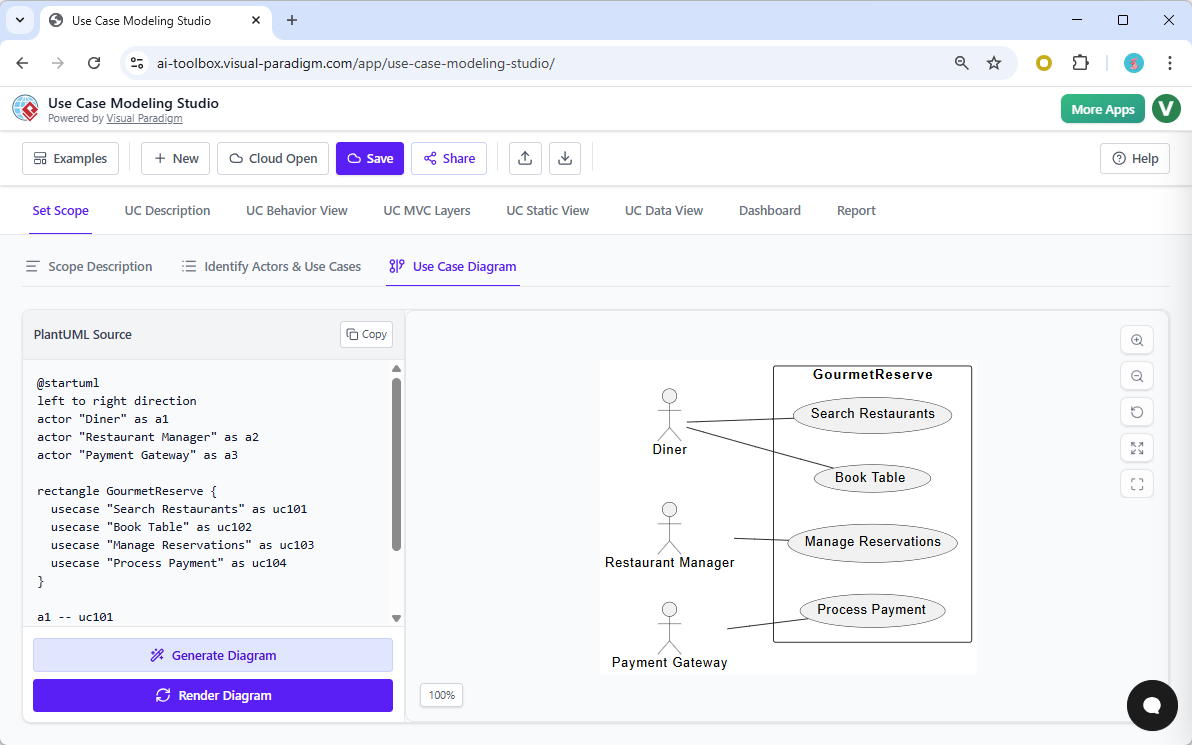
- Actors: The entities interacting with the system, such as Diners, Managers, or Payment Gateways.
- Candidate Use Cases: Essential functions required for operation, such as “Book Table,” “View Menu,” or “Manage Reservations.”
Generating Multi-Perspective Blueprints
The true power of the studio lies in its ability to handle both logic and layout simultaneously. With a single interaction, the AI transforms textual flows into a complete suite of visual models. This capability covers three distinct modeling perspectives:
| Model Category | Diagram Types | Function |
|---|---|---|
| Visual Interaction | Use Case Diagrams | Visualizes actors as stick figures and use cases as ovals within a system boundary to define scope. |
| Dynamic Behavior | Activity & Sequence Diagrams | Generates step-by-step workflows and shows how objects and actors interact over time. |
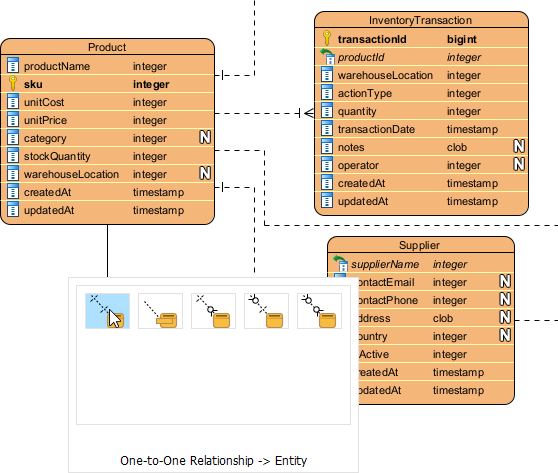
| Structural Design | Class Diagrams & ERDs | Identifies entities, attributes, and operations for code structure and database design. |
Refining for Technical Accuracy
AI-driven architecture goes beyond simple drawing; it applies the rules of software design to ensure the plan makes technical sense. Using the Refine with AI feature, the studio can automatically detect and add complex Unified Modeling Language (UML) relationships.
This includes the <<include>> relationship for mandatory sub-routines (e.g., including “Authenticate User” in booking flows) and the <<extend>> relationship for optional behaviors (e.g., adding an “Apply Promo Code” step). Furthermore, the tool bridges the gap between requirements and implementation by mapping use cases to Model-View-Controller (MVC) layers. This ensures that the architectural design is ready for developers to begin coding with a clear understanding of the UI, logic, and data structures.
From Modeling to Professional Reporting
The final step in transforming an idea into architecture is formalizing it for stakeholders. The studio features One-Click SDD Reporting, which assembles the scope, use case specifications, diagrams, and even AI-generated test plans into a polished Software Design Document (SDD). These reports can be exported as professional PDFs or git-friendly Markdown files, providing a final, structured architecture that is ready for development.
The Master Architect Analogy
To understand the impact of this technology, consider the analogy of home construction. Using the AI-Powered Use Case Modeling Studio is like having a master architect who can look at a one-sentence description of a house and instantly produce the floor plans, electrical schematics, plumbing diagrams, and a full bill of materials. You provide the vision; the AI provides the technical structure.