
In the fast-paced world of software development, the conversation around documentation often leans heavily towards the pragmatic. When a team is building a Minimum Viable Product (MVP) or a small internal tool, the question frequently arises: Do we need package diagrams? 🤔 Many developers argue that for a codebase with fewer than a thousand lines, drawing architectural maps is a waste of time. They believe that reading the code is faster than interpreting a diagram.
However, this perspective overlooks a critical reality of software engineering. Architecture is not just about the code that exists today; it is about the code that will exist tomorrow. Even in small projects, the decisions made early on regarding how modules relate to one another set the trajectory for the entire lifecycle of the application. This guide explores the necessity of package diagrams, debunking the myth that they are reserved solely for enterprise-scale systems.
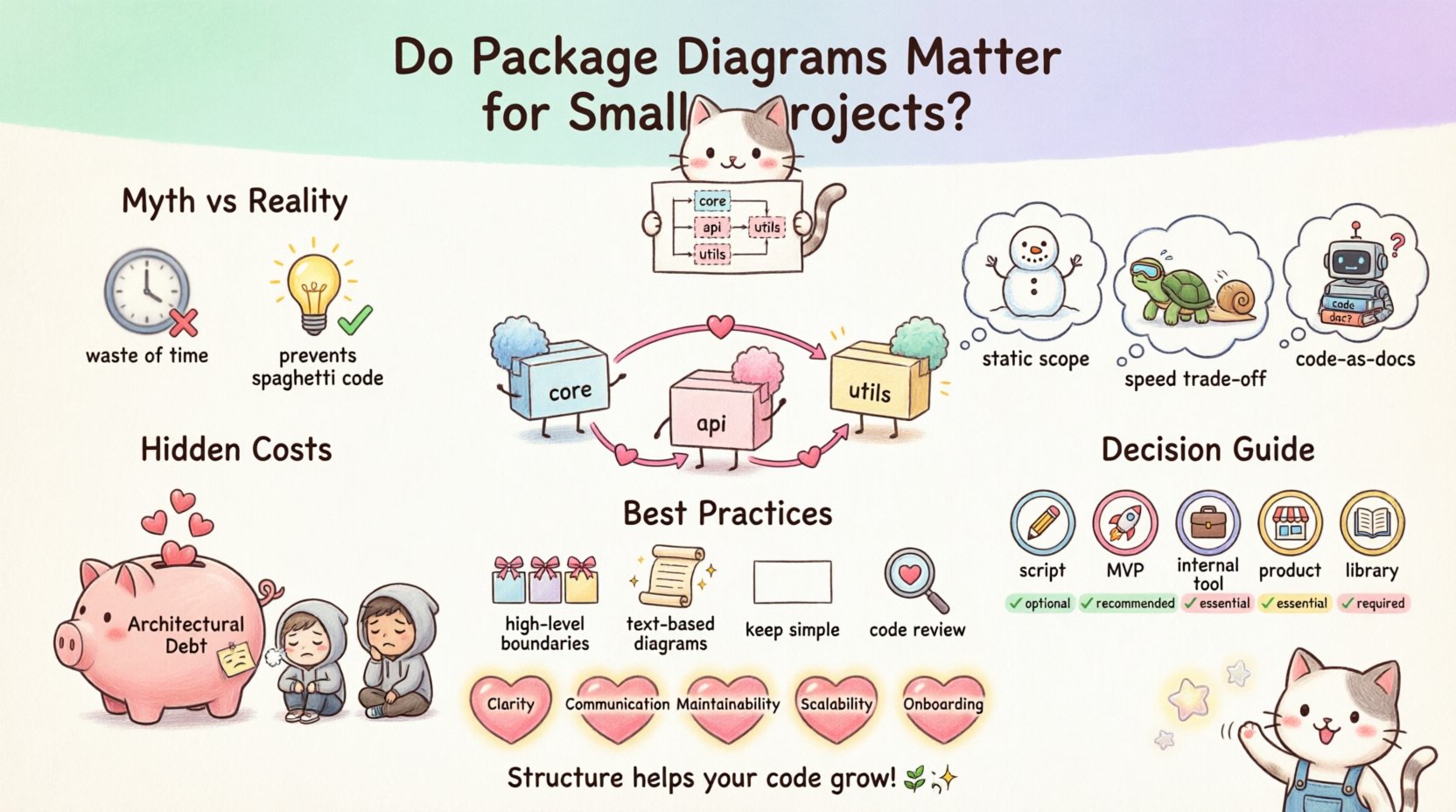
📐 What Exactly is a Package Diagram?
A package diagram is a type of UML (Unified Modeling Language) diagram used to show the organization and dependencies between different groups of elements within a system. In the context of software development, these “packages” typically represent modules, namespaces, libraries, or directories within the codebase.
It is important to distinguish a package diagram from a class diagram or a sequence diagram. While those focus on specific behaviors and object interactions, the package diagram focuses on structural hierarchy and boundary management. It answers questions such as:
- Which components depend on which?
- Where does the business logic end and the user interface begin?
- Are we creating circular dependencies?
- Is the separation of concerns maintained?
For a small project, this might seem like over-engineering. However, understanding the boundaries is what prevents a project from becoming a “spaghetti code” repository where every file knows about every other file.
🧐 The “Small Project” Fallacy
The belief that package diagrams are unnecessary for small projects stems from a few common misconceptions. Let’s break down why this thinking is flawed.
1. The Assumption of Static Scope
Developers often assume a project will remain small forever. A side project today might become a commercial product tomorrow. A script used internally might need to be exposed as an API. If the architecture is not defined, refactoring later becomes exponentially harder.
2. The Speed of Implementation
There is a perceived trade-off between speed of coding and speed of planning. Teams often feel that drawing a diagram slows them down. While true for the first hour, the time saved later during debugging and onboarding often outweighs the initial planning effort.
3. The “Code is Documentation” Mentality
While code is the source of truth, it is rarely the best source of truth for high-level structure. Reading hundreds of files to understand the top-level dependencies is inefficient compared to a single visual representation.
⚠️ The Hidden Costs of Skipping Documentation
When you skip the package diagram, you are not saving time; you are deferring a debt. This is known as architectural debt. Unlike financial debt, this accumulates interest in the form of bugs, refactoring time, and developer frustration.
1. Onboarding Friction
When a new developer joins a project, they need to understand the structure. Without a diagram, they must navigate the directory tree and guess the relationships. This leads to:
- Longer ramp-up time.
- Accidental coupling (writing code that breaks existing modules).
- Confusion about where to place new features.
2. Namespace Pollution
Without clear package boundaries, developers tend to import everything they need from everywhere. Over time, this creates a web of hidden dependencies. If you change a function in a utility module, you might break functionality in a completely different part of the system because the dependency wasn’t obvious.
3. Build and Deployment Issues
As the project grows, build times increase. Understanding the dependency graph helps in optimizing the build process. If you have circular dependencies, the build might fail. A diagram helps visualize these cycles before they become critical errors.
📊 When Does It Actually Matter?
Not every project requires the same level of documentation. The decision to create a package diagram should be based on the complexity and longevity of the project, not just the line count. The following table outlines when a diagram is essential versus when it might be optional.
| Project Type | Team Size | Expected Lifecycle | Recommendation |
|---|---|---|---|
| One-off Script | 1 Developer | Days/Weeks | Optional (Skip) |
| MVP / Prototype | 1-3 Developers | Months | Lightweight (Sketch) |
| Internal Tool | 3-5 Developers | 1+ Years | Recommended |
| Commercial Product | 5+ Developers | Long-term | Required |
| Library / SDK | Any | Long-term | Required |
Notice that even for an internal tool with a small team, the recommendation shifts towards creating a diagram. The reason is the human factor. Even with a small team, people rotate, leave, or take vacations. The diagram serves as the single source of truth that survives personnel changes.
🛠️ Best Practices for Lightweight Diagramming
If you are convinced that a diagram is necessary, but you do not want to spend days on it, follow these principles to keep the effort proportional to the value.
1. Focus on High-Level Boundaries
Do not try to diagram every single file. Group files into logical packages. For example:
- Core: Business logic and domain models.
- API: Endpoints and request handling.
- Data: Database interactions and repositories.
- Utils: Helper functions and shared utilities.
2. Use Text-Based Diagrams
There is no need to open a heavy modeling tool. Text-based diagramming languages allow you to keep the diagram version-controlled alongside your code. This ensures the diagram stays up-to-date. If the code changes and the diagram doesn’t, the diagram is useless.
3. Keep it Simple
A package diagram does not need to show every single method. It should show:
- Package names.
- Dependencies (arrows).
- Interfaces or exports.
Complexity in the diagram defeats the purpose of simplification.
4. Review During Code Reviews
Include a check for architectural drift in your pull request process. If a developer adds a new module, does it fit the diagram? If not, update the diagram. This keeps the documentation alive.
🔄 Managing Dependencies and Coupling
One of the primary benefits of a package diagram is visibility into coupling. Coupling refers to how much one module relies on another. High coupling is dangerous because it makes the system rigid.
Consider a scenario where you have a Payment package and a User package. If the Payment package directly imports the User package, you create a dependency. If the User package later needs to depend on Payment, you have a circular dependency. A package diagram makes this relationship immediately visible.
Without this visibility, you might:
- Move a class to a different package without updating all imports.
- Introduce a library dependency that pulls in unused code.
- Fail to identify which module is responsible for a specific feature.
By maintaining a clear view of these relationships, you can enforce rules such as “The Data layer cannot depend on the API layer.” This enforces a clean architecture that is easier to test and maintain.
🚀 Future Proofing Your Codebase
Software is never static. Requirements change, technologies evolve, and teams grow. A package diagram acts as a roadmap for this evolution.
When you decide to refactor, you need to know what can be moved and what must stay. If you have a diagram, you can identify which packages are stable and which are volatile. This allows for targeted refactoring rather than a risky, project-wide rewrite.
Furthermore, as you introduce new technologies, such as moving from a monolithic structure to a microservice architecture, the package diagram serves as the blueprint for that transition. It helps you identify which packages are self-contained enough to be extracted as independent services.
🧩 The Role of Abstraction
A package diagram promotes abstraction. It forces the developer to think about the system at a higher level. Instead of asking “How do I implement this function?”, the developer asks “Where does this function belong in the system?”. This shift in mindset is crucial for writing maintainable code.
When you draw a package, you are defining the contract of that module. You are saying, “This is what this part of the system does, and this is what it touches.” This clarity reduces the cognitive load on every developer working on the project. They do not need to memorize the entire codebase; they only need to understand the packages they are interacting with.
📉 The Cost of Technical Debt
Many projects start small and agile. However, without documentation, the technical debt compounds. A study of software maintenance often cites that 60% of the effort in later stages of a project is spent on understanding the existing code rather than writing new code.
Package diagrams reduce this understanding cost. They provide a mental model for the system. When a developer encounters a bug, they can trace the flow of data through the packages more quickly. This leads to faster resolution times and higher confidence in the fix.
📝 Summary of Benefits
To summarize, the benefits of using package diagrams extend well beyond the size of the project. Here are the core advantages:
- Clarity: Visualizes the structure of the codebase.
- Communication: Provides a common language for developers and stakeholders.
- Maintainability: Makes refactoring safer and more predictable.
- Scalability: Prepares the project for future growth.
- Onboarding: Accelerates the integration of new team members.
The investment of time required to create and maintain these diagrams is small compared to the potential cost of architectural collapse. Whether the project is a weekend hackathon or a multi-year enterprise solution, the principles of structure remain the same.
🔍 Final Thoughts on Architecture
The decision to document your architecture is not about bureaucracy; it is about respect for the code and the people who will work on it. Even in the smallest projects, the seeds of future complexity are sown in the organization of the files.
A package diagram is a low-cost, high-value tool that mitigates risk. It does not replace the need for code reviews or testing, but it complements them by providing context. By treating your package structure as a first-class citizen of your development process, you ensure that your project remains robust, understandable, and adaptable.
So, the next time you sit down to start a new project, ask yourself if the code is ready to grow. If the answer is yes, then a package diagram is not just a nice-to-have; it is a necessity.