


In the realm of software development and systems analysis, creating a clear and comprehensive blueprint is essential. Use cases, use case scenarios, flow of events, and use case templates are integral components in this process. This guide will delve into each of these elements to understand their relationships and how they contribute to building robust systems.
Introduction to Use Cases
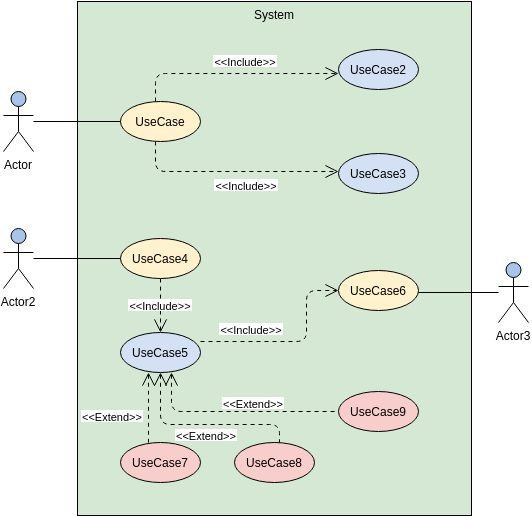
A use case is a high-level description of a system’s functionality from an external perspective. It defines the interactions between an external actor (a user or another system) and the system itself. Use cases serve as a foundation for understanding system behavior and are instrumental in capturing functional requirements.
Key Concepts
- Actors: External entities that interact with the system.
- System: The software or application being developed.
- Functionality: The specific actions or processes the system performs.
Understanding Use Case Scenarios
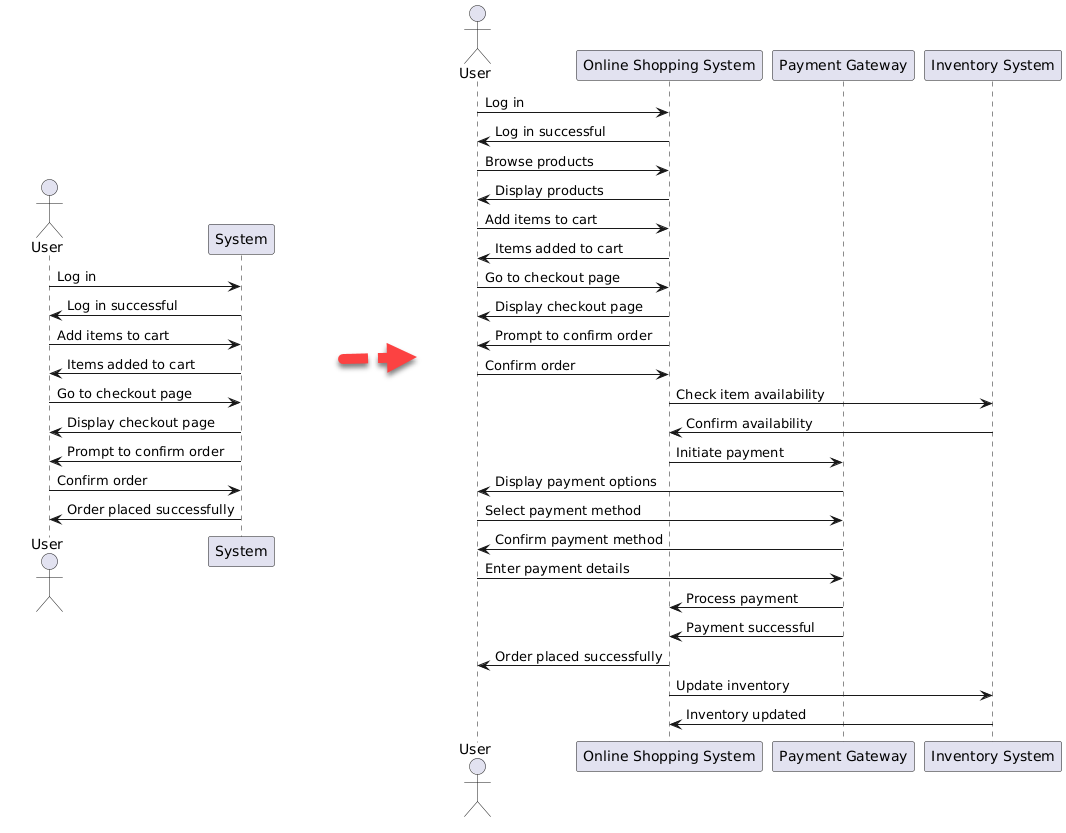
Use case scenarios provide a detailed narrative of how a particular use case unfolds. These scenarios outline the sequence of interactions between the external actor and the system, depicting the various steps and conditions that may arise during execution. They offer a more granular view, helping developers and stakeholders visualize the specific user interactions.
Example Scenario
Consider a use case scenario for an online shopping system:
- User logs in.
- User browses products and adds items to the cart.
- User goes to the checkout page.
- System prompts user to confirm the order.
- User confirms and submits the order.
The Flow of Events
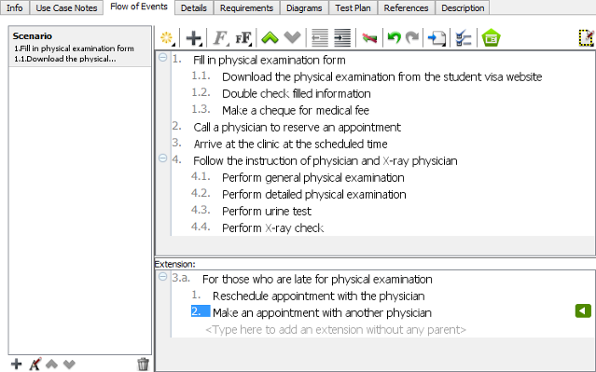
The flow of events is a crucial aspect of use case scenarios. It outlines the step-by-step progression of actions within a use case. Each step in the flow of events corresponds to a specific action or decision point, offering a comprehensive view of the user-system interaction. Identifying alternate flows and exceptions is vital for anticipating different paths a use case may take.
Example Flow of Events
For the online shopping scenario:
- User logs in.
- User browses products.
- User adds items to the cart.
- User proceeds to checkout.
- System prompts for confirmation.
- User confirms the order.
- System processes the order.
Use Case Templates
Use case templates provide a standardized structure for documenting use cases. They typically include sections for the use case name, description, actors, preconditions, postconditions, and the main and alternative flows. Templates offer a systematic way to capture and organize information, ensuring consistency across various use cases within a project.
Example Use Case Template
Use Case Name: Place Order
- Description: Initiates the process of purchasing items online.
- Actors: Registered User
- Preconditions: User is logged in.
- Postconditions: Order is placed successfully.
- Main Flow:
- User logs in.
- User adds items to the cart.
- User goes to the checkout page.
- System prompts user to confirm the order.
- User confirms and submits the order.
- Alternate Flow: None in this case.
Relationships Among Use Cases, Scenarios, Flow of Events, and Templates
1. Use Case and Use Case Scenario
- A use case encapsulates multiple scenarios. It represents the overarching functionality.
- Scenarios provide a detailed breakdown of specific instances or paths within a use case.
2. Use Case Scenario and Flow of Events
- Scenarios are composed of the flow of events.
- The flow of events outlines the chronological sequence of actions and decision points within a scenario.
3. Use Case and Use Case Template
- A use case is a conceptual description of system functionality.
- The use case template provides a structured format for documenting the details of a use case.
Example: Online Shopping System
Use Case
- Title: Place Order
- Description: The user initiates the process of purchasing items online.
Use Case Scenario
- Scenario: User adds items to the cart and proceeds to checkout.
- Flow of Events:
- User logs in.
- User browses products and adds items to the cart.
- User goes to the checkout page.
- System prompts user to confirm the order.
- User confirms and submits the order.
Use Case Template
- Use Case Name: Place Order
- Description: Initiates the process of purchasing items online.
- Actors: Registered User
- Preconditions: User is logged in.
- Postconditions: Order is placed successfully.
- Main Flow:
- User logs in.
- User adds items to the cart.
- User goes to the checkout page.
- System prompts user to confirm the order.
- User confirms and submits the order.
- Alternate Flow: None in this case.
Illustrating the Relationships
| Aspect | Use Case | Use Case Scenario | Flow of Events | Use Case Template |
|---|---|---|---|---|
| Purpose | Describes overall system function | Provides a detailed instance of use case | Breaks down the steps within a scenario | Documents details of a use case |
| Scope | High-level | Specific instance within a use case | Granular view of actions | Standardized structure for documentation |
| Content | Broad functionality | Detailed narrative of user interaction | Chronological sequence of actions | Sections for name, description, actors, preconditions, postconditions, main flow, alternate flow |
| Focus | Conceptual | Specific user interactions | Detailed steps and decision points | Structured representation of use case details |
| Level of Detail | General | More specific | Detailed and sequential | Standardized but detailed |
| Representation | Conceptual model | Narrative text | Sequential steps | Structured document format |
| Usefulness | Provides an overview for stakeholders | Helps visualize specific user interactions | Aids in understanding detailed steps | Ensures consistency in documentation |
Conclusion
In essence, use cases, use case scenarios, flow of events, and use case templates are interconnected elements in the process of system development. Use cases offer a holistic view, scenarios provide detailed narratives, flow of events breaks down the steps, and templates provide a standardized documentation format. A cohesive understanding of these components ensures that development teams and stakeholders are on the same page, leading to the creation of effective and user-friendly systems.
Use Case Examples and Templates
Grocery Cart System
- Actors: Customer, Cashier
- Use Cases: Add items to cart, Remove items from cart, Checkout
Transportation Management System
- Actors: Driver, Dispatcher
- Use Cases: Schedule route, Track vehicle, Manage deliveries
Restaurant Ordering System
- Actors: Customer, Waiter
- Use Cases: Place order, Modify order, Pay bill
Ride-Hailing Service
- Actors: Passenger, Driver
- Use Cases: Request ride, Accept ride, Complete ride
Online Ticket Booking System
- Actors: User, Admin
- Use Cases: Search for events, Book tickets, Manage bookings
Library Management System
- Actors: Librarian, Student
- Use Cases: Check out book, Return book, Search catalog
Online Shopping System
- Actors: Customer, Seller
- Use Cases: Browse products, Add to cart, Checkout
Video Conferencing System
- Actors: User, Admin
- Use Cases: Join meeting, Schedule meeting, Share screen
These examples illustrate how use cases, scenarios, flow of events, and templates can be applied to various systems, providing a comprehensive framework for software development and systems analysis.

