


On December 19, 2025, Visual Paradigm marked a significant milestone in productivity tools with the official launch of its AI Table Generator. This powerful, AI-first web application is designed to revolutionize how professionals across various industries create, edit, and export structured data tables. By eliminating manual formatting headaches and syntax struggles, this tool allows users to focus purely on content rather than code.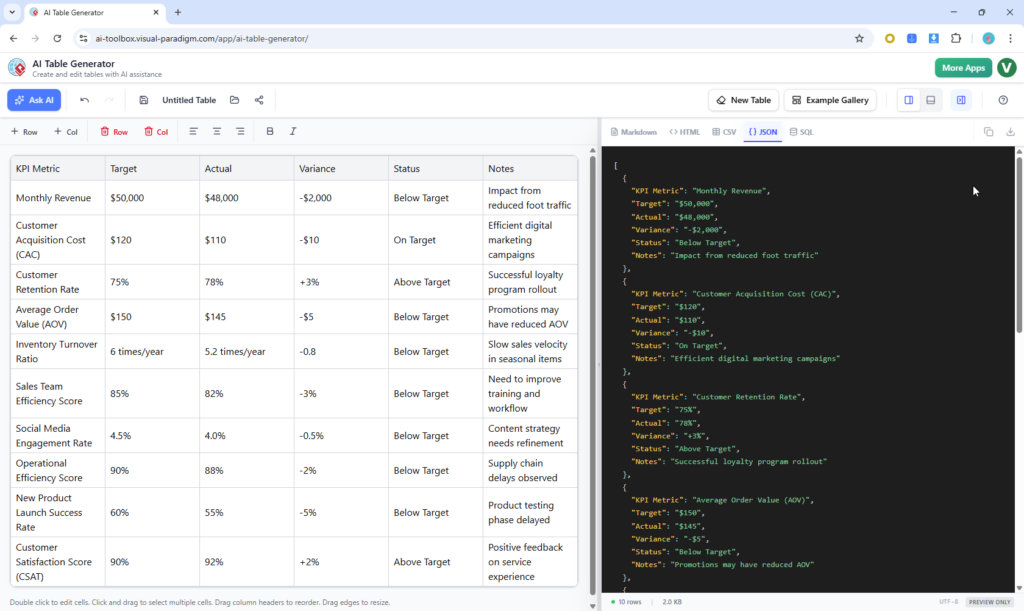
Whether you are a developer needing a quick SQL schema, a data analyst organizing a CSV, or a content creator building a Markdown table for a blog, this guide explores the depth and capabilities of this new free utility.
Key Concepts
Before diving into the workflow, it is essential to understand the core technologies and terminologies that make the AI Table Generator a standout tool in the landscape of digital productivity.
- Generative AI for Structured Data: Unlike traditional spreadsheet software, this tool utilizes advanced Large Language Models (LLMs). This means it can interpret natural language prompts—such as “Create a comparison table of the top 5 cloud providers”—and intelligently construct a logical schema with accurate headers, rows, and columns without manual entry.
- Interactive Grid Editor: This feature bridges the gap between static code generation and dynamic editing. It provides a spreadsheet-like interface where users can drag-to-resize columns, reorder data, and sort entries, offering a familiar user experience similar to Excel but optimized for code generation.
- Multi-Format Polyglot Support: The tool is designed to be format-agnostic until the moment of export. It understands the underlying structure of data and can translate it instantly into:
- Markdown: Optimized for technical documentation, GitHub, and GitLab README files.
- HTML: Clean, web-ready code with optional CSS for professional presentation.
- CSV: The standard for data exchange, compatible with Google Sheets and Excel.
- JSON: Structured objects ideal for API responses and frontend mocking.
- SQL: Ready-to-run
CREATE TABLEandINSERTstatements for database seeding.
Detailed Features Breakdown
Visual Paradigm has packed this free tool with professional-grade features designed to streamline workflows from ideation to deployment.
1. Intelligent AI Table Generation
The core engine allows for natural language prompting to generate complex tables instantly. It creates context-aware headers and populates cells with realistic sample data. For users who need inspiration, the tool includes a built-in gallery with ready-made templates for business, software, education, and health sectors.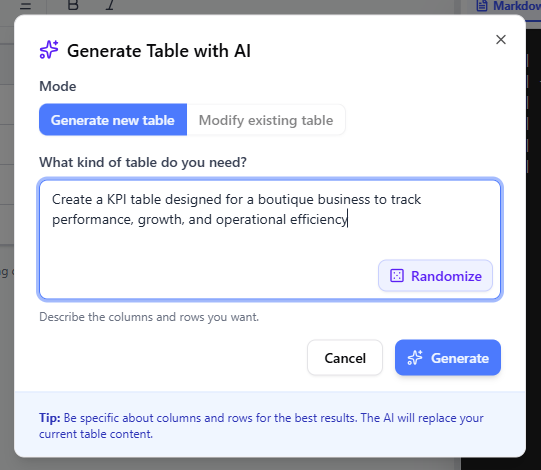
2. Professional Interactive Grid Editor
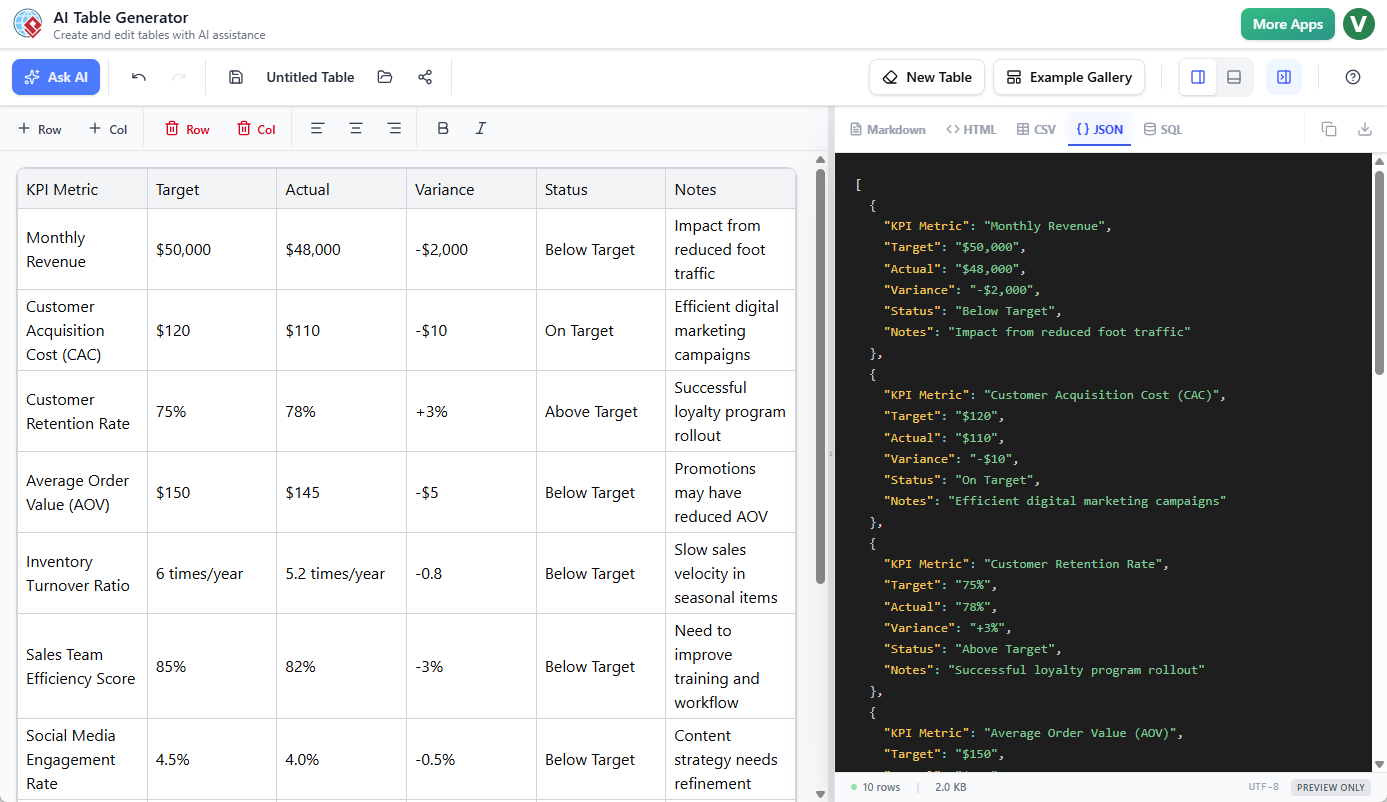
Once the data is generated, the tool offers precise control over the layout:
- Insertion Logic: Precise row and column insertion with “Insert Before” capabilities.
- Drag-and-Drop: Easily reorder columns or resize them for better readability.
- Smart Sorting: One-click sorting that automatically detects whether data is numeric or alphabetical.
- Bulk Editing: Multi-cell selection allows for rapid changes and styling updates.
3. Project Management and Collaboration
Despite being a free tool, it supports robust project management features via an optional account. Users can utilize cloud saving with inline renaming, maintain an unlimited undo/redo history, and create public shareable snapshots (read-only links) for easy collaboration.
Guidelines: How to Use the AI Table Generator
To maximize the utility of the AI Table Generator, follow this step-by-step workflow to go from a simple idea to production-ready code.
Step 1: Generate or Start Fresh
Navigate to the AI Table Generator. You have two primary entry points:
- Ask AI: Enter a natural language description of your needs. For example: “Create a project roadmap for Q1 2026 with columns for Task, Owner, Deadline, and Status.” Click Generate to see the AI build the schema instantly.
- Template Gallery: If you are unsure where to start, pick a pre-designed template from the built-in gallery suited to your industry.
Step 2: Structure and Refine
Once the table is generated, you enter the editing phase. Use the interactive grid to perfect the data:
- Add necessary rows or columns that the AI might have missed.
- Drag headers to reorder the flow of information.
- Double-click cells to edit specific data points.
Step 3: Edit and Style
Visual presentation matters, even for raw data. Use the toolbar to apply rich formatting:
- Apply Bold or Italics to emphasize key metrics.
- Adjust text alignment per cell or column for better readability.
- Note that formatting choices are preserved across exports where supported (e.g., HTML and Markdown).
Step 4: Live Preview and Export
As you edit, the responsive dual-pane interface shows real-time code generation in the side pane. Select your desired format (Markdown, HTML, CSV, JSON, or SQL) to see the code update live.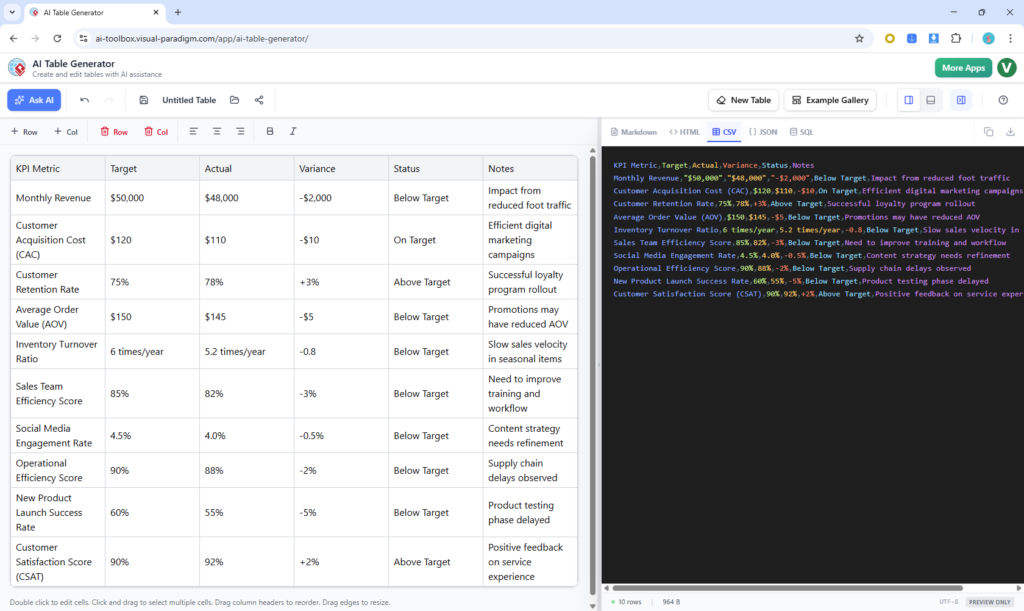
Finally, click Save to store your project in the cloud, or use the export options to copy the code or download the file directly to your device.
Tips and Tricks for Power Users
Unlock the full potential of the AI Table Generator with these expert tips:
- Prompt Engineering for SQL: When generating SQL, be specific in your prompt about data types. For example, specify “include an ID column as primary key” to get more accurate
CREATE TABLEstatements immediately. - Dark Mode for Developers: If you are coding late at night or prefer a high-contrast interface, utilize the dark-mode code preview. It offers a premium developer experience that reduces eye strain.
- Rapid Database Seeding: Use the tool to generate dummy data for testing. Prompt the AI to “Generate 20 rows of realistic customer data with names, emails, and signup dates,” then export to JSON or SQL to populate your development environment instantly.
- Share Snapshots: Instead of sending static screenshots to stakeholders, use the “Public shareable snapshots” feature. This generates a read-only link, allowing team members to view the full data structure in their browser.
Conclusion
Visual Paradigm’s AI Table Generator is more than just a novelty; it is a comprehensive solution for Developers, Data Analysts, Project Managers, and Content Creators. By bridging the gap between natural language and executable code (be it SQL, JSON, or HTML), it drastically reduces the time spent on manual data formatting. Best of all, it is completely free to use, making it an accessible addition to any professional’s toolkit.
Ready to streamline your data workflow? Launch the AI Table Generator Now and experience the future of automated table creation.
Resources
- Unleashing the Power of DoDAF with Visual Paradigm
- Unleash the Power of Visual Paradigm: Your Ultimate REST API…
- Unveiling the Complexity: A Guide to Functional Decomposition …
- Unlock the Power of Data Flow Diagrams (DFD) with Visual …
- Comprehensive Guide to Data Flow Diagrams in Software …
- Navigating System Complexity: Determining the Levels of Data …
- Visual Paradigm Online: Diagramming Better, Faster, Together
- Business Archives – Page 2 of 4 – Visual Paradigm Blog
- Visual Paradigm Guides – Page 25 of 43 – Just another WordPress site
- Visual Paradigm Guides – Page 42 of 43 – Just another WordPress site
- Visual Paradigm Guides – Page 27 of 43 – Just another WordPress site
- Comprehensive Guide for Visual Paradigm: Unleashing the Power of ArchiMate for Enterprise Architecture
- Understanding the Basics of ArchiMate: A Comprehensive Introduction
- ArchiMate: The Comprehensive Framework for Enterprise Architecture
- ArchiMate: A Comprehensive Guide to Enterprise Architecture Modeling
Related posts:
 Q&A: Real Questions Tech Startups Ask About the Business Model Canvas (And Answers)
 The “No-Code” Approach to Building a Robust Business Model Canvas for MVPs
 Beyond Revenue Streams: Using the Business Model Canvas to Secure Series A Funding
 The Silent Killer: Ignoring Key Partnerships on Your Business Model Canvas