
Software architecture forms the backbone of any robust application. As computer science students transition from writing code to designing systems, understanding visual representations of that structure becomes critical. Among the Unified Modeling Language (UML) specifications, the package diagram stands out as a vital tool for organizing complex software structures.
A package diagram allows developers to visualize the high-level organization of a system. It groups elements into logical containers, clarifying dependencies and interactions between different modules. Without a clear architectural view, systems can quickly become tangled and difficult to maintain. This guide outlines five essential practices to help you create effective package diagrams that communicate design intent clearly.
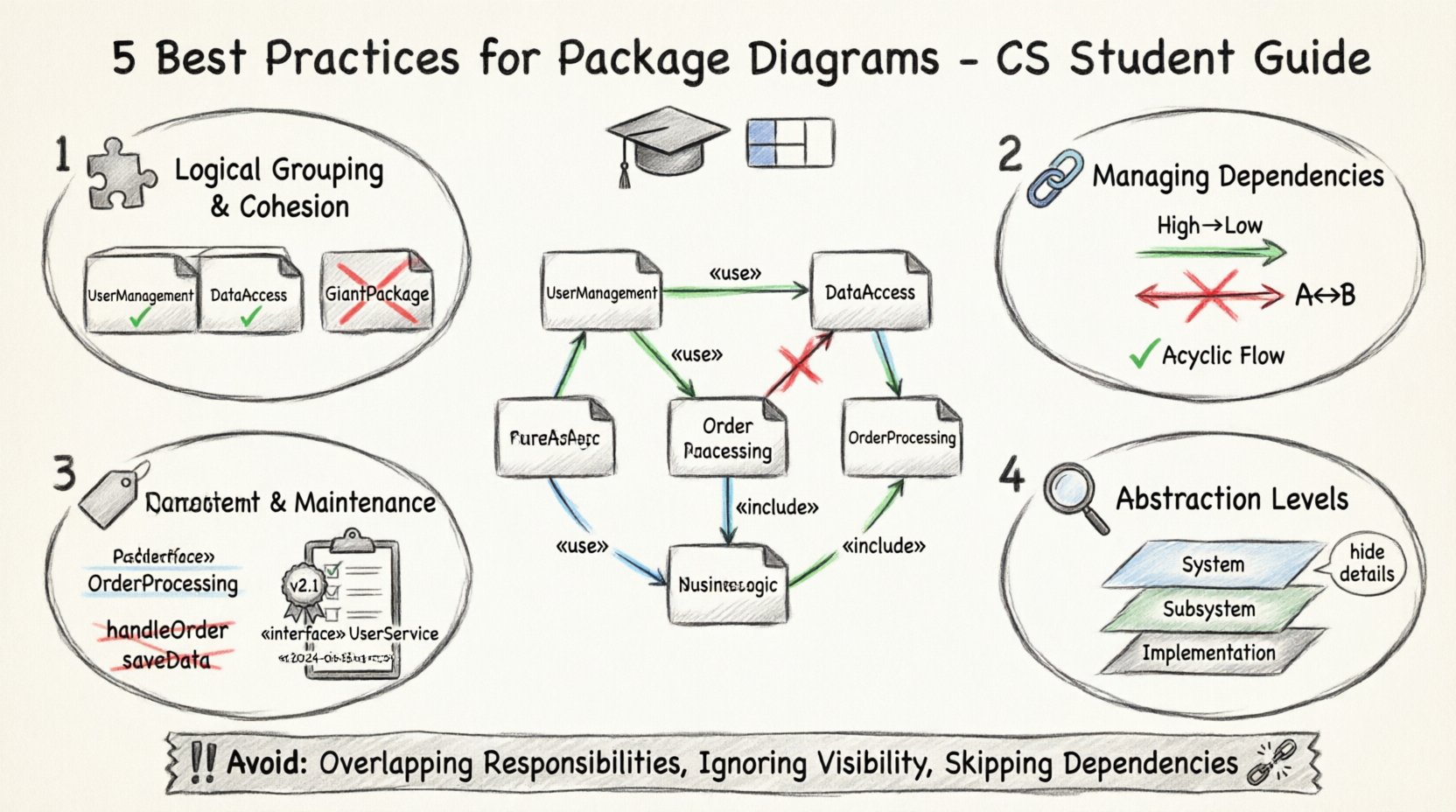
1️⃣ Logical Grouping and Cohesion 🧩
The primary purpose of a package is to group related elements together. When creating these diagrams, the goal is to maximize cohesion and minimize coupling. Cohesion refers to how closely related the elements within a package are. High cohesion means the package does one thing well. Coupling refers to the degree of interdependence between software modules. Low coupling is always preferred.
- Group by Function: Organize packages based on specific features or domains. For example, a
UserManagementpackage should contain all classes related to authentication, profiles, and permissions. - Separate Concerns: Do not mix presentation logic with business logic. Keep
Viewcomponents separate fromControllerorServicelayers. - Avoid Giant Packages: If a package contains unrelated classes, it is likely too broad. Splitting it improves maintainability.
- Respect Boundaries: Ensure that a package does not expose internal implementation details of other packages unnecessarily.
Consider the following scenario where logical grouping fails:
- Bad Practice: A package named
AllClassescontains database connections, UI rendering, and calculation logic. - Good Practice: Split into
DataAccess,UIComponents, andBusinessLogic.
When reviewing your diagram, ask if a developer can understand the responsibility of a package just by looking at its name. If the answer is no, refine the grouping strategy.
2️⃣ Managing Dependencies Strategically 🔗
Dependencies represent the relationships between packages. They indicate how one package relies on another. Uncontrolled dependencies lead to fragile systems where a change in one module breaks another. Managing these relationships is crucial for system stability.
- Minimize Cross-Package Calls: Direct dependencies should be as few as possible. Use interfaces or abstraction layers to reduce tight coupling.
- Avoid Cyclic Dependencies: A cycle occurs when Package A depends on Package B, and Package B depends on Package A. This creates a circular reference that is hard to resolve and test.
- Directional Flow: Dependencies should generally flow from high-level packages to low-level packages. The high-level module defines the interface, and the low-level module implements it.
- Use Interfaces: When Package A needs data from Package B, define an interface in Package A that Package B implements. This decouples the specific implementation.
Visualizing dependency direction helps identify architectural smells. Arrows pointing in multiple directions often indicate a lack of clear hierarchy.
Dependency Direction Guide
| Direction | Implication | Recommendation |
|---|---|---|
| High to Low | Standard hierarchy | ✅ Preferred |
| Low to High | Implementation details leaking up | ⚠️ Review |
| Circular (A↔B) | Tight coupling, hard to test | ❌ Avoid |
3️⃣ Consistent Naming Conventions 🏷️
Naming is the first interaction a developer has with your architecture. Inconsistent naming leads to confusion and increases the cognitive load required to understand the system. A standardized naming convention ensures clarity across the entire project.
- Use Nouns: Package names should generally be nouns or noun phrases. Avoid verbs.
OrderProcessingis better thanProcessOrders. - Capitalize Correctly: Use camelCase or PascalCase consistently. Do not mix
myPackageandMyPackagein the same diagram. - Keep It Short: Long names are hard to read on a diagram. Abbreviate common terms if necessary, but ensure they are documented.
- Reflect Structure: The name should hint at the internal structure.
Coreimplies central functionality, whileExternalimplies third-party integrations.
Adopting a project-wide standard helps onboarding new students or team members. When everyone follows the same rules, the diagram becomes a reliable map of the codebase.
4️⃣ Abstraction Levels and Detail Management 🎚️
Package diagrams are often used at different levels of abstraction. A single diagram rarely shows every single class in a large system. Understanding when to zoom in and when to zoom out is a skill in itself.
- System Level: Show major subsystems. Focus on how the database, API, and frontend interact. Do not show individual classes here.
- Subsystem Level: Drill down into specific modules. Show packages within a subsystem and their internal dependencies.
- Implementation Level: This is usually reserved for class diagrams. Package diagrams at this level become cluttered and lose their high-level overview value.
- Hide Internal Details: Use the
«include»or«use»stereotype to indicate that a package uses another, without showing the internal mechanics.
Over-detailing a package diagram makes it unreadable. If you find yourself listing dozens of classes inside a package, consider moving that detail to a separate class diagram or documentation file. The package diagram should serve as a table of contents for the architecture.
5️⃣ Documentation and Maintenance 📝
A diagram is only useful if it remains accurate over time. Software evolves, and code changes. If the diagram does not change with the code, it becomes a source of misinformation. Maintaining documentation is as important as creating it.
- Update with Changes: Every time a new module is added or a dependency is removed, update the diagram. Do not let it drift.
- Include Metadata: Add version numbers and dates to the diagram title or footer. This helps track historical changes.
- Define Stereotypes: Use standard UML stereotypes like
«interface»,«abstract», or«utility»to clarify the nature of packages. - Review Regularly: Schedule periodic reviews with peers. A fresh pair of eyes can spot structural issues that the original designer missed.
Common Pitfalls to Avoid 🚫
Even experienced developers make mistakes when designing package diagrams. Being aware of common errors can save significant time during the development phase.
- Overlapping Responsibilities: Ensure that two packages do not perform the exact same function. This leads to duplicate code.
- Ignoring Package Visibility: Remember that packages have access modifiers. Public packages are accessible globally, while private ones are restricted.
- Skipping Dependencies: Do not assume relationships exist. If Package A uses Package B, draw the arrow explicitly.
- Ignoring Layering: Ensure that layers (Presentation, Business, Data) do not mix. A presentation package should not talk directly to the database.
Why These Practices Matter 🌟
Following these guidelines is not just about following rules. It is about reducing technical debt. A well-structured package diagram makes the code easier to read, easier to test, and easier to refactor. It serves as a communication tool between developers, stakeholders, and future maintainers.
In academic settings, these diagrams are often graded on their accuracy and adherence to UML standards. In professional settings, they are the blueprint for scaling applications. Whether you are building a small project for a course or a large-scale enterprise system, the principles of organization, dependency management, and clarity remain constant.
Start applying these practices to your current projects. Sketch your architecture on paper before coding. Refine the packages based on the logic of the domain. Over time, you will find that the code itself becomes more modular and robust because the design was sound from the start.
Final Thoughts 🎓
Package diagrams are a fundamental skill for any computer science student aiming to become a software architect. They bridge the gap between abstract requirements and concrete code implementation. By focusing on logical grouping, dependency management, naming conventions, abstraction levels, and maintenance, you create systems that stand the test of time.
Remember that a diagram is a living document. It evolves as the system evolves. Keep it clean, keep it accurate, and keep it useful. These habits will serve you well throughout your career in software development.